In the fast-paced world of digital content, creating high-quality video is essential for business growth. Yet, traditional video editing remains a significant bottleneck. The manual process of cutting silences, removing filler words, adding captions, and finding relevant B-roll consumes hours of valuable time, slows content production, and inflates costs unnecessarily. This tedious workflow prevents creators and businesses from focusing on high-impact activities like strategy and audience engagement.
AI-powered tools are fundamentally changing this dynamic. By automating repetitive editing tasks, they allow you to produce professional-grade videos in a fraction of the time. This guide offers an in-depth review of the best AI tools for video editing free currently available, helping you find the right platform to streamline your workflow. We analyze each tool's practical applications for business content, such as talking head videos, tutorials, and marketing materials. While our focus is on editing existing footage, if you're looking to generate video from scratch, you can explore other comprehensive resources like the 12 Best Free AI Video Maker Tools in 2025.
Each option in this list includes direct links and feature screenshots to simplify your decision-making process. Discover how to accelerate your production pipeline, cut down on manual labor, and achieve polished results without the professional price tag.
1. CapCut
CapCut has rapidly become a dominant force among the best AI tools for video editing free of charge, largely due to its powerful, cross-platform capabilities and remarkably generous free plan. It excels at accelerating the creation of social media content, talking head videos, and promotional shorts through a suite of intelligent features. The platform is designed for businesses and creators who need to produce high-quality content quickly across web, desktop, and mobile devices without a steep learning curve.
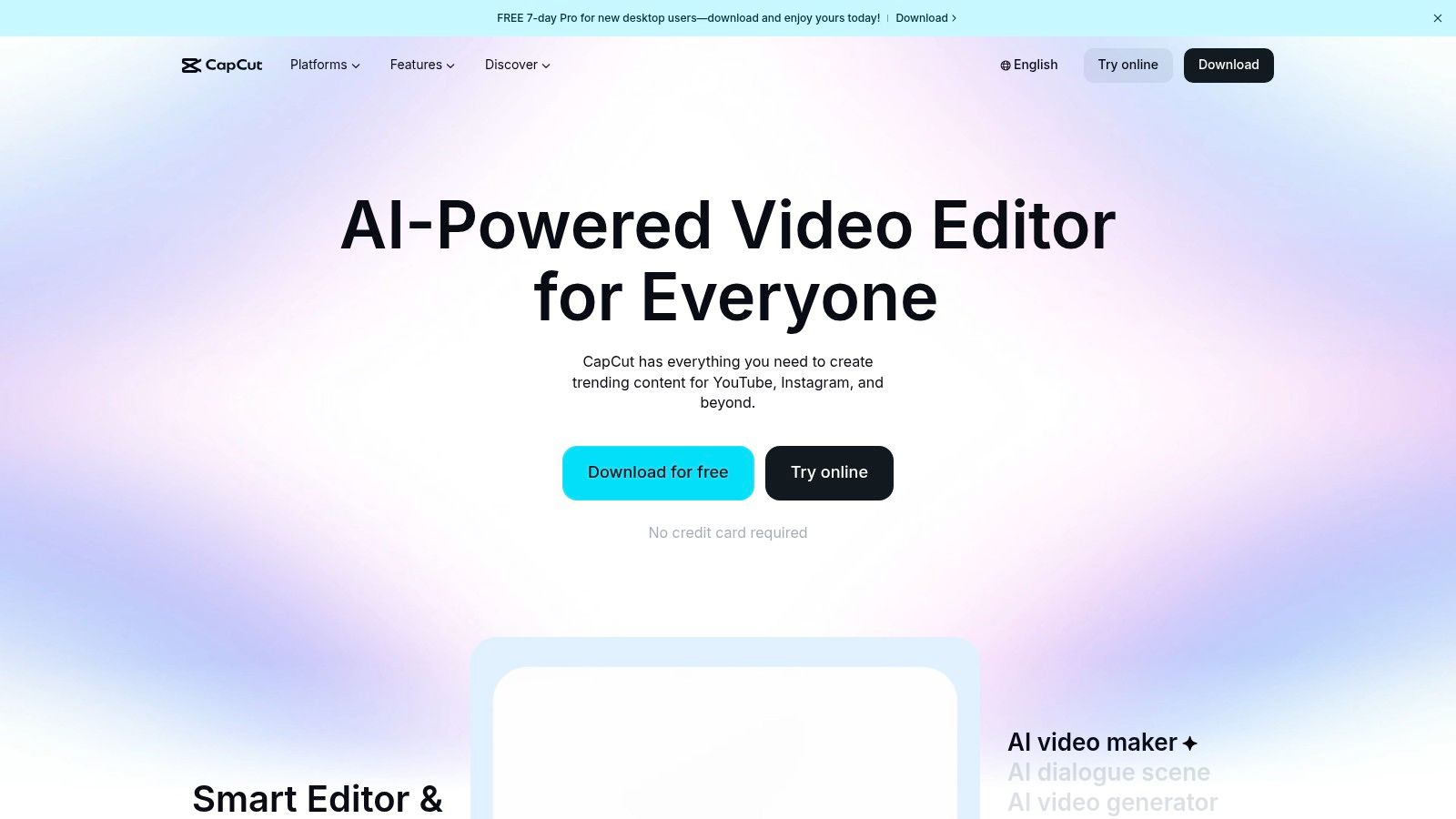
What makes CapCut stand out is its seamless integration of AI into core editing workflows. The auto-captioning tool is impressively accurate and customizable, saving hours of manual transcription. For business and educational content, its AI-powered silence and filler-word removal tool instantly tightens up pacing, creating a more professional final product. While CapCut offers a fantastic starting point, creators looking to further streamline their workflow can explore dedicated platforms like Tubentum, which offers a shortcut to a finished video by automatically removing filler words and silences in one click.
Key Features & Use Cases
- AI Auto-Captions: Generate and customize subtitles in seconds, perfect for business marketing where many users watch with sound off.
- Silence & Filler Word Removal: Instantly clean up talking head videos, interviews, and tutorials for a polished, professional feel.
- Template-Driven Edits: Utilize a massive library of templates for quick, brand-aligned videos for marketing on TikTok, Reels, and YouTube Shorts.
- Cloud-Based Projects: Start an edit on one device and finish it on another, providing unmatched flexibility for busy professionals.
Our Take: CapCut's free tier is one of the most feature-rich available, making it the top recommendation for businesses and creators needing a cost-effective, all-in-one AI editing solution. The absence of a mandatory watermark on most exports is a significant advantage over competitors.
Website: https://www.capcut.com
2. Descript
Descript revolutionizes the editing process by transforming it into a text-based workflow, making it one of the best AI tools for video editing free of the traditional timeline complexities. It is specifically designed for creators of talking head videos, podcasts, and instructional content who prefer editing a script over a video track. This unique approach allows for incredibly fast and intuitive edits, as deleting a word in the transcript simultaneously removes the corresponding video and audio segment.
What truly sets Descript apart is its suite of AI features centered on voice and text. The "Studio Sound" feature can make amateur audio recordings sound professionally mixed with a single click, while its filler word detection erases "ums" and "ahs" instantly. For creators focused on long-form business content, Descript’s AI can also help find the best clips for repurposing into shorts. While Descript is powerful for manual clip selection, platforms like Tubentum offer a shortcut to this ideal state by automatically finding the most engaging clips and placing them at the beginning of your video to maximize retention.
Key Features & Use Cases
- Transcription-Based Editing: Edit your video by simply editing the text transcript, perfect for podcasters, business coaches, and course creators.
- AI Filler Word Removal: Automatically detect and delete filler words ("um," "uh") and repeated words to create a cleaner, more professional audio track.
- Studio Sound: Enhance voice recordings with one click, removing background noise and echo for a studio-quality finish.
- AI Co-Editor & Voices: Use AI to generate scripts, find key moments for clips, and even create realistic AI voiceovers for corporate training videos.
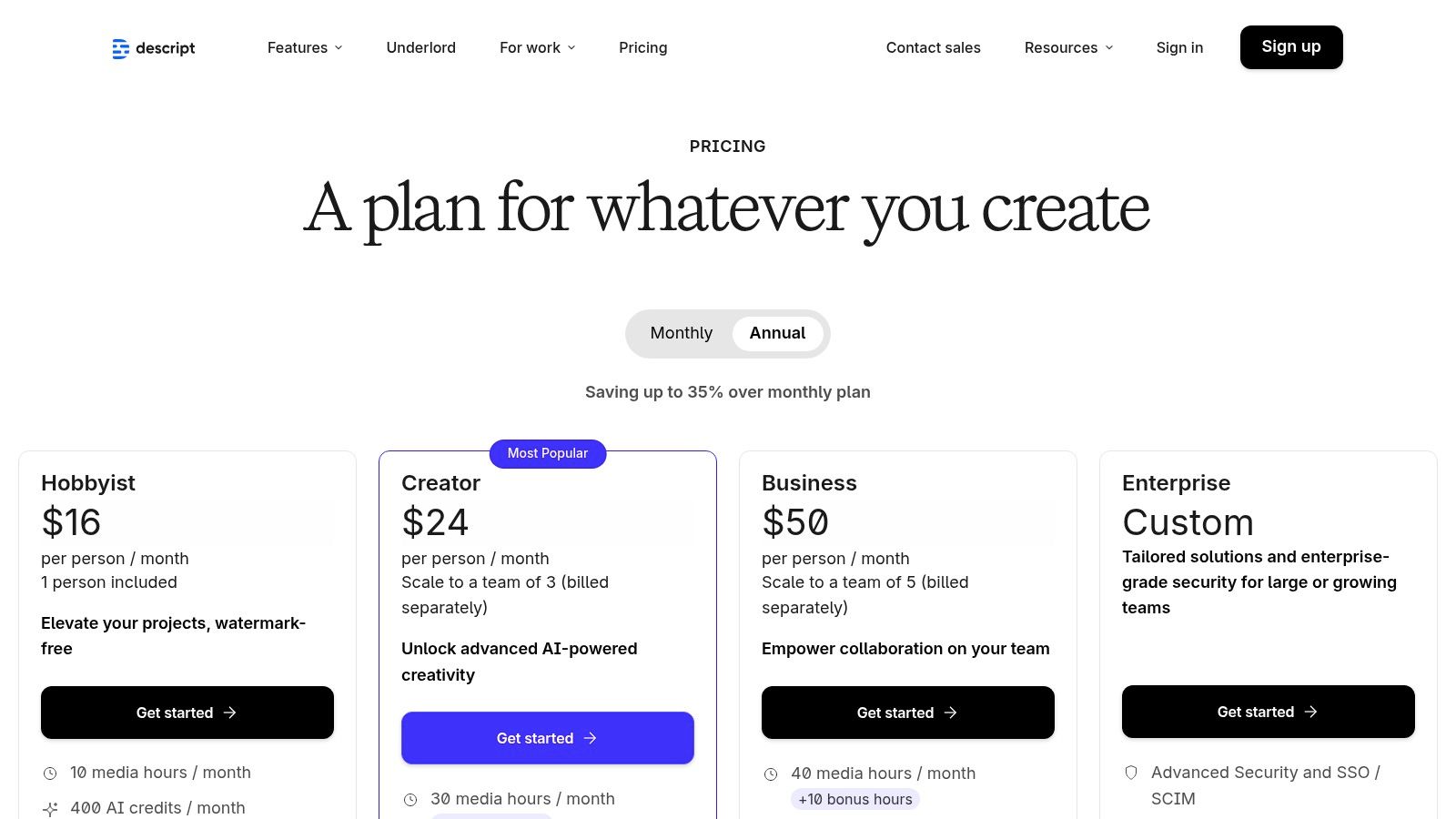
Our Take: Descript is an unparalleled tool for any business whose workflow is script-driven. Its free tier is excellent for getting started with text-based editing, although heavy use of AI features like transcription and Studio Sound will quickly consume the monthly credits, pushing users towards paid plans.
Website: https://www.descript.com
3. Runway
Runway has positioned itself at the forefront of generative AI video, making it one of the best AI tools for video editing free for businesses focused on creating unique visual assets from scratch. Rather than just editing existing footage, Runway’s strength lies in its powerful text-to-video and image-to-video models (Gen-2). This makes it ideal for generating abstract B-roll, animated logos, or conceptual visuals for marketing campaigns that would otherwise require complex motion graphics software.
What makes Runway particularly effective for businesses is its role as an asset-creation engine. The AI-generated clips can be downloaded and integrated into a primary editor, enhancing promotional videos or social media content with eye-catching motion. While its timeline editor is functional, the platform shines brightest as a source of creative assets. For those needing a shortcut to the ideal state of having a complete, engaging talking-head video without generating B-roll, a service like Tubentum can automatically refine raw footage for pacing and retention.
Key Features & Use Cases
- Generative AI Video: Create short video clips from text prompts or still images, perfect for unique B-roll, ad creatives, and abstract backgrounds.
- AI Magic Tools: Access a suite of features like inpainting (removing objects from video), motion tracking, and green screen removal.
- Timeline Editor: Assemble generated clips and existing footage within the platform for basic edits and compositions.
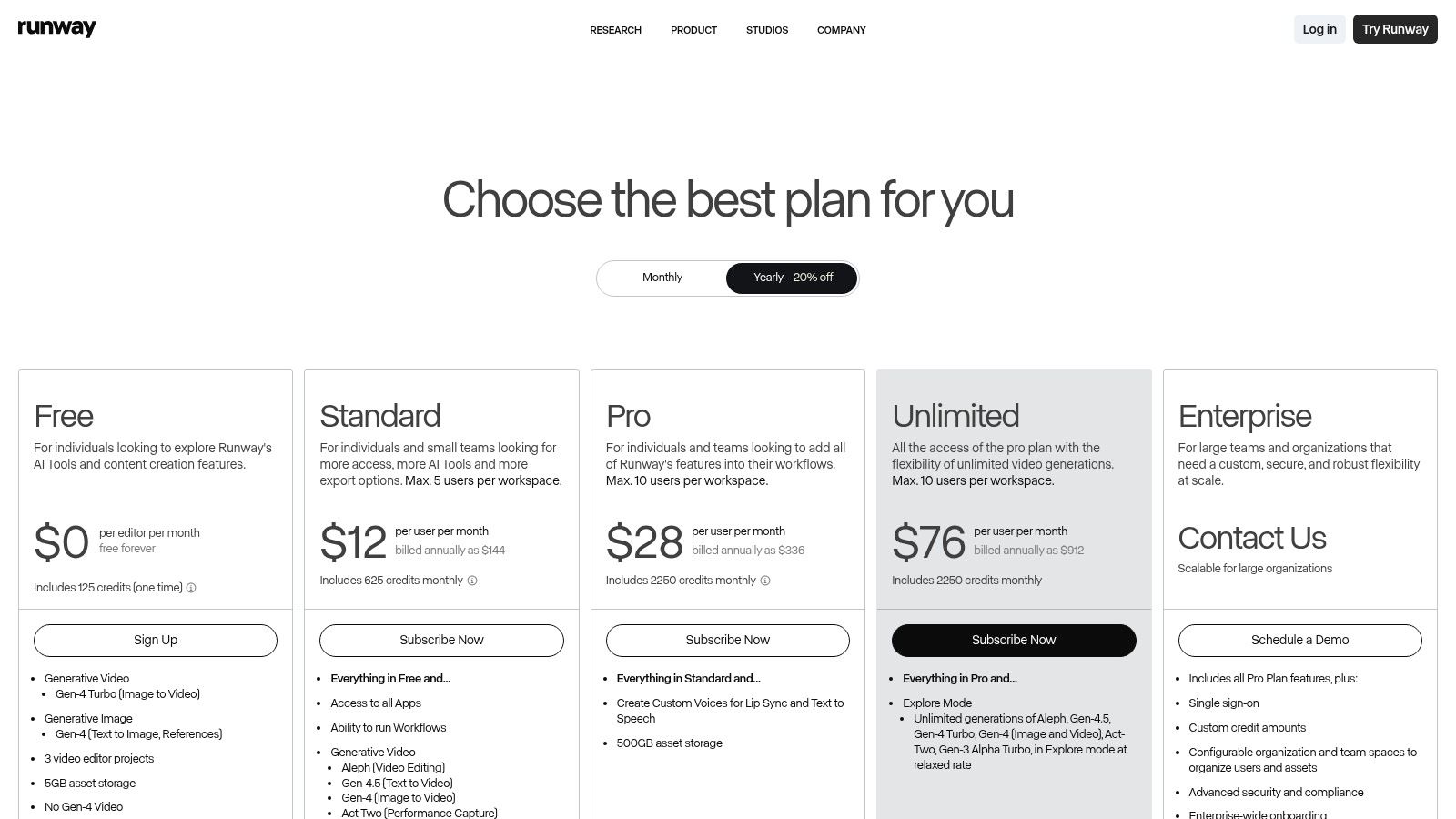
- Credit-Based System: The free plan provides a set of initial credits, allowing businesses to experiment with generation before committing to a paid plan.
Our Take: Runway is an essential tool for creators and businesses who want to incorporate cutting-edge generative AI visuals into their projects. While its free plan is more of a trial with limited credits, it provides a powerful glimpse into the future of video asset creation.
Website: https://runwayml.com/pricing
4. Adobe Express (Video)
Adobe Express brings the power of Adobe's creative ecosystem into an accessible, template-driven platform, making it one of the best AI tools for video editing free for non-editors. It is designed for marketers, small business owners, and social media managers who need to produce professional, on-brand video content without the steep learning curve of advanced software like Premiere Pro. Its strength lies in its seamless integration of commercially safe AI and a massive library of high-quality assets.
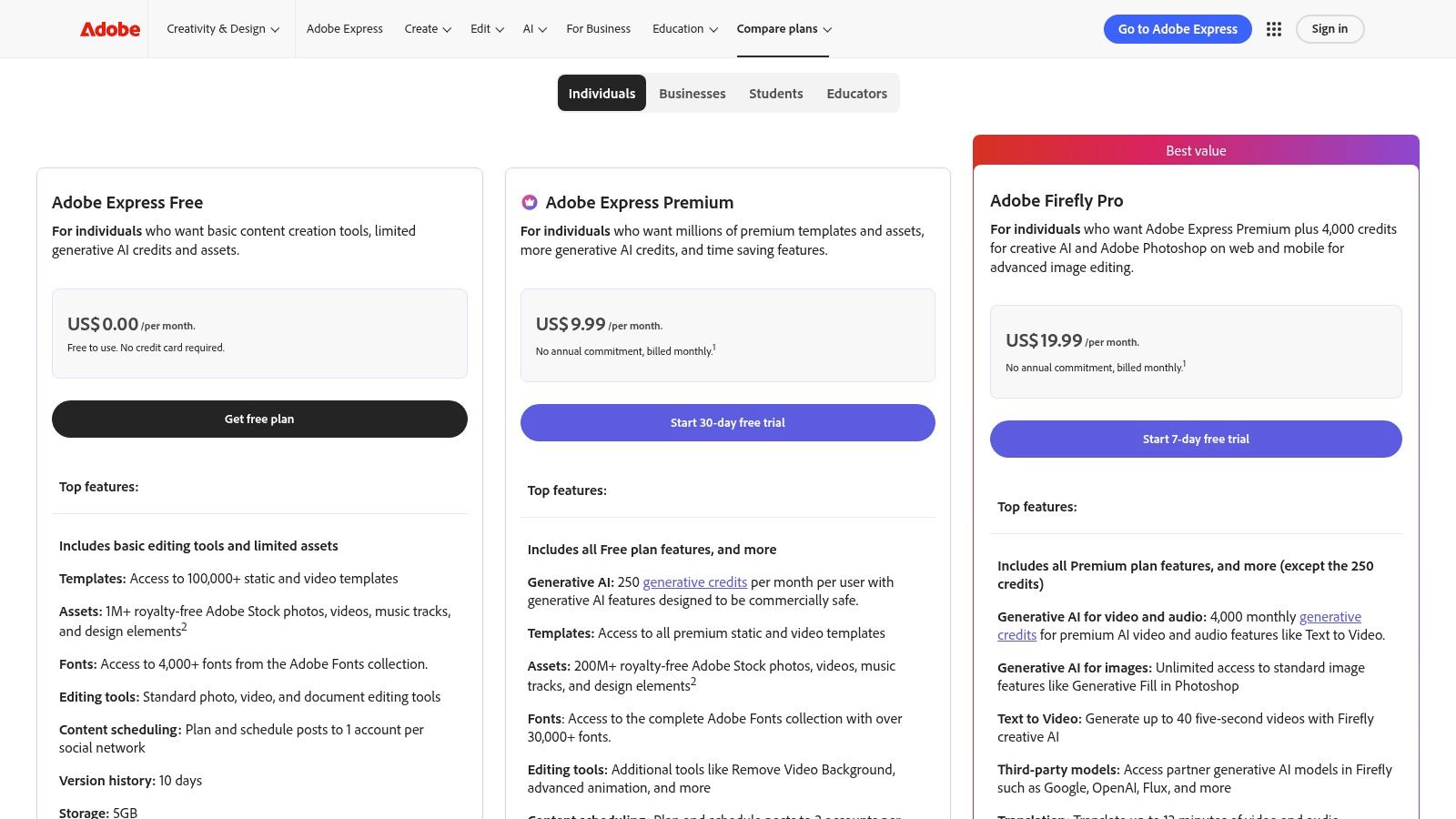
What sets Adobe Express apart is its direct link to Adobe Firefly, the company's generative AI engine designed to be commercially safe. The free plan offers access to many core features and a monthly allocation of generative credits. This allows users to experiment with AI-driven text-to-template generation and animations. While Express simplifies branding, platforms like Tubentum offer a more specialized shortcut to the ideal state by automatically editing raw business footage for optimal pacing and engagement, creating a perfect foundation to which branding can be added.
Key Features & Use Cases
- AI-Powered Animations: Instantly apply character animations or text effects to make static content more dynamic for social media ads.
- Video Background Removal: Quickly remove and replace the background in a video clip, perfect for creating clean product showcases or professional talking head videos.
- Vast Template & Stock Library: Leverage thousands of professionally designed video templates and access to the Adobe Stock free collection for quick marketing content.
- Brand Kit Integration: Maintain brand consistency across all video assets by easily applying your logos, colors, and fonts.
Our Take: Adobe Express is the ideal choice for businesses and teams already invested in the Adobe ecosystem or those prioritizing commercially safe AI. The credit system can be a limitation, but the quality of its templates and asset library provides immense value on the free tier.
Website: https://www.adobe.com/express/pricing
5. Microsoft Clipchamp
Microsoft Clipchamp has cemented its place as a top-tier choice among the best AI tools for video editing free for users, particularly those embedded in the Windows ecosystem. Its strength lies in its simplicity and direct integration with Windows and Microsoft 365, making it an incredibly accessible web-based editor. The platform is tailored for creating quick tutorials, business updates, and professional presentations with a minimal learning curve.
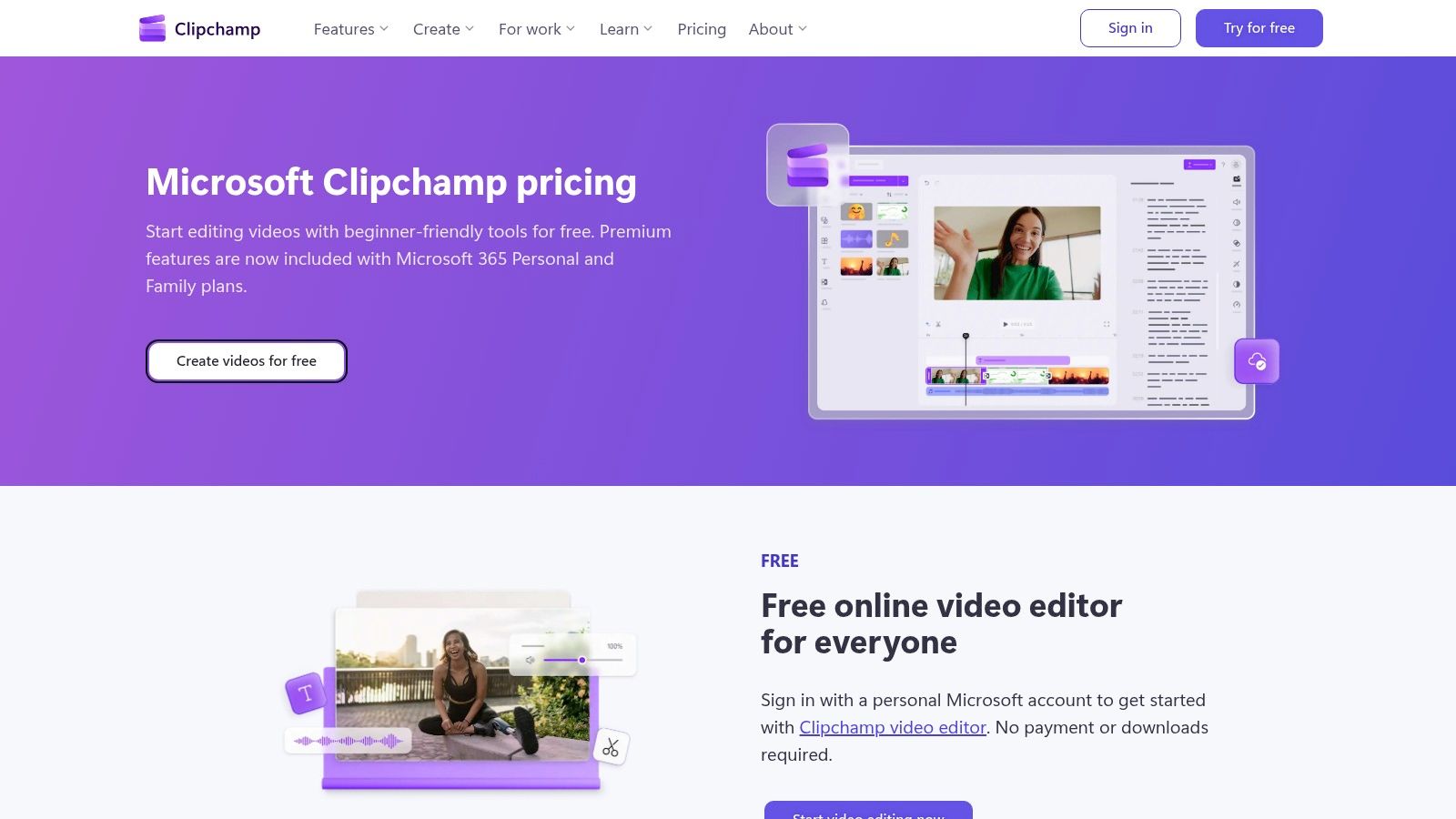
What sets Clipchamp apart is its seamless workflow for screen and camera recordings, which can be edited immediately. The AI-powered auto-captioning is robust, and the text-to-speech feature offers a variety of realistic voiceovers, adding polish to faceless videos or tutorials. Its silence removal feature is effective for basic clean-up, but for businesses focused on maximizing engagement, Tubentum provides a shortcut to a more dynamic edit by intelligently removing low-engagement segments, not just silence.
Key Features & Use Cases
- AI Auto-Subtitles: Generate accurate captions for videos, essential for accessibility and engagement on social media platforms.
- AI Voiceovers (Text-to-Speech): Create high-quality narration from text, perfect for explainer videos and corporate presentations.
- Silence Removal: Automatically detect and remove awkward pauses from recordings, creating a more dynamic and professional video.
- Seamless OneDrive Integration: Record, edit, and store projects directly within the Microsoft ecosystem, ideal for business and educational users.
Our Take: Clipchamp is an outstanding free tool for Windows users needing a straightforward editor. The free tier's inclusion of 1080p exports without a watermark is a major advantage, making it a practical and cost-effective solution for everyday business video editing tasks.
Website: https://clipchamp.com/en/pricing/
6. DaVinci Resolve (Blackmagic Design)
DaVinci Resolve is a Hollywood-caliber editing suite that offers one of the most powerful free versions available, making it a top contender among the best AI tools for video editing free of charge. It integrates a full non-linear editor (NLE) with industry-leading color correction, audio post-production (Fairlight), and visual effects (Fusion) into a single application. This makes it ideal for businesses that need professional-grade control and are willing to invest time in learning a more complex system.
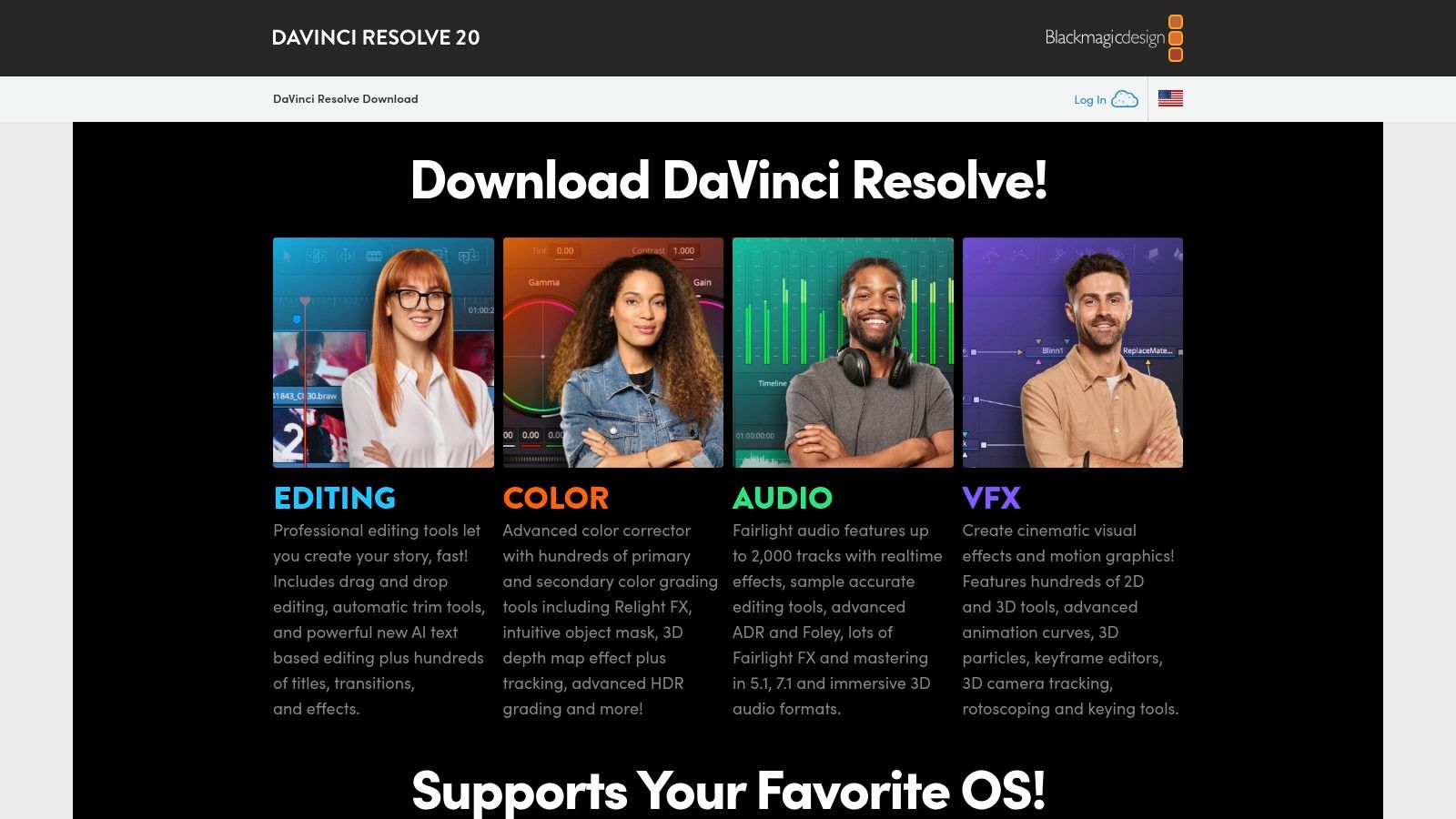
What sets Resolve apart is the sheer depth of its feature set, including several AI-powered tools even in the free tier. Its AI-driven text-based editing allows users to edit video by manipulating a transcript, a massive time-saver for interview and talking head content. While Resolve offers professional power, businesses focused solely on producing talking-head videos quickly may find a service like Tubentum a more direct shortcut to their ideal state, as it automates the entire editing process for pacing and engagement without a steep learning curve.
Key Features & Use Cases
- AI Text-Based Editing: Edit your video by simply cutting, pasting, and deleting text from an automatically generated transcript.
- Industry-Standard Color & Audio: Access professional-level color grading and audio mixing tools that far exceed the capabilities of most free editors.
- High-Quality Exports: Render projects in resolutions up to Ultra HD 4K with no watermarks, ensuring a professional final product for marketing.
- Scalable Workflow: Start with the free version for social media videos and scale to the paid Studio version for advanced AI features and commercial projects.
Our Take: DaVinci Resolve offers unparalleled professional power for free, but it comes with a significant learning curve. It's the best choice for creators and businesses who want to grow into a system used by industry professionals and require deep control over every aspect of their production.
Website: https://www.blackmagicdesign.com/products/davinciresolve
7. Wondershare Filmora
Wondershare Filmora bridges the gap between basic editors and professional software, making it one of the best AI tools for video editing free for creators who want more power without a steep learning curve. It excels for YouTube creators, coaches, and marketers by integrating a wide array of AI conveniences directly into a user-friendly interface. Filmora is designed to speed up the editing process for content like tutorials, vlogs, and promotional videos with accessible, one-click AI features.
What makes Filmora stand out is its balance of simplicity and robust AI functionality. Tools like AI Auto Cut and AI Remover simplify complex tasks like object removal and trimming silence, making the editing process more efficient. While Filmora offers great AI-assisted tools for hands-on editing, businesses seeking a fully automated shortcut to a finished video might find a platform like Tubentum a more direct solution, as it handles the entire creative process automatically without manual intervention.
Key Features & Use Cases
- AI Auto Cut & Remover: Automatically trim silent or redundant parts of a video and easily remove unwanted objects or backgrounds, ideal for cleaning up talking head videos.
- Dynamic Captions & TTS: Generate stylish, animated captions and leverage AI text-to-speech to create professional voiceovers quickly for business content.
- Instant Mode Templates: Use AI to generate a video from your media based on a pre-built template, perfect for creating quick social media ads or promos.
- Cross-Platform Editing: Start projects on a mobile device and finish on a desktop with cloud project syncing for enhanced workflow flexibility.
Our Take: Filmora is an excellent choice for businesses that want a powerful yet intuitive desktop editor with helpful AI assists. The primary drawback of the free version is the mandatory watermark on all exports, which often pushes serious creators toward its paid plans.
Website: https://filmora.wondershare.com
8. CyberLink PowerDirector
CyberLink PowerDirector is a mature and robust desktop editor that has successfully integrated practical AI functionalities into its traditional workflow. As one of the best AI tools for video editing free to start with, its "Essential" version provides a solid entry point for users on Windows and macOS to access core features. The platform excels at common-sense, time-saving tasks rather than purely generative AI, making it ideal for business presentations, tutorials, and corporate videos.
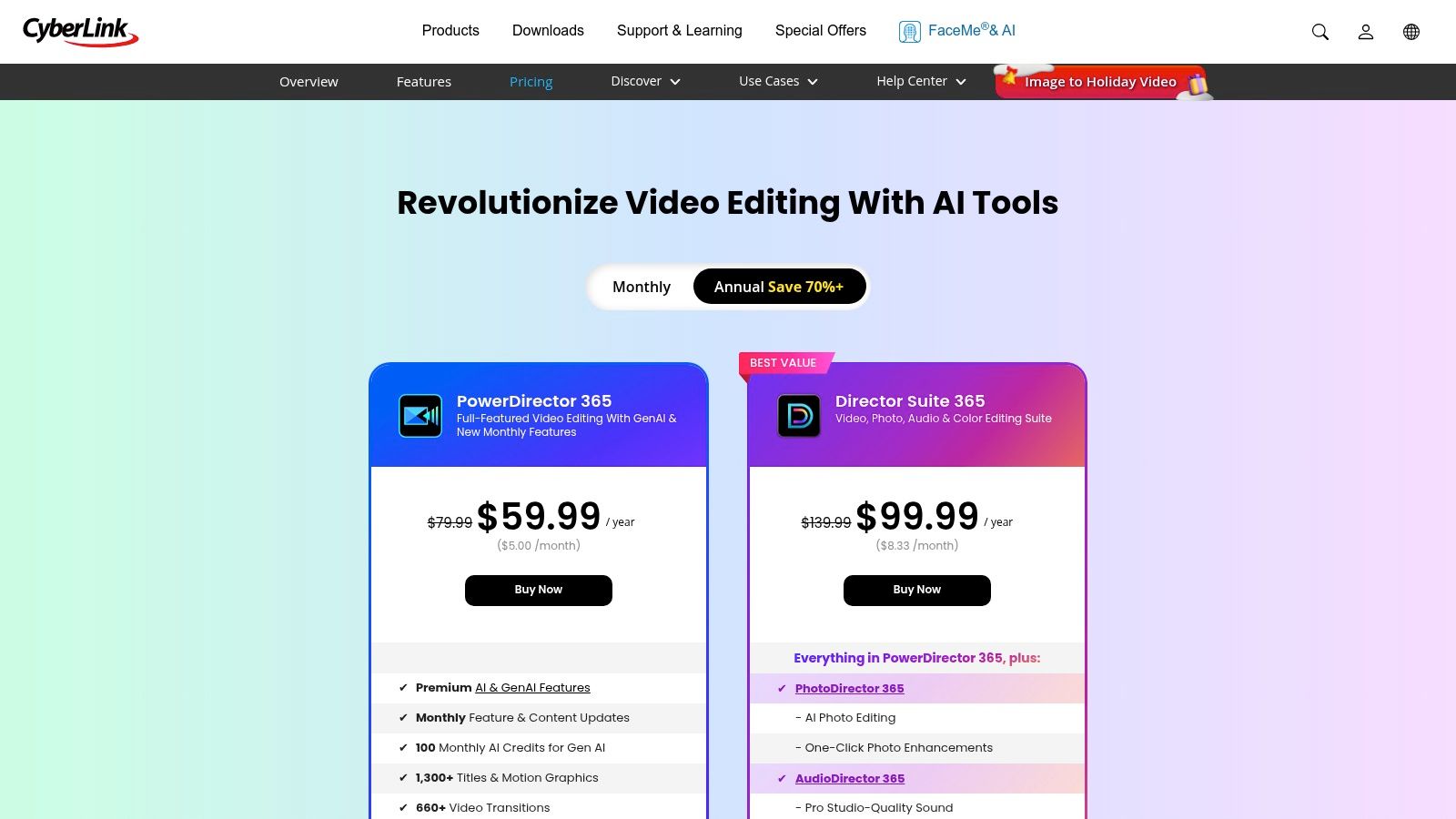
What sets PowerDirector apart is its focus on utility-driven AI that enhances classic editing. Features like AI motion tracking and face blur are implemented smoothly, saving significant manual effort in post-production. While its AI captioning is effective, businesses focused exclusively on producing talking-head content might find a more streamlined shortcut with a dedicated service like Tubentum, which automates the entire pacing and clip-finding process specifically for this video format.
Key Features & Use Cases
- AI Motion Tracking & Face Blur: Automatically track objects or blur faces to protect privacy or add creative effects in training or B-roll footage.
- AI Background Removal: Quickly remove and replace the background from a video without needing a green screen, perfect for creating professional-looking talking head content.
- AI Speech-to-Text: Generate accurate captions directly from your video's audio track, improving accessibility for corporate and educational videos.
- Fast Rendering Engine: Known for its performance, PowerDirector processes and exports videos quickly, optimizing the workflow for users on a deadline.
Our Take: PowerDirector is an excellent choice for business users who want a traditional, powerful video editor enhanced with practical AI. The free Essential version is great for testing the core interface, though a subscription is needed to unlock its full AI potential and remove watermarks.
Website: https://www.cyberlink.com/products/powerdirector-video-editing-software/pricing.html
9. InVideo
InVideo positions itself as an AI-first platform designed for rapid video creation, making it one of the best AI tools for video editing free for businesses who prioritize speed from idea to draft. It specializes in transforming simple text prompts or detailed scripts into complete videos by leveraging vast stock media libraries, AI-generated voiceovers, and customizable avatars. This approach is ideal for marketers, educators, and content creators needing to produce explanatory or promotional videos quickly without extensive manual editing.
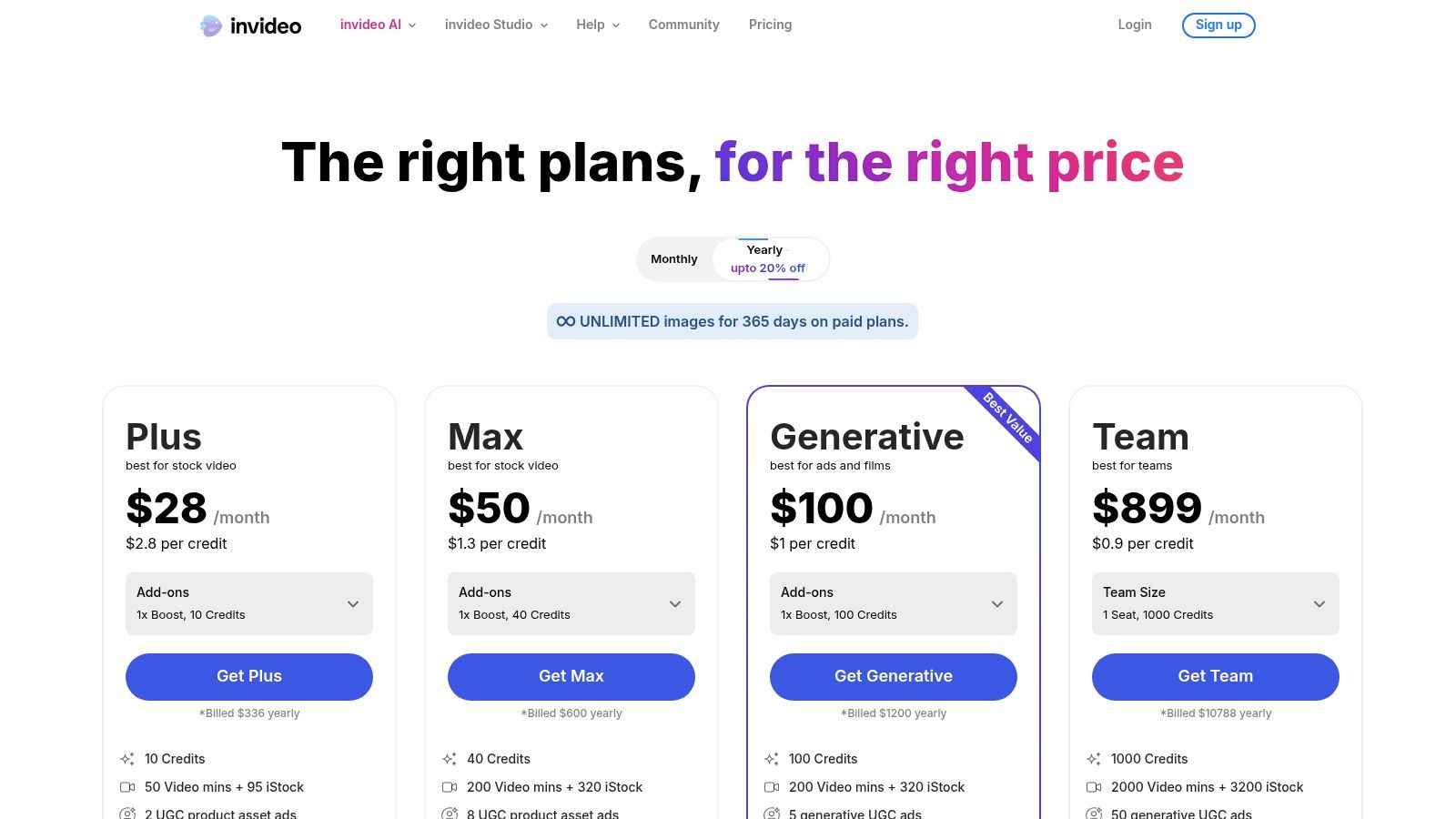
What sets InVideo apart is its prompt-to-video workflow that generates a surprisingly coherent first draft in minutes, which can then be refined in a more traditional studio editor. While the free plan is limited by watermarks and credit caps, it provides a solid testing ground for the platform's generative capabilities. For businesses focused on editing existing talking-head footage rather than generating from text, a specialized service like Tubentum offers a direct shortcut to a polished final product, automating the entire process from raw footage to engaging video.
Key Features & Use Cases
- Prompt-to-Video Generation: Create an entire video draft from a simple text idea, complete with stock footage, music, and AI voiceover for marketing content.
- AI Scriptwriting & Voiceover: Generate scripts and add professional-sounding narration in multiple languages without recording equipment.
- Template-Driven Studio Editor: Refine AI-generated drafts using a vast library of templates, transitions, and effects for a polished look.
- AI Avatars: Add a human element to videos by using customizable AI avatars to present your script, perfect for faceless corporate channels.
Our Take: InVideo is an excellent tool for quickly generating video drafts from scripts or ideas, especially for informational and marketing content. The free plan is restrictive but serves as a great trial, though heavy usage will quickly necessitate an upgrade to a paid plan.
Website: https://invideo.io/pricing
10. Kapwing
Kapwing carves out a niche among the best AI tools for video editing free of charge by focusing on collaborative, browser-based workflows. It is engineered for marketing teams and businesses who need to quickly repurpose content for social media without installing any software. Its strengths lie in turning long-form videos into bite-sized, shareable clips through a suite of accessible AI features.
What makes Kapwing particularly useful for business is its emphasis on repurposing. The "Create Clips" tool can automatically find engaging moments in longer videos, a foundational step in content distribution. This script-based editing approach can significantly speed up video editing. However, for creators seeking a fully automated shortcut that handles the entire video editing process, dedicated platforms like Tubentum offer a more hands-off experience by transforming raw footage into finished, dynamically-paced videos automatically.
Key Features & Use Cases
- AI Auto-Subtitles & Translations: Quickly generate and translate captions to make content accessible to a global audience.
- Repurposing Tools: Use "Edit with script" and "Create Clips" to efficiently extract highlights from webinars, podcasts, and interviews for social media.
- AI Dubbing & Lip-Sync: Translate your video's audio into different languages while maintaining visual consistency, perfect for international marketing.
- Team Workspaces: Collaborate with team members on video projects in real-time, streamlining the review and approval process for businesses.
Our Take: Kapwing is a powerful tool for business teams needing a fast, collaborative, and browser-based solution for content repurposing. Its transparent credit system for AI tasks is a plus, but the watermark and export limitations on the free plan make it better suited for internal drafts or those willing to upgrade.
Website: https://www.kapwing.com/pricing
11. Canva (Magic Studio + Video Editor)
Canva has evolved from a graphic design tool into a comprehensive platform that includes some of the best AI tools for video editing free of charge. Its Magic Studio integrates AI directly into a user-friendly, drag-and-drop video editor, making it ideal for marketers, business owners, and creators who need to produce branded social media content quickly. The platform excels at packaging simple video concepts, like talking head clips, with professional layouts and animations without requiring technical editing skills.
What sets Canva apart is its all-in-one ecosystem where design, video, and social media scheduling converge. Features like Magic Media for text-to-video generation and AI-powered voiceovers streamline the entire content creation pipeline. While Canva is excellent for adding professional polish and branding to existing footage, businesses aiming for a shortcut to the ideal edit before the branding stage may find a specialized service like Tubentum more direct for automatically optimizing raw talking-head footage.
Key Features & Use Cases
- Magic Media: Generate unique video clips and images from simple text prompts directly within your project for social media ads.
- AI-Assisted Video Creation: Use tools like Magic Resize to instantly adapt video dimensions for different social platforms.
- Massive Template & Stock Library: Access a vast collection of video templates, stock footage, and audio tracks to accelerate production.
- Integrated Brand Kits: Maintain brand consistency across all video content with pre-set logos, colors, and fonts.
Our Take: Canva is the perfect tool for businesses and creators who prioritize brand consistency and an integrated workflow over advanced editing control. While its free tier is generous, many of the most powerful Magic Studio AI features require a Pro subscription or use a credit-based system.
Website: https://www.canva.com
12. G2 (AI/Video Editing Software Listings)
While not a video editor itself, G2 is an indispensable resource for discovering and vetting the best AI tools for video editing free of charge. It functions as a massive software marketplace and review platform where real users share their experiences. This makes it an essential first stop for businesses looking to compare features, pricing, and satisfaction scores before committing to a new tool. G2 helps you see beyond marketing claims to understand how a platform performs in the real world.
What makes G2 so valuable is its robust filtering and comparison capabilities. You can quickly generate side-by-side charts of AI video editors, filtering specifically for those with free plans or trials. This allows you to evaluate options based on specific business needs, like automated clip generation—a core function of specialized tools like Tubentum. For those looking to explore a broader range of AI-powered solutions, including tools that might enhance various digital workflows, you could also investigate platforms like lunabloomai.
Key Features & Use Cases
- User Reviews & Ratings: Access honest pros and cons from verified users to gauge real-world performance and satisfaction for business use cases.
- Side-by-Side Comparisons: Create comparison matrices to see how different AI video editors stack up on key features and pricing.
- Advanced Filtering: Filter tools by features, pricing models (free, freemium), and target user (small business, enterprise) to find the perfect fit.
- Software Discovery: Uncover new and niche AI video tools that may not appear in other top-ten lists, giving you a competitive edge.
Our Take: G2 is the ultimate research platform for making an informed business decision. Use it to validate claims, compare feature sets directly, and discover emerging AI editors before committing your time and resources to a new video workflow.
Website: https://www.g2.com
Top 12 Free AI Video Editors — Comparison
| Tool | ✨ Core features | 👥 Target audience | ★ Quality / UX | 💰 Pricing & value | 🏆 Standout USP |
|---|---|---|---|---|---|
| CapCut | Auto-captions, silence & filler removal, templates, text/voice prompts | 👥 Short-form creators, mobile-first editors | ★★★★☆ Fast, intuitive across devices | 💰 Freemium — very capable free plan (some Pro limits) | 🏆 Speed for social & large template ecosystem |
| Descript | Transcription w/ speaker detect, text-based edits, filler removal, AI voices | 👥 Podcasters, talking-head creators, repurposers | ★★★★☆ Precise script-driven workflow | 💰 Freemium → paid for generous AI minutes | 🏆 Text-first editing for speech-driven content |
| Runway | Generative video (Gen-4/4.5), timeline editor, workflows | 👥 Motion designers, B-roll & asset creators | ★★★★★ Best-in-class generative quality | 💰 Credit-based; free one-time credits then paid | 🏆 Top-tier AI generation for novel assets |
| Adobe Express (Video) | Text-to-video, background removal, templates, Adobe Stock integration | 👥 Non-editors, marketers wanting safe commercial assets | ★★★★☆ Template-led, browser & mobile ease | 💰 Freemium; Premium/Firefly Pro unlocks AI credits | 🏆 Commercially safe AI + Adobe ecosystem |
| Microsoft Clipchamp | AI subtitles/voiceovers, silence removal, templates, 1080p free export | 👥 Windows users, Microsoft 365 workflows | ★★★★ Smooth, beginner-friendly UI | 💰 Freemium; 1080p free, 4K with MS 365 | 🏆 Tight Windows/OneDrive integration |
| DaVinci Resolve | Full NLE, color/grading, Fairlight audio, text-based AI tools | 👥 Professional editors, creators scaling to pro post | ★★★★★ Professional-grade, steeper learning | 💰 Free powerful tier; Studio one-time license for extras | 🏆 Industry-standard color & audio capabilities |
| Wondershare Filmora | AI Auto Cut, AI remover, captions, TTS/voice clone, templates | 👥 YouTube creators, coaches, beginners | ★★★★☆ Easy to learn, feature-rich for consumers | 💰 Freemium (watermark on free), promos & discounts | 🏆 Broad AI toolkit without pro complexity |
| CyberLink PowerDirector | Background removal, motion tracking, face blur, speech-to-text | 👥 Windows/macOS hobbyists & pros needing speed | ★★★★ Fast renders, practical AI tools | 💰 Free Essential trial; perpetual or subscription | 🏆 Flexible licensing + fast everyday performance |
| InVideo | Prompt-to-video, AI voices/avatars, template studio | 👥 Rapid idea-to-draft social creators | ★★★ Rapid output for scripts & promos | 💰 Freemium (watermark), paid plans for credits | 🏆 Very fast prompt→draft workflow |
| Kapwing | Auto-subtitles, dubbing/lip-sync, Create Clips, team workspaces | 👥 Social repurposers, distributed teams | ★★★★☆ No-install, collaborative & transparent | 💰 Freemium (watermark/limits), credits for AI | 🏆 Team-friendly repurposing & caption tools |
| Canva (Magic Studio + Video) | Magic Media, text-to-video/image, AI voice, templates, brand kits | 👥 Non-designers, social teams, marketers | ★★★★ Very approachable, large asset library | 💰 Freemium → Pro for advanced AI/credits | 🏆 All-in-one design+video+publishing pipeline |
| G2 | User reviews, side-by-side comparisons, feature filters | 👥 Buyers researching vendors, procurement teams | ★★★★ Helpful discovery & reputation checks | 💰 Free to browse; vendor pricing may vary | 🏆 Centralized marketplace for vendor intelligence |
The Ultimate Shortcut: How Tubentum Delivers Your Ideal Video Workflow
Navigating the landscape of the best AI tools for video editing free reveals a powerful, albeit fragmented, reality. We've explored a dozen exceptional platforms, from the comprehensive editing suite of DaVinci Resolve to the intuitive, template-driven approach of Canva and the generative magic of Runway. Each tool offers a piece of the puzzle: CapCut excels at social media-ready captions, Descript revolutionizes text-based editing, and Clipchamp provides an accessible entry point for beginners. The core takeaway is that while immense value exists in these free offerings, achieving a streamlined, professional workflow often requires stitching together functionalities from two, three, or even more separate applications.
For a business, coach, or marketer focused on producing high-quality talking-head videos, this multi-tool shuffle introduces significant friction. You might use one app for its AI-powered filler word removal, another for its superior auto-captioning, and a third for generating B-roll clips. This process, while effective, consumes valuable time and mental energy that could be better spent on content strategy and growing your business. It creates a workflow tax, a hidden cost of complexity that slows down your production pipeline and hinders your ability to scale.
From fragmented tools to a unified solution
The fundamental challenge these tools address is the tedious, repetitive nature of editing dialogue-heavy content. The ideal state for any creator or business is to transform a raw recording into a polished, engaging final cut with minimal manual intervention. This is where the concept of a dedicated, end-to-end solution becomes not just a convenience, but a competitive advantage. Instead of piecing together a process, imagine a system that understands the specific needs of a business video and executes the perfect edit automatically.
This is the precise gap Tubentum was designed to fill. It acts as the ultimate shortcut by consolidating the most critical AI editing functions into a single, automated process. Rather than exporting your project from one tool to another to handle different tasks, Tubentum provides a one-click solution that embodies the ideal workflow these individual tools are collectively striving toward. It automates the most time-consuming aspects of editing for business and educational content, including:
- Intelligent Silence & Filler Word Removal: It automatically snips out "ums," "ahs," long pauses, and repeated phrases, tightening your delivery instantly.
- Dynamic Pacing: The system identifies and removes boring or low-engagement segments, ensuring your video maintains viewer attention from start to finish.
- Automated Hook Placement: Tubentum strategically selects the most engaging moments from your video and places them in the introduction to maximize retention.
By focusing exclusively on the core needs of businesses producing talking-head content, Tubentum eliminates the need to manage a patchwork of different software. It delivers a polished, YouTube-ready video in minutes, not hours, allowing you to reclaim your time and focus on what truly matters: creating impactful content and growing your business.
Ready to skip the complexity and get straight to a perfect edit? Experience the power of a fully automated workflow with Tubentum. Stop piecing tools together and let our AI deliver a polished, engaging video for you in one click. Learn more at Tubentum.