A jump cut isn't just a fancy editing trick—it's a secret weapon for keeping your business audience glued to the screen. Think of it as a strategic skip forward, slicing out all the fluff from a single, continuous shot to create a video that's punchy, energetic, and gets right to the point. For businesses, this is crucial.
This technique is your best friend for trimming out awkward pauses, filler words like "um" and "ah," and any moments where you might have lost your train of thought. By cleaning these up, you tighten your message, respect your viewer's time, and hold their attention from the first second to the last, ensuring your business message lands with maximum impact.
What Is a Jump Cut in Modern Business Video?
Let's ditch the old-school film theory. In today's world of corporate communications, marketing, and online courses, the jump cut isn't an amateur mistake; it's one of the most powerful tools you have for creating clear and compelling videos that drive results.
Picture yourself recording a product demo or a company update. In the raw take, you'll naturally have moments where you pause to gather your thoughts or repeat a phrase to get it just right. A jump cut lets you surgically remove those hesitations, stitching together only the best parts of your delivery. The final result? A video that flows beautifully, sounds incredibly confident, and keeps your audience captivated.
Redefining the "Jarring" Edit for Professional Content
Classic filmmaking textbooks will tell you a jump cut is an abrupt transition that breaks the seamless flow of time, creating a "jarring" effect. This happens when you cut a piece out of the middle of a continuous shot, making the subject appear to "jump" from one position to another. You can dive deeper into its formal history over on Wikipedia.
But what was once considered a cinematic flaw is now a celebrated feature in business video. That slightly jarring, high-energy feel is exactly what makes it so perfect for the fast-paced nature of online content. For creators and businesses, the advantages are huge:
- Pacing and Energy: Jump cuts instantly inject life into your videos, transforming a slow monologue into a dynamic and professional presentation.
- Keeps Viewers Watching: By cutting straight to the good stuff, you give your audience zero reason to get bored and click away, increasing message retention.
- Feels Authentic: This editing style is the native language of platforms like YouTube and TikTok, making your business content feel modern and relatable.
- Saves a Ton of Time: Manually editing every tiny mistake is a nightmare for busy professionals. Smart tools can now automate the entire process. With a tool like Tubentum, you just upload your footage, and its AI makes all those precise cuts for you, delivering a polished, business-ready video in minutes.
To really see the difference, let's compare a standard raw business video clip to one that's been tightened up with jump cuts.
Impact of Jump Cuts on a Business Video
| Metric | Before Jump Cuts (Raw Footage) | After Jump Cuts (Edited) |
|---|---|---|
| Video Length | 2 minutes, 45 seconds | 1 minute, 50 seconds |
| Pacing & Energy | Slow, with noticeable pauses and "ums" | Fast-paced, dynamic, and confident |
| Message Clarity | The core message is diluted by rambling | Clear, concise, and easy to follow |
| Viewer Impression | Appears unpolished, hesitant | Professional, authoritative, and engaging |
As you can see, the edited version isn't just shorter—it’s a completely different viewing experience. It's more professional, more engaging, and far more likely to achieve its business goal.
From Film Flaw to Business Essential
The jump cut's journey is a story of practical adaptation. While it began as an artistic device for rule-breaking filmmakers, its true power was unlocked when content creators realized it was the perfect tool for creating concise, high-energy videos for the internet. Seeing how it evolved from an edgy technique to the standard for online business communication helps explain why it feels so right today.
The technique's roots go back to the dawn of cinema. Filmmaker Georges Méliès is often credited with discovering the effect in 1896 when his camera jammed. He realized this "flaw" could be used deliberately to create magical illusions, a trick he used in his 1902 classic, Le Voyage dans la Lune.
This visual timeline breaks down how a simple cut can transform raw, rambling footage into something tight and magnetic for your business.
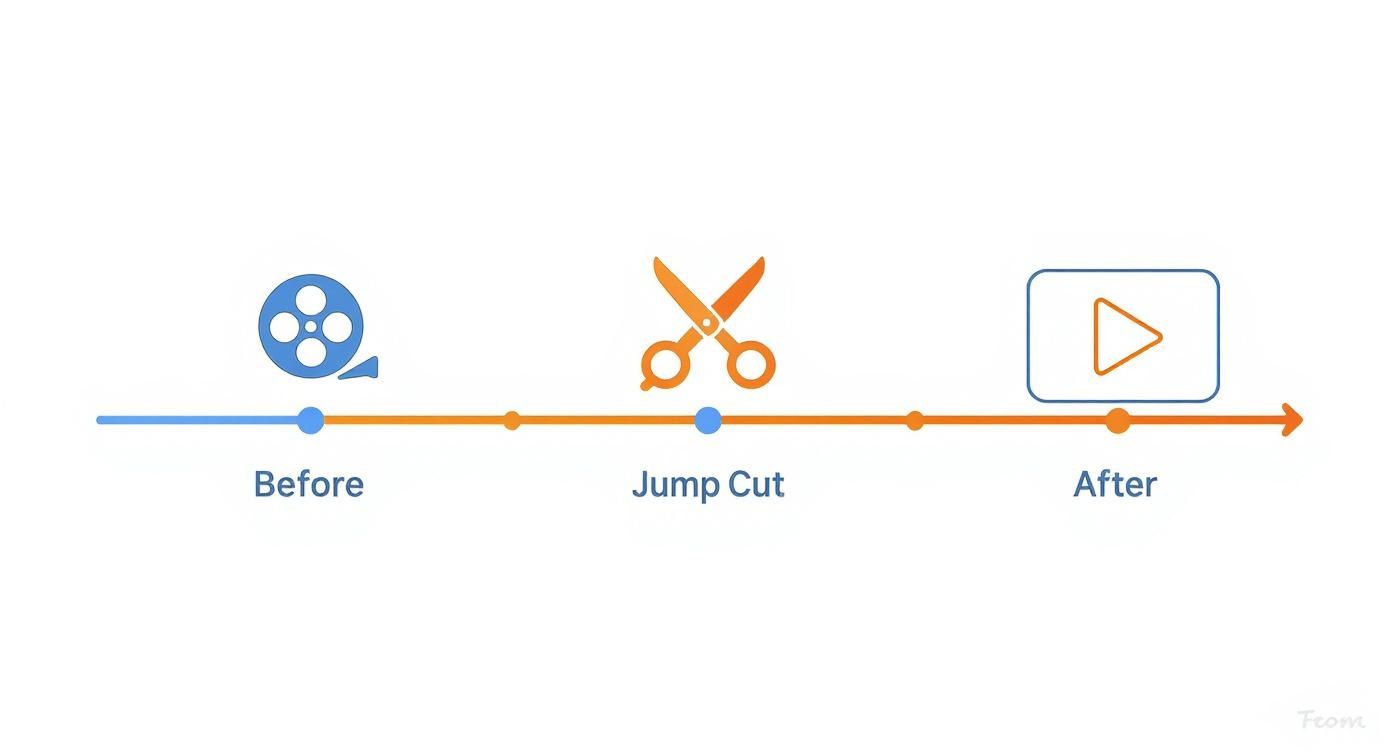
As you can see, the jump cut is the essential bridge between that unedited, "real-time" footage and a final video that actually keeps your audience hooked.
The Modern Evolution in Business
Fast forward to today, and that same spirit of efficiency has found a home in business. The jump cut is the signature style of YouTube, LinkedIn video, and countless marketing videos where speed and authenticity reign supreme. If you want to see just how embedded this style is, it's worth checking out the latest short-form video trends.
This evolution from a "mistake" to a must-have feature is precisely what makes jump cuts so effective for today's business content. The only problem? For busy professionals, making all those tiny cuts manually is a soul-crushing time-sink.
That’s where AI-powered editing tools are a game-changer. Tubentum, for example, automates the entire process of removing silences and filler words, turning a tedious, repetitive task into a single click that delivers the energetic, professional pacing viewers expect.
When to Use Jump Cuts for Business Impact
So, we've defined what a jump cut is. Now let's talk about where this technique can really move the needle for your business. The goal isn't just about trimming the fat; it's about making every second count, turning raw footage into a powerful tool that gets results.
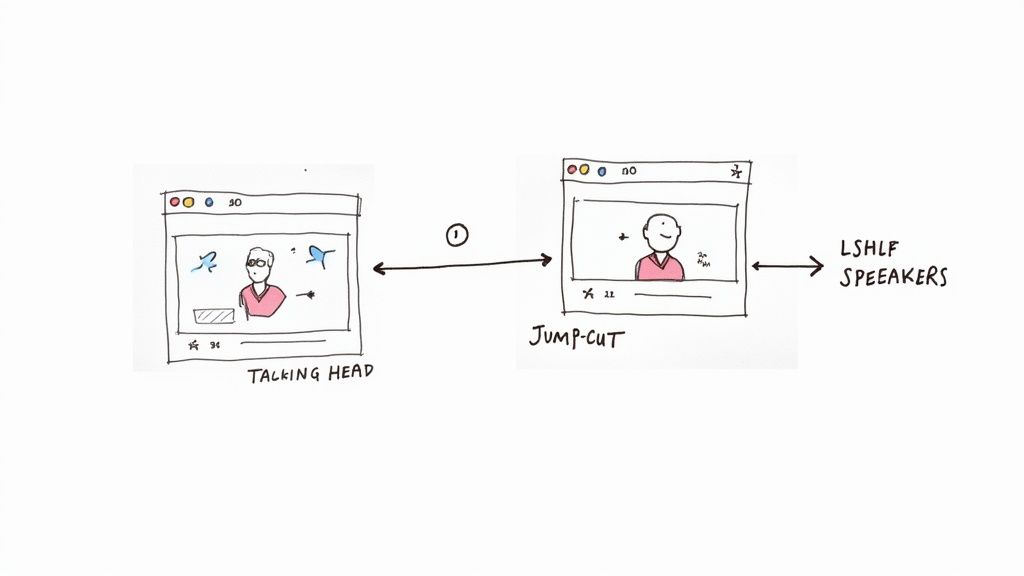
Think about a standard talking-head video for a training module or a marketing message. The unedited version is often littered with long pauses, "ums," and "ahs" that weaken the message. Jump cuts let you surgically remove every bit of that hesitation. The result? A delivery that feels sharp, confident, and absolutely captivating, showing your audience you value their time and keeping them hooked.
Key Scenarios for Jump Cuts
Jump cuts aren't a silver bullet for every video, but in certain business situations, they are incredibly effective at boosting energy and clarity. Here are a few places where they shine:
- Talking-Head Videos: This is their natural habitat. For internal communications, training videos, or marketing messages, cutting every verbal stumble makes your speakers sound like seasoned experts, instantly building trust and authority.
- Product Demos: Nobody wants to watch a loading screen or sit through repetitive clicks. Jump cuts let you leap right to the good stuff, keeping the spotlight on your product's most exciting features.
- Interviews and Testimonials: You can distill hours of conversation into a handful of potent, shareable soundbites. It’s perfect for creating compelling clips for your social media channels or marketing campaigns.
- Educational Content: When you're explaining something complex, maintaining a quick, steady pace is crucial. Jump cuts keep the energy up, ensuring your audience stays focused and your key points hit home.
The real power behind the jump cut is its ability to create momentum. Each cut acts like a shot of adrenaline, pushing the narrative forward and ensuring your viewer never has a reason to look away.
Ultimately, you want to edit with intention. But making these cuts manually is a slow, agonizing process. This is exactly where a tool like Tubentum becomes your shortcut to the ideal state. Its AI automatically finds and snips out all the dead air and filler words in a single click, turning a tedious editing marathon into a sprint. You get that perfectly polished, high-impact video without sinking hours into the process, freeing you up to focus on what really matters: your message.
Making Great Jump Cuts Without the Grind
So, how do you actually create those snappy jump cuts that keep viewers glued to the screen? You’ve got two ways to get there: the old-school, hands-on way, and the smarter, automated route. For businesses, the choice is between burning valuable hours or leveraging technology.
The traditional method is all about manual labor in your editing software. You sit down, watch your raw footage, and hunt for every single "um," "ah," or long, awkward pause. You make a cut before it, a cut after it, delete the bad part, and then do it all over again. This gives you complete control, but it's a huge time sink, especially for a busy professional who needs to get content out the door.
The Modern Shortcut to Perfect Pacing
Why spend hours trimming away silence when you can get it done in minutes? This is where intelligent editing tools completely change the equation for businesses and creators. Instead of painstakingly slicing up your timeline, you can let an AI assistant handle the heavy lifting for you.
This diagram shows you exactly what that modern, automated process looks like—taking you from a messy first take to a polished video without the tedious manual work.
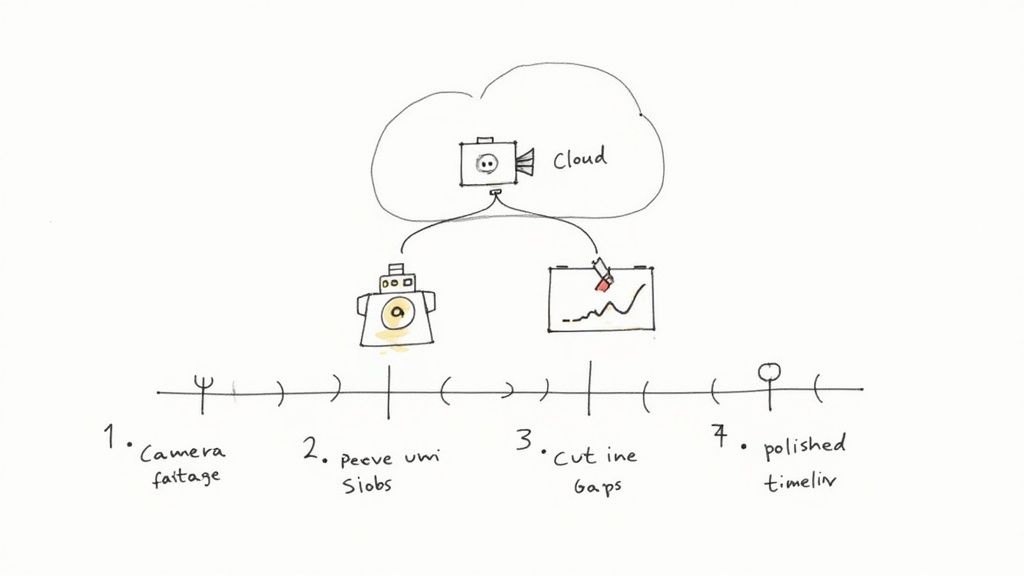
This kind of workflow is the secret weapon for any business that values time but isn't willing to compromise on quality. It's all about working smarter, not harder.
Imagine uploading your raw business video and letting an AI instantly identify and remove every single filler word, awkward silence, and repeated phrase. That’s not the future; it’s what’s possible right now.
With a platform like Tubentum, this entire process becomes almost magical. Its AI is built to find and remove those stumbles, creating clean, perfectly paced jump cuts without you needing to do a thing. It turns one of the biggest editing headaches into a simple click, letting your team produce more high-quality video content, faster.
For more insights on making your production flow smoother, check out our guide on how to edit YouTube videos. This is the dream for any busy professional: achieve maximum impact with minimum effort, so you can spend your energy on what really matters—your message.
How to Polish Your Edits and Avoid Jarring Cuts
A great jump cut feels intentional and dynamic, not like a mistake. The real magic happens in the polish, turning those raw, abrupt skips into something that adds energy without confusing your audience. A few simple, professional touches can transform a choppy edit into a smooth, sophisticated video that keeps viewers locked in.
Let’s look at a few ways you can smooth things over.
The Power of the "Punch In"
One of the most effective and popular methods is the "punch in." It's beautifully simple: after you make a cut, just zoom in slightly on the next clip.
This subtle change in framing signals a deliberate shift to the viewer. It breaks up the visual monotony and makes the transition feel like a conscious stylistic choice, not just a clumsy edit to remove a mistake.
Using B-Roll to Cover Your Tracks
Another fantastic technique is to use B-roll footage to hide the jump entirely. Layering in relevant clips—like your product in action, a graphic that illustrates your point, or even a shot of your workspace—can completely mask the cut while making your video more engaging.
These visuals give the viewer's eye something new and interesting to focus on, making the jump practically invisible.
Smoothing Transitions with Strategic Overlays
Beyond B-roll, simple overlays can work wonders. Adding text, logos, or other branded graphics over a cut is an elegant way to maintain the flow of your video while also reinforcing your brand.
Here are a few ideas:
- Text Overlays: Pop up a key term or the title of a new section right at the moment of the cut.
- Lower Thirds: A clean lower third graphic can introduce you or the topic and neatly cover the transition.
- Animated Graphics: Simple animated icons or logos can add a professional flair that naturally guides the viewer’s eye through the cut.
The goal isn't to pretend the jump cut didn't happen, but to give it purpose. By layering in other elements, you turn a simple technical edit into a powerful storytelling device.
To make these transitions less jarring, you have several options at your disposal. This table breaks down some of the most common techniques and the situations where they shine.
| Technique | Description | When to Use |
|---|---|---|
| Punch In | Slightly zooming in on the shot immediately following the cut. | Great for adding emphasis or breaking up a long monologue. Works best when the background is simple. |
| B-Roll Overlay | Covering the cut with a different, relevant video clip. | Ideal for illustrating a point, showing a product, or adding visual context to what's being said. |
| Graphic Overlay | Placing text, a logo, or an animated element over the cut. | Perfect for introducing new topics, highlighting keywords, or reinforcing brand identity during a transition. |
| Whip Pan / Zoom | Adding a fast motion effect (like a quick pan or zoom) to bridge two clips. | Use this for high-energy, fast-paced videos where you want to create a sense of momentum. |
Each of these methods can elevate your video, turning a potentially distracting cut into a seamless and professional part of your story.
This is where your workflow can become incredibly efficient. After an AI tool like Tubentum handles the tedious work of creating clean jump cuts for you, you're left with a perfect foundation to build on. Instead of spending hours trimming ums, ahs, and dead air, you can jump straight into the creative part—layering in your B-roll and graphics. To learn more about cleaning up your audio, check out our guide on how to remove filler words from video. This approach turns a multi-step editing grind into a simple, creative process, letting you produce polished, high-impact videos in a fraction of the time.
Embrace the Jump Cut to Win Audience Attention
In the world of online business video, attention is currency. If you want to connect with your audience, your message has to be tight, energetic, and engaging right out of the gate. This is where the humble jump cut comes in—it’s no longer just an editing trick, but one of your most powerful tools for capturing and holding that crucial viewer focus.
Think of it as embracing momentum. Every jump cut trims the fat—the awkward pauses, the "ums" and "ahs," the moments you lose your train of thought—and pushes the story forward. This creates a high-energy experience that respects your audience's time and keeps them hooked. This is why the most successful business channels and online educators rely on this technique.
Stop seeing jump cuts as just a way to fix mistakes. Start seeing them as your secret weapon for creating videos that are impossible to ignore. They are the heartbeat of modern online business communication.
To really nail this, you can dive into techniques like editing for retention with the 3-7 second rule, which pairs beautifully with the rapid pace jump cuts create. And if you're stuck on how to grab that attention from the very first second, our guide on how to start a YouTube video has you covered.
At the end of the day, the choice is yours. You can make content that slowly plods along, or you can create content that truly pops. Let Tubentum handle the tedious work for you, automatically crafting those clean, attention-grabbing cuts so you can stay focused on what you do best: delivering a message that resonates.
Your Jump Cut Questions, Answered
Got a few lingering questions about jump cuts? You're not alone. Let's tackle some of the most common ones that come up for businesses and professionals.
Do Jump Cuts Look Unprofessional in Corporate Videos?
Not at all. Actually, it's usually the other way around. Think about it: a rambling, unedited take filled with awkward pauses, "ums," and "ahs" can make you look unprepared.
A video with sharp jump cuts shows you respect your audience's time. You're getting straight to the point and delivering your message with clarity and confidence. These days, they're the hallmark of energetic, professional communication.
Is There a Rule for How Many Jump Cuts to Use?
There's really no magic number here. The key is to stop counting the cuts and start feeling the rhythm of the video.
Your goal is simple: cut out anything that distracts from your core message. If the video flows smoothly and keeps you hooked, you've used the right amount. It's all about the final feel, not a specific count.
Can I Create Good Jump Cuts Without Being a Pro Editor?
Absolutely. You definitely don't need to chain yourself to a complicated editing suite for hours on end.
While you can always do it manually, the real game-changer for busy professionals is AI. Tools like Tubentum are built specifically for this, automatically sniffing out and removing all those awkward silences and filler words. It’s the fastest way to get perfect jump cuts in just a few minutes, making it a powerful shortcut for any business.
Ready to create dynamic videos that hold attention and drive results? Tubentum uses AI to automatically edit your talking-head videos, removing the dead air and stumbles for you. Get started at https://tubentum.com.