
You've recorded the footage, but the path to a polished, professional video for your business feels like a battlefield. You're wrestling with tedious tasks and hitting technical roadblocks at every turn. Common video editing problems—like hunting down every "um" and fixing awkward pacing—don't just drain your time; they hurt your brand's authority and kill viewer engagement.
But it doesn't have to be this way. A smarter, business-focused workflow can make all the difference, and Tubentum provides a direct shortcut to that ideal state.
The Real Reasons Your Business Video Editing Takes Forever
When you're creating business content, every second counts. The goal isn't cinematic perfection; it's to deliver clear, impactful communication as efficiently as possible. Yet, the editing process is often where momentum dies, derailed by a series of frustrating and time-consuming hurdles. These aren't just minor annoyances—they're major productivity killers that clog up your entire content pipeline.
These issues pile up quickly. A simple 10-minute talking-head video for your company can easily demand three to four hours of painstaking work, all spent chasing down filler words and awkward silences.
The typical manual grind for a business creator looks something like this:
- Endlessly scrubbing the timeline to find and slice out hundreds of tiny segments.
- Carefully stitching the remaining clips together without creating jarring jump cuts.
- Constantly re-watching to make sure the audio is smooth and the pacing feels natural.
This is exactly where traditional video editors, for all their power, become a liability for business content. They're built for complex filmmaking, not for quickly turning around a clean, professional talking-head video. That complexity comes with a steep learning curve that businesses can't afford.
It's no surprise that with powerful tools like Adobe Premiere Pro holding a 35% market share, a staggering 60-70% of beginner editors give up on their projects. The tools are simply too much for the practical task at hand.
Most of these problems crop up during the "Edit" phase of a standard production workflow.
As you can see, this is where most creators and businesses lose valuable time and energy.
From Manual Labor to Smart Automation
Let's be clear: the problem isn't a lack of effort. It's about using the right tool for the job. You wouldn't use a sledgehammer to hang a picture frame, yet many businesses are stuck using overly complex software for simple, practical video edits. This manual grind just isn't a sustainable way to produce content regularly.
The most effective video strategy is one you can consistently execute. If your editing process takes too long, you'll produce less content, limiting your reach and impact.
This is where a solution like Tubentum comes in. It’s designed specifically to automate away these common business video editing headaches. Its features for filler word removal, silence shortening, and text-based editing fix pacing issues with a single click, letting you focus on your message instead of fighting with a complicated timeline.
To get a head start on a better process, check out our guide on how to speed up video editing for more practical tips.
Common Video Editing Headaches and Their Business Impact
Here's a quick look at how these frequent editing challenges stack up, impacting not just your content's quality but your team's overall productivity.
| Problem Area | Manual Fix Time (Per 10-Min Video) | Impact on Business |
|---|---|---|
| Filler Words & Stumbles | 45-60 minutes | Reduces credibility and distracts viewers from the core message. |
| Awkward Pauses | 30-45 minutes | Kills the video's energy and leads to high drop-off rates. |
| Pacing & Flow | 60+ minutes | Creates a disjointed, amateurish final product that fails to engage. |
| Jump Cuts | 20-30 minutes | Makes the video look jarring and unprofessional. |
| Audio/Video Sync | 15-45 minutes | Instantly signals low quality and makes content unwatchable. |
As the table shows, these "minor" issues collectively consume hours of valuable time that could be spent creating more content, engaging with your audience, or focusing on other high-impact business activities.
Removing Filler Words and Awkward Pauses Automatically
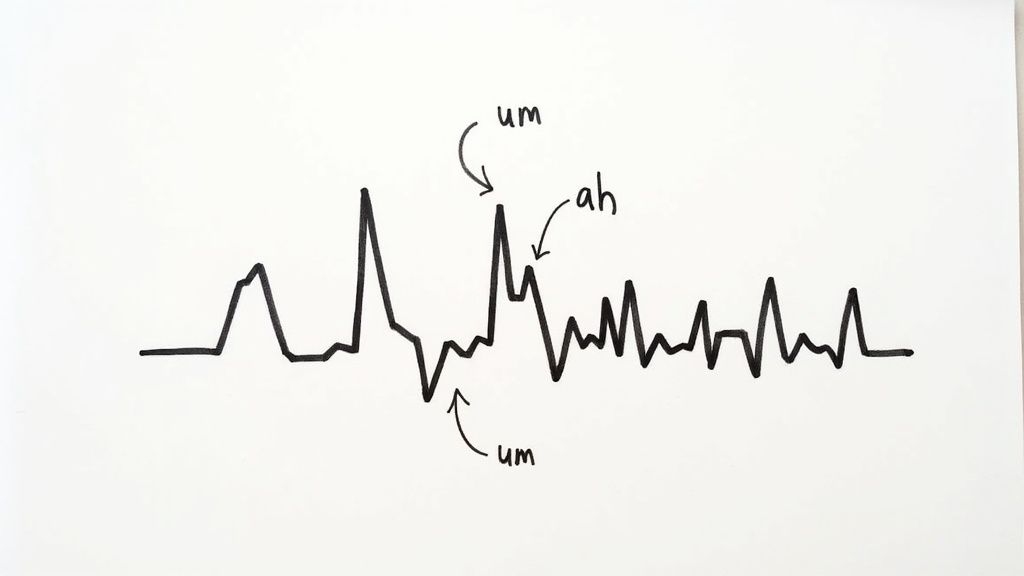
Nothing kills your authority faster than a video peppered with verbal stumbles. Every "um," "ah," "like," and "you know" is a tiny speed bump for your audience, disrupting the flow of your message and slowly chipping away at your credibility. When viewers get distracted by how you’re saying something, they stop listening to what you’re saying.
The same goes for those long, awkward pauses. They kill the video’s momentum and give viewers the perfect excuse to click away. For any business creating content, this is one of the most frustrating video editing problems you'll face.
The manual fix is a soul-crushing exercise in patience. You have to zoom way into your timeline, hunt down the tiny audio waveform for each filler word, make a precise cut, and then ripple-delete it without creating a jarring jump. For a 10-minute video, that could mean hundreds of these micro-edits, easily adding an hour or more to your workflow.

This process isn't just tedious—it's a massive barrier to creating content consistently. When every video demands hours of mind-numbing cleanup, it's easy for your business to fall behind or just lose the motivation to create at all.
The Manual Grind Versus Intelligent Automation
In a traditional editor like Premiere Pro or Final Cut, smoothing out these verbal tics takes real skill. These tools are built for artistic control, not business efficiency. Experienced editors often use techniques like J-cuts and L-cuts to mask their edits and make them feel less abrupt, but they add another layer of complexity and time to an already long process.
But what if you could just skip that entire process? This is where modern editing tools are completely changing the game for business creators.
The most valuable asset for any creator or business is time. Spending hours on repetitive, low-impact tasks like removing filler words is an inefficient use of that asset. Automation gives you that time back, so you can focus on strategy and creativity instead.
Instead of manually slicing and dicing your timeline, you can lean on a platform that does the heavy lifting for you. This is the core idea behind Tubentum, which turns this chore into a simple, automated action. Its text-based editing feature treats your spoken words as an editable document, making the whole process intuitive and incredibly fast.
How Text-Based Editing Solves This Problem
The technology that makes this possible is rooted in transcription. The basics of video transcription are simple: the software converts your speech into a text document that’s perfectly synced with your video timeline.
This unlocks a completely new, business-friendly workflow in Tubentum:
- Spot Fillers Instantly: The software flags every "um" and "ah" right in the transcript.
- Delete with a Click: You can get rid of all of them at once with a single command.
- Edit Like a Document: When you delete a word or sentence from the transcript, the matching video and audio segment is instantly and seamlessly cut from the timeline.
This approach is profoundly more efficient. You’re not hunting and listening for mistakes anymore; you're simply proofreading a document. This shift from timeline-based to text-based editing is a direct shortcut to a clean, professional video, minus the hours of manual labor.
Gaining Control Over Pacing and Silence
Beyond filler words, awkward silences are just as damaging to viewer engagement. Long pauses can make you seem unsure of yourself and give your audience's attention a chance to wander. Manually shortening these gaps involves the same tedious cutting and splicing.
An automated solution offers a much more elegant fix. For example, Tubentum’s filler word and silence removal lets you set a specific threshold for silence. You can tell the tool to automatically shorten or remove any pause longer than, say, 0.5 seconds.
This instantly tightens the pacing of your entire video, making it more dynamic and engaging without you ever having to touch the timeline. For businesses creating tutorials, marketing videos, or internal communications, that level of automated control is a true game-changer.
How to Perfect Pacing and Cut Unwanted Sections
Great pacing is the invisible hand that keeps viewers hooked. It's what separates a sharp, valuable business video from one that just drags. Especially for content like tutorials or webinars where clarity is everything, bad pacing is one of the most destructive video editing problems you can face.
The real challenge is taking a long recording and carving it down into a tight, focused story. We've all been there—you start recording with a clear plan, but you end up with tangents, retakes, and side stories that weaken your message. In a traditional editor, fixing this is a slow, methodical grind of watching, marking, and slicing out entire chunks of your footage.
This old-school approach isn't just slow; it's a creative buzzkill for business creators. Spending hours just trimming off-topic thoughts turns content creation into a chore, stalling your whole production schedule and limiting how often you can get new videos out.
The Inefficiency of Timeline-Based Storytelling
When you dump your raw footage into a standard video editor, it shows up as a long, intimidating block on the timeline. Trying to shape that into a cohesive narrative means a whole lot of scrubbing back and forth. You listen to a section, decide it’s got to go, make a cut, delete it, and then play it back to ensure the transition is smooth.
For most business creators, this workflow is packed with friction points:
- You Lose the Big Picture: A visual timeline is terrible at showing you the actual narrative flow. You're so zoomed in on individual clips that you can't easily see how the overall story holds together.
- Precision Takes Forever: Making a clean cut to remove one sentence without clipping the words before or after it is tedious and requires a level of skill many business users don't have time to develop.
- Rearranging Ideas is a Nightmare: What if a point you made at the end would be a perfect hook for the intro? Manually moving clips, B-roll, and graphics is asking for things to get out of sync.
The whole process is fundamentally visual, but the content you're actually shaping—your business message—is based on words and ideas. That mismatch is where all the inefficiency comes from.
A Smarter Way to Edit Your Story
The dream for any business creator is to edit at the speed of thought. You spot a section that needs to go and, boom, it's gone—without wrestling with tracks, clips, and timelines. This is where text-based video editing completely changes the game.
By generating a synchronized transcript of your video, platforms like Tubentum let you edit your video by editing the text. It’s an approach that feels as intuitive and fast as editing a Google Doc.
The fastest way to a great business video is to remove everything that isn't great. Tubentum's text-based editor lets you see your entire script at a glance, making it incredibly easy to spot and delete the parts that weaken your message.
Imagine your entire 20-minute recording laid out as a transcript. You can scan it in seconds and find that paragraph where you went off on a tangent. Instead of fumbling with in-and-out points, you just highlight the text and hit delete. Instantly, the corresponding video and audio are snipped out of your project, with the remaining clips stitched together seamlessly.
Practical Scenarios for Text-Based Editing
This isn't a gimmick; it's a workflow that solves the real-world headaches business creators deal with every day.
Scenario 1: The Redundant Explanation You’ve explained a concept, but a few minutes later, you find yourself explaining it again. Cutting one of those sections on a timeline is tricky. With a transcript in Tubentum, you just find the weaker paragraph, delete it, and your video is instantly tighter.
Scenario 2: The Flubbed Line or Restart You stumble over a sentence and restart it. Instead of scrubbing the timeline to find that flub, you see it in the text (e.g., "So the next step is to... wait, let me rephrase. The next step is to..."). You delete the whole bad take with a single keystroke.
This method frees you up to record more naturally, knowing that cleaning up mistakes will take seconds, not minutes. For anyone creating videos for their business, that's a massive advantage that directly leads to faster production and better-paced content.
Tackling the Technical Headaches: Audio Sync and Export Nightmares
Beyond the creative side, you’ll inevitably run into technical glitches that can bring a project to a screeching halt. These are easily the most frustrating video editing problems because they often feel out of your control, turning that final stretch into a minefield of error messages and wasted hours.
Let's talk about two of the biggest offenders for businesses: audio drifting out of sync and the confusing labyrinth of export settings. One makes your content unwatchable, while the other stops it from being seen correctly. Learning to navigate these issues is non-negotiable if you want to publish polished content without needing an engineering degree.
Why Is My Audio Drifting Away From My Video?
You know the feeling. You’ve just recorded a fantastic presentation, but when you drop it into your timeline, your lips are moving out of sync with your words. This audio desynchronization, or "drift," is a classic headache, especially if you're recording your camera and microphone separately or using screen recording software.
The culprit is almost always a variable frame rate (VFR). Your smartphone or webcam often uses VFR to conserve processing power, meaning the number of frames it captures each second fluctuates. Professional video editors, however, are built to work with a constant frame rate (CFR).
When you import VFR footage into a project set up for CFR, the editor gets confused. It struggles to line up the inconsistent video timing with the steady audio track, and bit by bit, they drift apart.
The old-school fix is a nightmare. You have to manually slice up your audio track, nudging and stretching tiny segments to force them back into alignment. It’s a tedious band-aid that chews up time and can degrade your audio quality.
This technical mismatch is a fundamental problem you create for yourself before you even make the first cut.
The Shortcut to Perfect Sync
Honestly, the best way to fix this problem is to prevent it from ever happening. If you use an integrated platform that handles both recording and editing, you guarantee the technical specs are perfectly aligned from the get-go.
This is exactly where a tool like Tubentum shines. When you record directly inside the platform, it captures everything with the correct settings already baked in for its own editor.
- No Mismatched Frame Rates: The recording is already optimized for the editing timeline, which completely eliminates the root cause of sync drift.
- No Manual Nudging: Your audio and video are locked together perfectly from the moment you hit stop.
- A Simpler Workflow: You can skip the whole process of transcoding footage or trying to diagnose technical settings. It just works.
This kind of unified system is the fastest way to sidestep one of the most maddening technical hurdles in video editing, letting your business get back to focusing on the message.
Escaping the Export Settings Maze
After all that editing, you hit the final wall: exporting. This is where so many business creators get stuck, staring at a screen full of confusing options like codecs, bitrates, and containers. Pick the wrong settings, and you could end up with a file that's too massive to upload or a pixelated mess that looks unprofessional.
Every platform—YouTube, LinkedIn, Instagram—has its own "best" settings, and trying to master them all feels like a full-time job. It’s a huge bottleneck for businesses that just want to share their content.
And that’s before we even talk about performance. Hardware limitations and long render times are notorious for killing productivity at this final stage. In fact, some reports show that 55% of editors experience crashes or slowdowns with 4K video, and an incredible 32% of their time is lost just waiting for exports to finish.
This is another area where a specialized tool makes all the difference. Instead of making you an expert in video compression, Tubentum provides simple, preset-based exports. You just pick your destination—like "YouTube" or "Social Media"—and it handles all the complicated settings for you. Your video comes out looking great on every platform. And if the audio quality itself is a concern, our guide on how to remove background sound from video can help with that, too.
Streamlining Team Collaboration and Feedback
Once your business is no longer a one-person show, a whole new set of video editing problems starts to crop up. The challenge stops being about just cutting clips and becomes about managing people, massive files, and a constant stream of feedback without chaos.
The old way of doing things is a recipe for disaster.
It always starts the same way: you export a huge video file and send it off via Dropbox or WeTransfer. Then, the feedback begins to trickle in—a jumbled mess of email chains and confusing Slack threads. You get vague notes like, "Around 2:15, can we change that graphic?" which forces you to scrub back and forth through the timeline just to figure out what they're even talking about.
The Version Control Nightmare
This disjointed back-and-forth quickly spirals into a mess. You make the requested changes, export another massive file—probably named Project_Final_v2_final_FINAL.mp4—and send it out again. Soon enough, team members leave comments on old versions, which means you end up doing the same work twice.
This isn't just a minor annoyance; it's a major production bottleneck. Collaboration has always been a weak point for traditional editing tools. In fact, 45% of teams globally report struggling with version control, leading to project delays that can eat up 20% of their timeline. With so many teams working remotely now, this problem has only gotten worse.
Creating a Central Hub for Feedback
What your business really needs is a single source of truth—a place where all the feedback, comments, and versions live together, so everyone is literally on the same page.
This is exactly the kind of workflow that a platform like Tubentum was designed for. It takes the feedback process from a scattered mess and turns it into a clean, organized system.
- Share with a Link: No more exporting and uploading. Just send a secure link to your stakeholders, and they can start reviewing instantly.
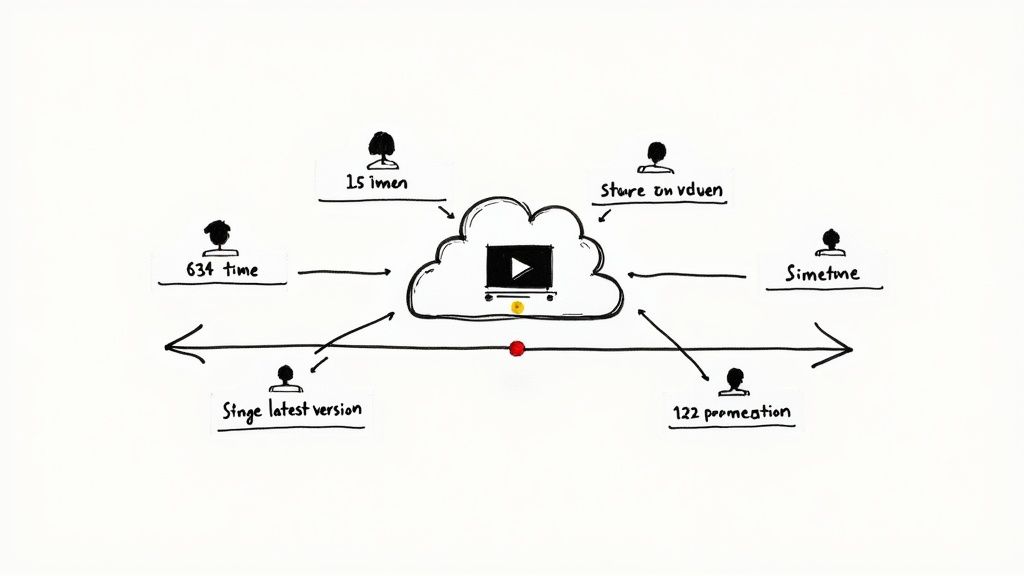
- Time-Stamped Comments: Reviewers can drop comments directly onto the video timeline. When you click on a piece of feedback, it takes you to the exact frame. All the guesswork is gone.
- Zero Version Confusion: Everyone is always looking at the most current version. You can finally say goodbye to the days of "v2" and "final_FINAL."
Learning how to annotate video is also a game-changer here, as it allows your team to give incredibly precise feedback on specific frames or entire segments.
A streamlined feedback loop isn't just a nice-to-have; it's a competitive advantage. The faster your team can review and sign off on a video, the faster you can publish it and move on to the next project.
By bringing the whole process under one roof with Tubentum, you eliminate those endless email chains and slash the confusion. Your team can finally stop wasting time on logistical headaches and focus on what actually matters: creating great content for your business.
Your Questions About Video Editing Answered
Even with the best game plan, you're bound to run into a few snags when editing your business videos. Let's dig into some of the most common questions creators ask and get you some straightforward answers to clear those final hurdles.
What Is the Biggest Time Waster in Video Editing for Beginners?
Hands down, the single biggest time sink for new editors is hunting down and cutting out all the filler words and awkward silences. It’s not a creative job; it's a mind-numbing, mechanical task that has you re-listening to the same footage over and over while making hundreds of tiny, tedious cuts.
This one part of the process can easily double or even triple your editing time. It's a grind that adds zero creative value to your final product.
This is exactly where AI-powered editors like Tubentum shine. They were built to automate this soul-crushing task. With a single click, the software can analyze your audio and surgically remove every "um," "ah," and long pause. This feature alone gives you back hours of your day, freeing you up to focus on the message, not the mistakes.
For business content, efficiency is everything. Any tool that automates low-value, repetitive work is an instant win for your productivity and your publishing schedule.
How Can I Stop My Video and Audio from Going Out of Sync?
Ah, the dreaded audio drift. This usually happens when you’re recording video and audio on separate devices, or if your screen recording software uses a variable frame rate. Your editing software is expecting a constant, predictable stream of frames, and when it gets an inconsistent one, the audio and video tracks slowly pull apart.
Honestly, the best fix is preventing it from ever happening.
- The Manual Fix: If you're in a pinch, try the old-school slate trick: clap loudly on camera at the beginning of your recording. This creates a sharp, visible spike in both the audio waveform and the video, giving you a clear reference point to line everything up manually.
- The Preventative Solution: The most reliable approach is using an all-in-one platform for recording and editing. A system like Tubentum records your footage with the correct technical settings from the start, so sync issues simply don't have a chance to show up.
Should I Learn Complex Software or Use a Simpler Tool?
The right tool always depends on the job you're trying to do. If you're aiming to direct the next indie film with sophisticated visual effects, you'll need to master a professional suite like Adobe Premiere Pro or DaVinci Resolve.
But for the vast majority of business content—we're talking tutorials, marketing updates, presentations, and social media clips—those massive programs are total overkill. The steep learning curve and bloated features actually get in the way of your real goal: creating clear, effective content quickly.
A focused, purpose-built tool is almost always the smarter choice. A platform like Tubentum is designed specifically to solve the most common video editing problems that trip up business creators. It prioritizes speed and simplicity for the things that matter most, like text-based editing to cut sections from a transcript and streamlining team feedback. It gets you to a polished video without all the unnecessary complexity. This way, you achieve professional results in a fraction of the time, making it a far more practical choice for creating content consistently.
Ready to stop wrestling with your timeline and start shipping content faster? Tubentum automates the most tedious video editing problems, from removing filler words to perfecting your pacing. Turn your raw footage into a polished, publish-ready video in a fraction of the time. Try it today and experience the future of video editing for business.