Every great YouTube video for your business starts long before you ever press the record button. It all comes down to strategic planning, a killer hook, and a script built specifically for your ideal customer. The secret sauce is laying a solid foundation by truly understanding what your audience struggles with and then building a narrative that grabs them from the very first second.
Pre-Production: Building a Foundation for Engagement
The best business videos on YouTube—the ones that feel natural and almost spontaneous—are almost always the product of serious planning. If you want to create content that doesn't just get clicks but actually holds attention, you have to be strategic. This is where you separate your content from all the noise out there and establish your expertise.
First things first, you need to get crystal clear on your ideal viewer's biggest problems. Is your audience full of business owners wrestling with marketing, or maybe consultants desperate for productivity hacks? Nailing this down lets you create content that delivers real, tangible solutions. Your channel stops being just another distraction and becomes an essential resource for your business.
Turning an Idea Into an Irresistible Hook
Once you know who you’re talking to, you can start brainstorming video ideas that hit their pain points head-on. But a great idea is only half the battle; you need a hook that makes it impossible to scroll past.
Those first 3-5 seconds are everything. You have to immediately communicate the value you're about to deliver. A powerful hook can be a provocative question, a shocking statistic, or a bold promise of what the viewer is about to learn.
This simple, three-part process—plan, script, hook—is the heart of pre-production.
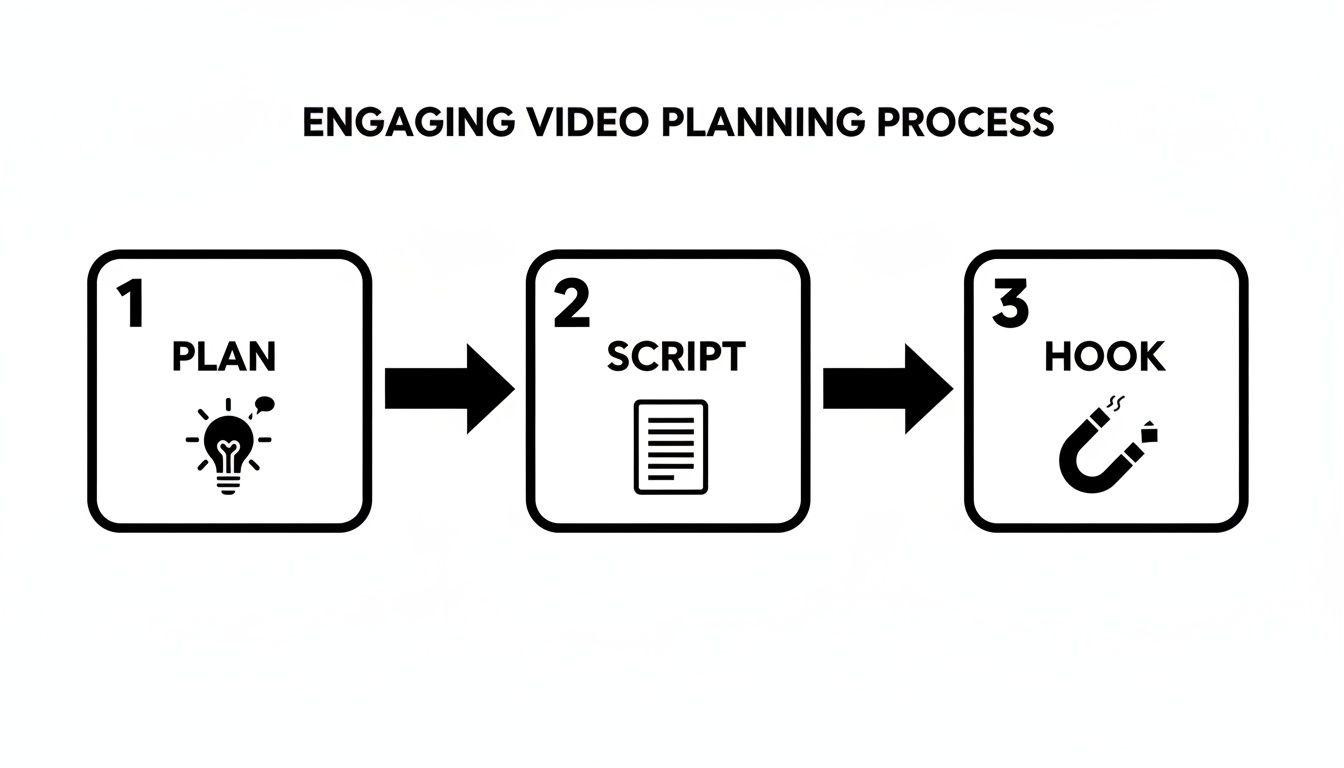
As you can see, a magnetic hook isn't just an afterthought; it's the direct result of good planning and scripting. This is also something that can be automated. Tubentum's AI, for example, can analyze your raw footage, identify the most compelling parts, and place the strongest hook right at the beginning for you—a huge shortcut to maximizing viewer retention. If you need some inspiration, check out our guide on crafting viral hooks that command attention.
A common trap for creators is treating the planning phase as a box-ticking exercise. In my experience, it's the single most important part of the entire process. A well-planned video is easier to film, faster to edit, and dramatically more likely to resonate with your audience.
A Quick Look at the Numbers Behind Engagement
To really master creating engaging content, you have to understand what viewers are actually doing. People watch over 1 billion hours of YouTube videos every single day, so the competition for eyeballs is fierce.
Interestingly, while the average engagement rate sits around 3.87%, some fascinating data from SocialPilot shows that videos between 90 and 120 seconds can hit a peak engagement rate of 7.2%. This completely busts the myth that only ultra-short videos can perform well and proves that audiences will stick around for content that delivers real substance.
Before you even think about filming, it helps to have a clear checklist to keep your planning focused on what really drives engagement.
Your Pre-Production Engagement Checklist
Here’s a simple table summarizing the core planning steps. Ticking these boxes before you hit record sets your video up for success from the very start.
| Planning Step | Key Objective | Why It Matters for Engagement |
|---|---|---|
| Audience Problem ID | Define the specific pain point your video will solve. | Viewers are looking for solutions. Directly addressing their problems makes your content instantly relevant. |
| Core Value Proposition | State the one key takeaway or transformation you promise. | This is the reason someone will click and stay. A clear promise builds immediate trust and curiosity. |
| Crafting the Hook | Write 3-5 different opening lines to grab attention. | The first few seconds determine if a viewer bails or not. A strong hook is non-negotiable for retention. |
| Outline Key Points | List the main talking points or steps in a logical flow. | A clear structure prevents rambling, keeps the video on track, and ensures the viewer gets value without confusion. |
| Call-to-Action (CTA) | Decide what you want the viewer to do next (e.g., subscribe). | Engagement isn't just watch time. Guiding your viewers to the next step keeps them in your ecosystem. |
Treating this checklist as your pre-flight routine ensures every piece of content you create is strategically designed to hold attention, provide value, and ultimately grow your channel.
Scripting for Connection and Viewer Retention
Ever watch a video that feels effortless and spontaneous? Chances are, it was built on a really solid script. A script isn't about sounding robotic; it's your roadmap to delivering value without the rambling that makes viewers click away. The real goal is to write like you talk, creating a genuine connection with your audience.
Your script is what controls the entire energy of the video. Think of it as the rhythm section. Good pacing is everything—it's about introducing ideas logically, building momentum, and giving your audience just enough breathing room to absorb what you're saying. Get this right, and they’ll stick around until the very end.
A Simple Framework for Powerful Scripts
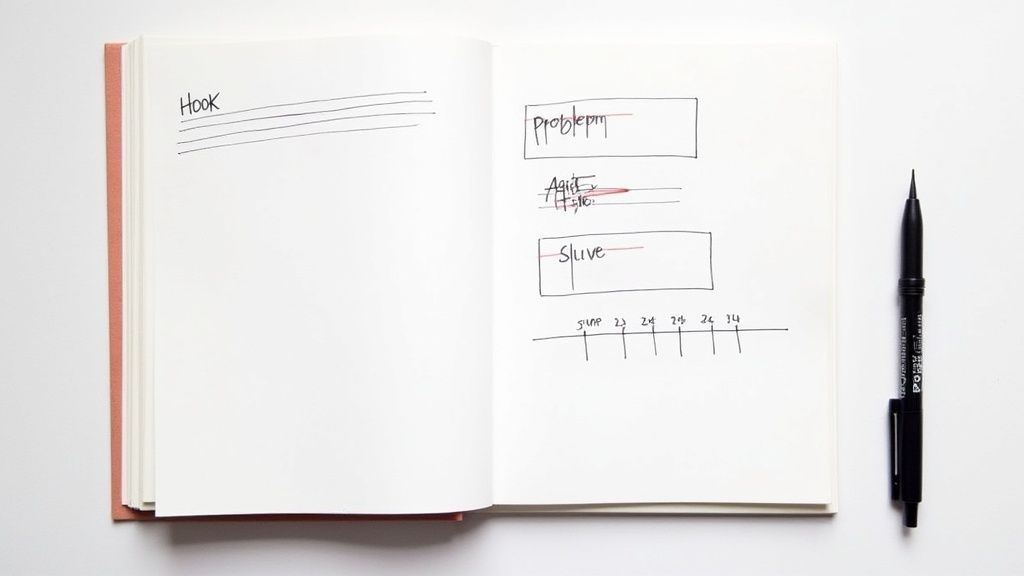
For creators and businesses making educational content, one of the most reliable scripting frameworks is PAS (Problem-Agitate-Solve). It’s a simple structure rooted in psychology that grabs attention right away by zeroing in on a viewer’s pain point.
It breaks down like this:
- Problem: Kick things off by calling out the exact issue your audience is dealing with. For instance, "Are you spending hours editing your talking-head videos only to end up with something that feels slow and boring?"
- Agitate: Now, pour a little salt in the wound. Dive into the frustrations and negative consequences of that problem. "You burn entire days trying to snip out every 'um' and awkward pause, and your final videos still don't get the watch time they deserve."
- Solve: Finally, you swoop in with the answer. Position your solution as the clear, obvious way out. "But what if you could ditch all that wasted time and produce a perfectly paced video with a single click?"
This formula works because it first shows the viewer you understand their struggle, which builds instant trust before you even get to the solution.
Your script isn’t a rigid set of lines you must recite perfectly. Think of it as a detailed outline—a safety net that ensures you hit every key point in a logical order while still allowing for a natural, conversational delivery.
From Script to Polished Video Instantly
So, you’ve written a great script. But what happens when you hit record? No one is perfect. You're going to have natural pauses, filler words like "um" and "ah," or moments where you repeat a phrase. Hunting down and cutting these out manually is easily the most soul-crushing part of video creation for any business owner.
This is where Tubentum acts as a powerful shortcut. It’s built for busy professionals who value their time. After you record your video, Tubentum’s AI automatically combs through it and removes all the dead air, filler words, and repetitions. It instantly cleans up your delivery, tightening the pace to match the punchy script you wrote, without you having to do the manual labor.
This means you can spend your energy on creating great content, not getting lost in the weeds of manual cuts.
Mastering Your On-Camera Presence
A killer script is half the battle, but how you deliver it on camera is what truly connects with your audience. Your presence—the way you look, sound, and carry yourself—is the magic ingredient that turns a good video into a great one. You don't need to be a Hollywood actor, but you do want to come across as confident, knowledgeable, and genuinely excited about your topic.
Think about the simple non-verbal signals you send. Sitting up straight and leaning slightly toward the camera instantly boosts your energy. Using natural hand gestures to emphasize your points makes you more dynamic. And here’s a big one: look directly into the camera lens, not at your monitor. This creates a powerful sense of eye contact, making each viewer feel like you're talking directly to them.

Creating a Professional Recording Environment
Your physical setup is a huge part of your on-camera presence, but don't worry—you don't need to spend a fortune to look professional. For business videos, focus on nailing three key elements: your lighting, audio, and background.
- Lighting: Good lighting is a game-changer. You're aiming for soft, diffused light that hits you from the front. A simple ring light or a couple of small LED panels can work wonders, eliminating harsh shadows and giving you a clean, professional look.
- Audio: This is non-negotiable. People will forgive so-so video quality, but they will click away instantly if the audio is bad. Ditch your laptop's built-in mic and grab an affordable USB microphone. The jump in clarity is massive and instantly boosts credibility.
- Background: Keep it clean and simple. A cluttered or distracting background pulls the focus away from you. A tidy bookshelf, a plain wall, or a simple backdrop ensures the spotlight stays right where it belongs: on your message.
If you want to dig deeper into getting your setup just right, we've got a whole guide with more tips on how to look good on video.
Here's a secret: confidence on camera is a skill you build, not a talent you're born with. Don't sweat the small stumbles while recording. Tubentum's Auto-Cut feature automatically snips out all the "ums," "ahs," and retakes, so you'll look like a seasoned pro in the final edit. Just focus on your message.
Ultimately, your delivery is about building trust. When you show up looking and sounding professional, you're telling your audience that you value their time and that your content is worth watching. It's how you turn a monologue into a conversation and start building a real community.
Editing for Impact Without Wasting Time
Once you’ve finished recording, the real magic happens in the edit. This is your chance to shape that raw footage into a tight, polished video that hooks viewers and respects their time—and for a business, time is money.
Let's be real: attention spans are shorter than ever. A slow, rambling edit with awkward pauses is a guaranteed way to send viewers clicking away to a competitor's video. The problem is, manually trimming every "um," "ah," and dead-air moment is an absolute grind. For most business owners and creators, this tedious process is the biggest bottleneck holding them back from publishing consistently.
But what if you could skip the most time-consuming part of editing?
The One-Click Shortcut to a Clean Edit
Imagine this: you finish recording, upload your footage, and with a single click, your video is already 80% of the way edited. All the ums, ahs, and awkward pauses? Gone. This isn't a fantasy; it's what smart, automated editing tools are designed to do.
This is where a tool like Tubentum completely changes the game for business content. Its Auto-Cut feature is built to handle the heavy lifting for you.
- It cuts the dead air. The AI instantly finds and snips out all the long, momentum-killing pauses between your sentences.
- It removes filler words. Every "like," "you know," and "um" that makes you sound less confident is identified and eliminated.
- It cleans up retakes. Stumbled over a sentence and said it again? The tool intelligently keeps the best take and gets rid of the rest.
Suddenly, you’re not spending hours on tedious micro-cuts. You’re free to focus on the high-value parts of your business, not manual editing. For a deeper dive into optimizing your post-production, our guide on how to speed up video editing has even more tips.
This shift from manual labor to intelligent automation is how top creators and businesses produce high-quality content at scale. They're not just working harder; they're working smarter.
Pro Tip: A clean, tight edit does more than just look professional. It makes you sound more authoritative and confident. When your delivery is crisp and direct, your message hits harder, building trust and keeping viewers glued to the screen.
Keeping Viewers Engaged With Simple Visuals
Once the pacing is right, the next step is to keep things visually interesting. Don't worry, you don't need a huge production budget. For most business and educational videos, simple, strategic visuals are far more effective.
The goal is to prevent the "static head" problem, where nothing changes on screen for minutes at a time. A few easy additions can make a world of difference.
- Drop in some B-roll. Talking about a specific website or piece of software? Show a quick screen recording of it. Mentioning a concept? Find a relevant stock video clip to illustrate your point.
- Use simple text overlays. Emphasize a key statistic or a powerful quote by putting it on the screen in big, bold text. This is a huge help for viewers watching on mute and reinforces key learning points.
- Add basic graphics. A simple arrow pointing to something important or a highlight box around a key detail in a screenshot can guide your viewer's attention exactly where you want it.
You’re not trying to create a cinematic masterpiece. You’re just supporting your words and giving the viewer's eyes something new to look at every few seconds. Tools like Tubentum often have these features built-in, making it simple to add that final layer of professional polish that holds attention from start to finish.
Crafting Titles and Thumbnails That Get Clicks
You’ve poured hours into creating the perfect video. But here's the tough part: none of that work matters if nobody clicks. Your title and thumbnail are the gatekeepers to your content, and they have to work together to stop a viewer mid-scroll, make them curious, and promise a real solution to their business problem.
Think of the YouTube homepage as a ridiculously crowded store shelf. Your thumbnail is the product's packaging, and the title is the slogan promising what's inside. The data doesn't lie: 90% of the best-performing videos have custom thumbnails. They aren't an optional extra; they're an absolute must. Getting this combo right is make-or-break.
Designing Thumbnails That Demand Attention
A thumbnail has one job: get the click. It needs to be instantly clear, compelling, and communicate the video’s core value in a fraction of a second. Forget about creating a mini-masterpiece; for business-focused content, clarity and emotion win every time.
Stick to these core principles for a thumbnail that actually performs:
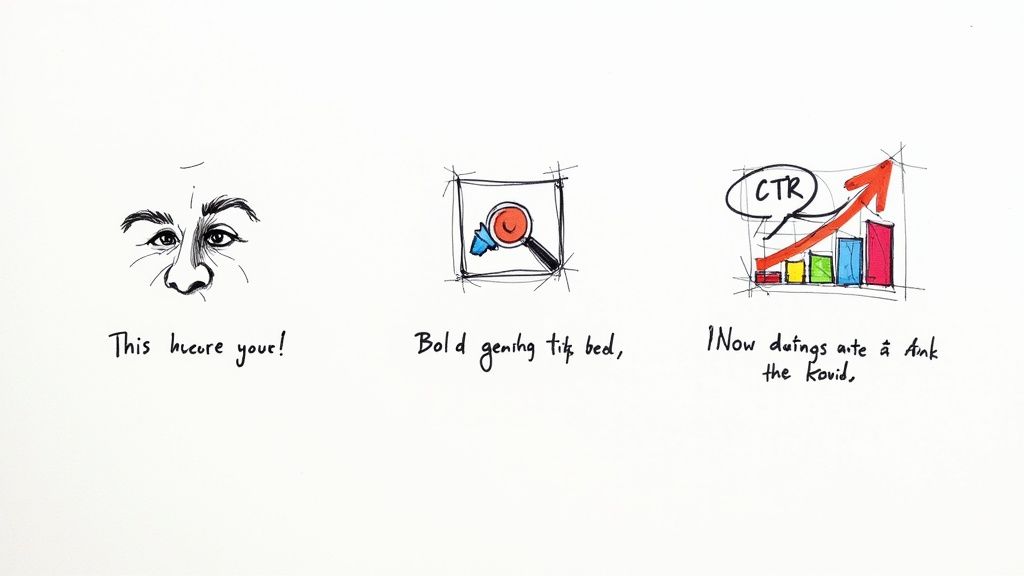
- High Contrast is Key: Use bold, bright colors that pop against YouTube’s neutral interface. Think vibrant yellows, greens, or reds paired with dark text (or the reverse).
- Keep Text Minimal: No one's reading a paragraph on a tiny image. Stick to 3-5 powerful words that scream the main benefit. Instead of "A Complete Guide to Marketing," try something punchier like "Marketing That Works."
- Show an Emotional Face: We're wired to connect with other people. A clean shot of a human face showing a clear emotion—like surprise, curiosity, or even frustration—can seriously boost your click-through rate (CTR).
If you want to go deeper, it's worth understanding all the nuances of optimizing your video thumbnails to make sure your designs are based on proven strategies.
Writing Titles That Convert Clicks Into Views
While the thumbnail is the initial eye-catcher, the title is what seals the deal. It confirms what the video is about and convinces the viewer it's worth their time. A great title is a perfect marriage of human psychology and smart SEO.
First, people have to be able to find it. Make sure you include keywords your audience is genuinely searching for. But a keyword alone is boring. The title also has to spark curiosity or promise a specific outcome.
A powerful title answers the viewer’s silent question: “What’s in it for me?” It shouldn’t just describe the video; it should sell the benefit of watching it.
Try one of these business-oriented angles:
- The "How-To": "How to Get Your First 100 Clients" is direct and promises a tangible result.
- The "Mistake": "5 Copywriting Mistakes Costing You Sales" taps into our fear of doing things wrong.
- The "Benefit-Driven": "The 5-Minute Habit That Will Double Your Productivity" promises a huge reward for a tiny investment of time.
Don't Forget Descriptions and Tags
Finally, your video description and tags are your chance to feed the YouTube algorithm more context. The first couple of lines of your description are gold because they show up in search results, so use them to expand on your title and reinforce the hook.
When it comes to tags, think both specific and broad. Use long-tail phrases directly related to your video (e.g., "how to edit talking head video fast") alongside more general category terms (e.g., "video editing," "content creation"). This helps YouTube understand exactly who to show your video to, making sure all your hard work finds the right audience.
Giving Your Video a Fighting Chance After You Hit Publish
Hitting "publish" isn't the end of the road. In fact, it's where the real race begins. You've poured your energy into creating a great video, and now you need a smart promotional plan to give it the initial push it needs to find its audience.
Think of it this way: your most loyal fans are your biggest asset. If you have an email list or followers on other social platforms, they should be the very first people you tell about your new video. Sharing it with them right away creates an immediate burst of views, which is a fantastic signal to send the YouTube algorithm.
Why the First 24 Hours Are Everything
That initial window—the first few hours after your video is live—is absolutely crucial. The YouTube algorithm is watching closely, trying to figure out if people actually like what you've made. This is your time to be hyper-present.
Make a point to jump on every single comment that comes in during this period. Replying doesn't just build a strong, loyal community (which is a huge win in itself), but it also juices your engagement stats. Every comment and reply signals to YouTube that your video is sparking conversation, which can get it recommended to more viewers.
Don't just "publish and pray." That's a recipe for getting lost in the noise. You need to "publish and push." Being proactive in those first 24 hours can make all the difference between a video that fizzles out and one that truly takes off.
Making Your Content Work Harder for You
A fantastic video is a business asset you can use again and again. You can slice it, dice it, and repurpose it to get more value out of the hard work you already did. This isn't about creating more work; it's about being smart and extending the life and reach of your content across all your channels.
Here are a few practical ways to do this:
- Create Bite-Sized Clips: Pull out the most powerful 30-60 second moments from your video. These are your hooks, and they're perfect for YouTube Shorts, Instagram Reels, or TikToks. Tubentum's AI can even identify these viral-worthy clips for you automatically, saving you hours of searching.
- Spin It Into a Blog Post: Get your video transcribed and use it as the foundation for a detailed article. This lets you capture an audience that prefers to read and gives your website a nice SEO boost.
- Design Quote Graphics: Grab a few punchy quotes or key stats from your script and turn them into simple, shareable graphics. These work incredibly well on visual platforms like Instagram or even LinkedIn.
A smart promotional strategy is about more than just a single video. For a deeper dive, check out these proven strategies for boosting social media engagement that can help you get more traction everywhere.
To help you stay on track, I've put together a simple checklist to use the moment your video goes live. This little routine can help build that critical early momentum.
Your Post-Publishing Promotional Checklist
| Timeframe | Action Item | Platform/Tool |
|---|---|---|
| 0-1 Hour | Announce the new video to your email list. | Your email provider |
| 0-2 Hours | Share the video link on all primary social media accounts. | Twitter, LinkedIn, Facebook, etc. |
| 0-4 Hours | Engage with every comment on the YouTube video. | YouTube Studio |
| 24 Hours | Create and share a short clip/hook from the video. | Instagram Reels, TikTok, YT Shorts |
| 48 Hours | Share a different angle or key takeaway from the video. | LinkedIn, Twitter |
| 1 Week | Add the video to relevant playlists on your channel. | YouTube |
Following these steps consistently helps ensure that every video you publish has the best possible chance to succeed.
The whole idea, from planning the script to promoting the final cut, is to make the biggest impact without burning yourself out. With Tubentum, you can hand off the most tedious parts of editing—like cutting out all the "ums" and silences, finding your best hook, and even identifying short-form clips—so you can achieve a polished, professional result in a fraction of the time. This lets you get back to what you do best: creating great content that connects with people and grows your business. Try Tubentum and see how a one-click edit can transform your workflow.