
A solid video creation workflow is the engine that drives consistent, high-impact content for your business. It’s the system that turns scattered ideas into a reliable stream of professional videos that generate leads, build authority, and support your customers. Forget the artistic complexities of cinematic production; this is about creating a practical, scalable process that delivers business results, efficiently.
Building Your Strategic Content Foundation
Before you even think about hitting record, the real work begins. A strong strategy is the difference between a video that grows your business and one that just adds to the online noise. This isn't about a single brainstorming session; it's about engineering a content machine that runs smoothly and achieves specific, measurable goals.
It all starts by tying every video idea back to a clear business objective. What's the point? Are you trying to generate qualified leads? Establish yourself as the go-to expert in your industry? Or perhaps educate customers to reduce support tickets? Each goal demands a completely different approach to content, tone, and calls to action.
Defining Your Video Objectives
Getting crystal clear on your goals turns video creation from a creative exercise into a core business function. Before you write a single word of a script, ask yourself what you want this specific video to do.
Your goals will likely fall into one of these buckets:
- Lead Generation: Creating videos to capture viewer information through free guides, webinar sign-ups, or consultation offers.
- Brand Authority: Being seen as an expert with in-depth tutorials, market analysis, and thought leadership content.
- Customer Education: Developing how-to videos and product demos to improve user experience and reduce the load on your support team.
- Sales Conversion: Nudging prospects over the finish line with compelling case studies, testimonials, or product walkthroughs.
Once you know your "why," every other decision—from the script to the success metrics—becomes exponentially easier.
Before we dive deeper, let's look at the big picture. A modern, efficient video workflow can be broken down into a few core stages.
Core Stages of a Modern Video Workflow
Here's a high-level overview of the key phases in a streamlined video production process, whether you're a solo creator or a growing business.
| Stage | Key Objective | Primary Tools |
|---|---|---|
| Strategy & Planning | Define goals, identify topics, and structure content pillars. | Notion, Airtable, Miro |
| Scripting & Pre-Production | Write the script, create templates, and prepare all assets. | Google Docs, Frame.io, Tubentum |
| Recording | Capture high-quality video and audio efficiently. | Camera, Microphone, Lighting, Teleprompter |
| Editing & Post-Production | Assemble footage, add graphics, and polish the final video. | Adobe Premiere Pro, DaVinci Resolve, Tubentum |
| Publishing & Promotion | Optimize for discovery and distribute across relevant channels. | YouTube, LinkedIn, Twitter |
| Analysis & Iteration | Track performance metrics to inform future content. | YouTube Analytics, Google Analytics |
Treating each stage with intention is what builds a system that works for you, not against you.
The Power of Batching and Templates
One of the biggest productivity killers for businesses is context switching—jumping between scripting, filming, and editing for different videos. The secret is to stop thinking in terms of single videos and start thinking in production blocks.
Dedicate one day to scripting four related videos, perhaps for a "Getting Started" series. The next day, film all four back-to-back. Your camera, lighting, and headspace are already dialed in, slashing setup time and mental friction.
To make this even faster, create reusable script templates. A simple template saves you from the blank page and keeps your branding consistent. For a business, this is a shortcut to professional and cohesive communication.
Key Takeaway: A standardized script template—with dedicated sections for your hook, main points, and a call to action—can easily cut your pre-production time in half. It’s a simple system that ensures every video is strategically aligned.
This systematic approach is no longer a niche tactic; it's becoming the industry standard. Right now, 55% of marketers produce videos in-house, and more and more of them are using AI to get an edge. This shift shows a clear move toward wanting more control and efficiency—exactly what a great workflow provides.
When you combine batching with templates, you create an assembly line for your content. The chaos disappears, replaced by a predictable system. For a deeper look at organizing your entire creative process, check out our guide on building an effective content creation workflow. This is how you ensure every video isn't just content, but a strategic asset built to deliver a specific business result.
Designing a Low-Friction Recording Process
Let's be honest: the actual recording is where most business video creation workflow efforts stall. The friction of setting up gear, tweaking lighting, and finding the energy to be "on" can be a major roadblock. The key is to make hitting "record" feel less like a major event and more like a routine task.
The secret is a consistent, repeatable setup. Whether it's a dedicated corner of your office or a temporary space, the goal is to minimize the time and effort it takes to get started. The less resistance between having an idea and filming it, the more videos you'll produce.
The Essentials for Professional Talking-Head Videos
You don't need a Hollywood budget for business content, but you must nail the fundamentals. Bad audio or poor lighting will undermine your credibility before you even deliver your key message.
Here's the gear that's truly non-negotiable for a professional look:
- Reliable Audio: Your phone's mic isn't sufficient for business content. Invest in a quality USB microphone (like a Blue Yeti or Rode NT-USB+) or a simple lavalier mic. Clean audio is paramount.
- Good Lighting: Forget complex three-point lighting. A single, large key light, like a softbox or LED panel, placed off to one side of the camera is all you need for a professional look that eliminates distracting shadows.
- A Stable Camera: A modern smartphone is surprisingly capable, but a dedicated mirrorless camera offers more control. The most important thing? Use a tripod. Shaky, handheld footage instantly signals "amateur."
This simple kit can be left in place or assembled in under 15 minutes, transforming a dreaded chore into a quick, efficient process. For more on streamlining operations, there are great strategies for improving workflow efficiency and boosting productivity that apply well beyond video.
Mastering On-Camera Delivery with Minimal Retakes
Once the gear is set, the next hurdle is you. Staring into a lens can feel unnatural, leading to flubbed lines, awkward pauses, and countless retakes that create an editing nightmare.
This is where a teleprompter changes everything. By scrolling your script right in front of the lens, you can read your lines while maintaining perfect eye contact with your audience. You’ll sound more natural and confident, slashing retakes to almost zero.
Pro Tip: Don't aim for a perfect, continuous take. It’s unnecessary pressure. When you stumble over a line, just pause for a second, take a breath, and start that sentence again from the beginning.
This simple trick is a gift to your future self. Instead of meticulously hunting for tiny errors, you’ve created clean, obvious breaks. When you drop that footage into an AI-powered editor like Tubentum, it can instantly spot those long pauses and repeated phrases, automatically trimming them out to give you a clean rough cut in minutes. This is the shortcut to a professional result without the tedious manual labor.
The Power of Recording in Batches
The most productive businesses never record just one video. They apply the batching concept from the planning stage here. Your gear is set up, your lighting is dialed in, and you're in the zone. Why not film several videos in one go?
This approach gives you a bank of raw footage. You can knock out an entire month's worth of marketing or training content in a single afternoon, completely separating the act of recording from the rest of your video creation workflow. This content buffer is your best defense against a chaotic schedule.
By building a low-friction recording system, you're not just making a video; you're building a content engine. You’re removing the biggest obstacle to consistency and turning video creation into a simple, repeatable, and almost effortless routine.
Using AI to Completely Overhaul Your Editing
For most businesses, the editing room is where productivity dies. After the hard work of planning and filming, you're faced with hours of tedious clicking through raw footage. This is the single biggest bottleneck that keeps companies from producing video at scale. It doesn’t have to be this way anymore.
A much smarter approach uses AI to reclaim that lost time, automating the most mind-numbing parts of editing. Imagine uploading raw files and receiving a clean, tight rough cut just minutes later. This isn't a future concept; it's what AI-driven platforms like Tubentum deliver right now, providing a shortcut to a polished final product.
From Hours to Minutes: The Magic of an Automated Rough Cut
Think about traditional editing. You import footage and begin the painful process of watching every second, hunting for mistakes, trimming awkward silences, and painstakingly chopping out every "um," "ah," and "you know."
This is where a tool like Tubentum acts as your virtual assistant editor. Instead of doing repetitive work by hand, the AI handles the grunt work for you.
- Silence Removal: The AI scans your audio and automatically snips out dead air and long pauses, instantly making your video tighter and more engaging.
- Filler Word Removal: It identifies and eliminates filler words—the ums, ahs, and likes—that can make a speaker sound less confident. To see how impactful this is, check our guide on how to remove filler words from your videos.
- Bad Take Deletion: When you stumble over a sentence and restart it, Tubentum’s AI is smart enough to recognize these repeated phrases and keep only the final, correct take, saving you the headache of manually scrubbing through the timeline.
This is the ultimate shortcut for any business serious about producing video efficiently. Instead of burning hours on a rough cut, you get one delivered in a fraction of the time.
Here's the key takeaway: This isn't about replacing creativity. It's about automating the 80% of tedious, repetitive work so your team can pour its energy into the final 20%—the creative polish, storytelling, and branding that makes your content unique.
This move toward automation is the new normal. We're seeing a massive shift, with 75% of video marketers now using AI tools. Businesses are also discovering that AI can cut production costs by an average of 23%, a huge win for smaller teams. You can get a better sense of these trends from these video marketing statistics.
Adding Professional Polish with AI-Powered Features
A clean edit is a great start, but an effective video creation workflow must also make the final video engaging and accessible. This is another area where AI offers a serious advantage.
For instance, Tubentum helps streamline the finishing touches by automating features that add a professional feel without manual effort, letting you bypass the complexity of traditional video software.
The screenshot above shows a clean, straightforward interface for managing projects. It’s designed to let you focus on creative decisions instead of getting bogged down in technical tasks.
Once the AI delivers your rough cut, you can add more layers of polish with a few clicks:
- Automated Captions: With 59% of marketers saying captioning is a top priority, manual transcription isn't practical. Tubentum’s AI generates accurate, time-synced captions in minutes, making videos accessible and boosting SEO.
- Intelligent B-Roll: Finding good B-roll to illustrate points takes time. Tubentum can analyze your script and automatically suggest relevant clips, saving you from endlessly scrolling through stock footage sites.
- Automatic Hook Creation: The AI can even analyze your video, find the most compelling snippet, and place it at the beginning as a "hook" to grab viewer attention in those critical first seconds.
By building these features into your process, you're not just editing faster—you're creating a better, more professional final product with significantly less work. Exploring Top AI Video Generator Tools is a strategic move for any business wanting to stay competitive.
Building a True Batch Production System
Making one great video is an achievement. Consistently publishing great videos? That’s a system. This is where we tie everything together—planning, recording, and editing—to build a genuine batch-processing workflow. It's about shifting from a "one-and-done" mindset to creating a content assembly line that lets you scale your output without burning out.
The idea is to stop thinking in single videos and start thinking in production cycles. You group similar tasks and knock them out in dedicated blocks. You don't just record one video; you record a month's worth. You don't just edit one clip; you feed a whole batch of raw footage into a system that does the heavy lifting for you.
This approach completely changes the game, turning a chaotic, reactive process into something proactive and manageable.
Structure Your Content Calendar for Batching
Your first move is to get strategic with your content calendar. Instead of picking topics at random, group them by theme or series. For instance, plan a four-part series on "Advanced Email Marketing Tactics." This simple step gives you incredible leverage.
With a structure like this, you can:
- Script in Bulk: Sit down for one session and write the scripts for all four videos. Your brain is already in that zone, making the writing faster and more cohesive.
- Record in a Single Session: Set up your camera and lights once, then film all four videos back-to-back. This saves hours of tedious setup and takedown.
- Maintain Consistency: Your delivery, tone, and messaging will feel much more consistent across the series because it was all created in the same focused window.
Thematic grouping is the bedrock of an efficient batch system, ensuring that when you reach the editing phase, you have a cohesive set of assets ready to go.
Create Your Content Assembly Line
Once you have your bulk footage, you need to process it efficiently. This is where a tool like Tubentum becomes the engine of your assembly line. Instead of opening a traditional editor and painstakingly sifting through each video, you can upload the entire batch of raw footage at once.
The process is refreshingly simple.
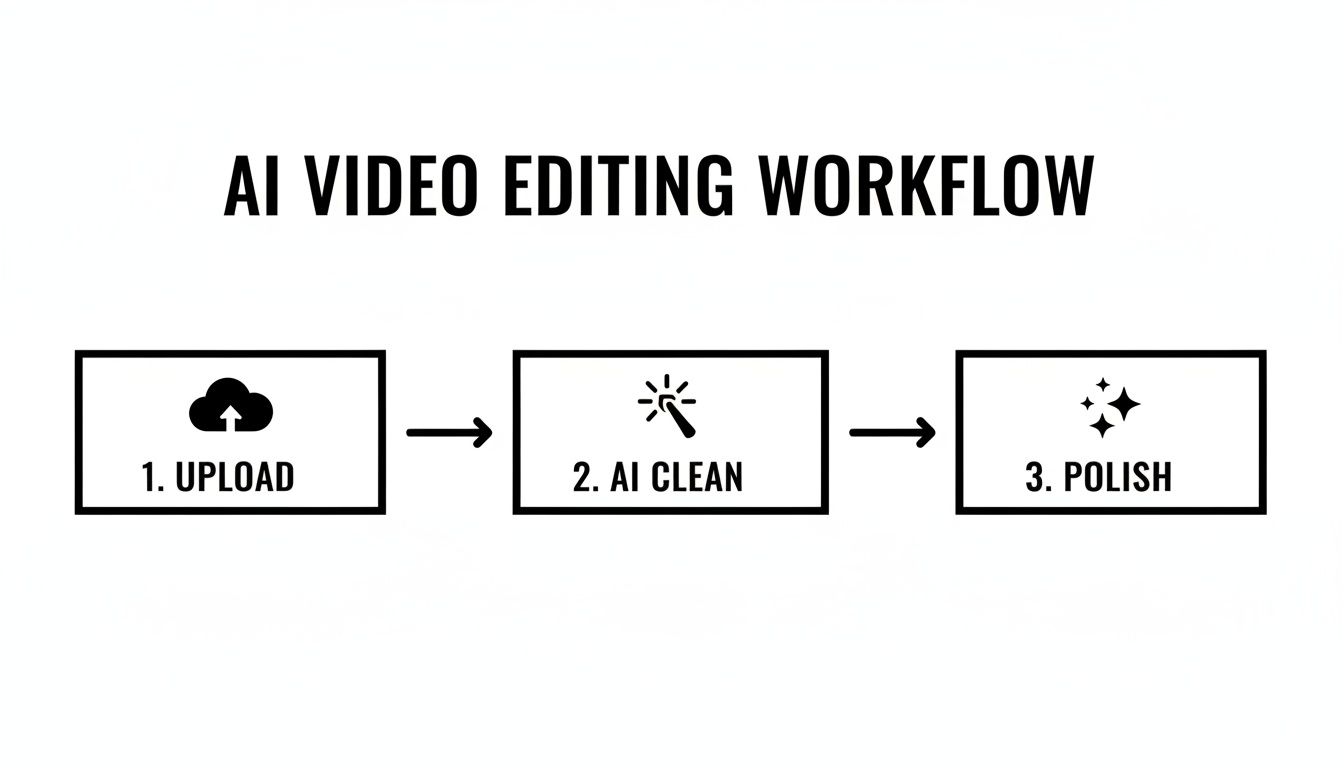
The real insight here is the shift from manual labor to automated processing. The most time-consuming parts of the initial edit are handled for you, delivering clean rough cuts for your entire batch of videos.
This isn't a futuristic idea; it's quickly becoming standard practice. It’s predicted that by 2025, over 80% of creators will use AI in their video workflows. A recent survey shows that 38.7% already use it across their entire process, while another 44.2% use it for specific tasks like editing. This shift is all about helping businesses and small teams scale production without needing a massive crew.
Manage the Flow From Idea to Publication
When you have multiple videos moving through your pipeline, you need a simple way to track everything. This is crucial for ensuring assets don't get lost and you always know the next step. A basic project management tool works perfectly.
My Pro Tip: A Kanban board in a tool like Trello or Asana is perfect for a video workflow. Just create columns like "Idea," "Scripting," "Recording," "AI Editing," "Final Polish," and "Published." Each video becomes a card that you simply drag from left to right as it moves through the process.
This visual system provides instant clarity on your entire content pipeline. You can spot bottlenecks and keep the momentum going. It's the final piece that turns disconnected tasks into a smooth, predictable system.
When you combine batching with a powerful tool like Tubentum and a clear project tracker, you're not just making videos faster—you're building a scalable content engine. For any business serious about systemizing its creative output, it's worth exploring how to automate content creation from start to finish.
Getting Your Videos Seen: The Final Polish and Optimization
Hitting "export" on your final edit feels great, but the work isn't quite done. This last mile—the optimization phase—is where you give your video its best shot at actually finding an audience. If you skip this, even an amazing video can get lost in the noise, essentially becoming a digital ghost.
I like to think of this as a final pre-flight checklist. It ensures everything is technically perfect and strategically positioned for discovery before you send it out into the world.
First up, do one last quality control pass. Watch the whole thing from beginning to end with fresh eyes. You’re not looking to make creative changes at this point. Instead, you're hunting for those small but distracting mistakes: a typo on a graphic, a weird audio pop you missed, or a jump cut that just feels off. It’s the video equivalent of proofreading.
Nailing the Technical Details: Export Settings
Before you can even think about uploading, you have to export your video correctly. YouTube’s algorithm rewards high-quality uploads, so getting the technical specs right is non-negotiable. This is what prevents your video from looking like a pixelated mess after it's been processed.
For the kind of talking-head content we're focused on, these are my go-to export settings in Adobe Premiere Pro or Final Cut Pro:
- Resolution: Always export at the highest resolution you recorded in. For most, that’s either 1080p (1920x1080) or 4K (3840x2160). Don't downscale it.
- Codec: The H.264 codec is the industry standard for a reason. It gives you fantastic quality without creating a ridiculously large file, perfect for web uploads.
- Bitrate: For a crisp 1080p video, I aim for a bitrate between 8-12 Mbps. If you've shot in 4K, you'll want to bump that up to 35-45 Mbps to preserve all that detail.
Dialing in these settings ensures YouTube processes your file cleanly, giving your audience the best possible viewing experience.
Getting Found: A Crash Course in Video SEO
Now for the fun part: making sure people can actually find your masterpiece. Video SEO is all about sending the right signals to YouTube's algorithm so it knows what your video is about and who to show it to.
A brilliant video that no one ever finds is a wasted effort. Your title, description, and thumbnail are just as crucial as the content itself—they are the gatekeepers that determine if anyone ever hits play.
This is where you have direct control over your video's reach.
Your Title: Make it Searchable and Clickable A great title does two things at once: it satisfies the search algorithm with keywords and it piques a human's curiosity. A simple formula I've found effective is combining a clear, keyword-focused phrase with a compelling benefit. So instead of a flat "Video Workflow Guide," you might try "My 1-Hour Video Workflow That Saves Me 5 Hours a Week." See the difference?
Your Description: Don't Be Lazy Here This is prime real estate. Don't just toss a single sentence into the description box. Write a few solid paragraphs that naturally weave in your main topic and related keywords. I usually start with a strong hook, explain what viewers will learn, and mention who the video is for. This text is a goldmine of context for the YouTube algorithm.
Your Tags: A Little Still Goes a Long Way Tags aren't the powerhouse they used to be, but they still help. I use a mix of broad, high-level tags (like "video marketing") and very specific, long-tail ones that describe the niche topic (like "AI video editing for beginners"). A great pro-tip is to see what tags other successful videos in your niche are using—it's a good source of inspiration.
The Art of the Irresistible Thumbnail
On a cluttered YouTube homepage, your thumbnail is your video's billboard. It's often the single element that makes someone click your video over the dozen others surrounding it. An effective thumbnail is clear, sparks an emotional connection, and instantly telegraphs the video's value.
After years of testing, I've landed on a few best practices that consistently work:
- Use High-Contrast Colors: You need your thumbnail to pop off the screen, whether someone is using light mode or dark mode.
- Show a Human Face: We're hardwired to connect with faces. Thumbnails with a clear, expressive face almost always get higher click-through rates.
- Add Bold, Minimal Text: Use just a few powerful words (3-5 max) to state the video's core promise. Make the font big and easy to read on a tiny phone screen.
By working through these optimization steps for every video, you're not just finishing a project. You're giving it every possible advantage to connect with an audience and succeed.
Using Analytics to Refine Your Workflow
Hitting "publish" on a new video isn't an ending—it's the start of the next feedback loop. A truly powerful video workflow isn't just about output; it's about making each video smarter than the last. Your analytics are what turn educated guesses into a proven formula.
For any business using YouTube, just looking at view counts is a classic rookie mistake. That number doesn't tell you much. We need to dig deeper into the metrics that reveal audience behavior—the numbers that show what’s pulling them in and what’s pushing them away.
Key Metrics That Truly Matter
To really dial in your process, you have to get comfortable with YouTube Analytics. Don't let the dashboard overwhelm you. Instead, zero in on the handful of metrics that have a direct line to your goals.
These are the three I live and die by:
- Audience Retention: This is, without a doubt, the most important graph. It’s a second-by-second report card on your video's engagement. See a massive drop-off in the first 30 seconds? That’s a clear sign your hook fell flat.
- Click-Through Rate (CTR): This number is simple: of all the people who saw your video's thumbnail, what percentage actually clicked to watch? A low CTR is a direct indictment of your title and thumbnail. They aren't doing their job.
- Watch Time: This is the grand total of all the minutes and hours people have spent watching your video. YouTube’s algorithm loves high watch time because it means your video is keeping people on the platform, which is exactly what YouTube wants.
When you start tracking these, you're no longer guessing. You're moving from creating what you think your audience wants to creating what you know they'll watch.
Turning Insights into Actionable Workflow Changes
Okay, so you have the data. Now what? The real magic happens when you build a bridge between those numbers and your actual production process.
If your Audience Retention chart consistently has a valley in the middle of your videos, that’s your cue. Maybe your explanations are dragging on. This is a perfect opportunity to experiment with a much tighter edit—perhaps using an AI tool to surgically remove every pause for a more punchy, relentless pace.
Your analytics are a direct conversation with your audience. A drop-off isn't a failure; it's a piece of feedback telling you exactly how to improve your next script or edit.
Let’s flip that around. Say a video gets a surprisingly high watch time. Don't just celebrate—investigate. What was different? Was the topic more specific? Did you try a new scripting format? If you find that the hyper-fast cuts from an AI editor like Tubentum lead to higher retention, that becomes your new editing standard. Your workflow starts to evolve based on hard evidence, not creative whims. This is the continuous loop—publish, measure, refine—that transforms a good workflow into a genuinely great one.
Ready to slash your editing time and create a smarter, faster video workflow? With Tubentum, you can automatically remove silences, filler words, and bad takes, getting a clean rough cut in minutes. See how it works at https://tubentum.com.