A talking head video is exactly what it sounds like: a video focused on a person speaking directly to the audience. It’s a simple, powerful format where someone looks right into the camera to share information, tell a story, or teach a concept. Think of it as the digital equivalent of sitting down for a one-on-one conversation with an expert.
This straightforward approach is why it's become a cornerstone for so many creators, coaches, and businesses. It’s all about creating a direct line of communication that feels personal, building trust and establishing you as the go-to authority in your field. And with Tubentum you get an end-to-end workflow—from script outline to final export—that lets you deliver polished business videos in minutes, not days.
The Foundation of Business Video
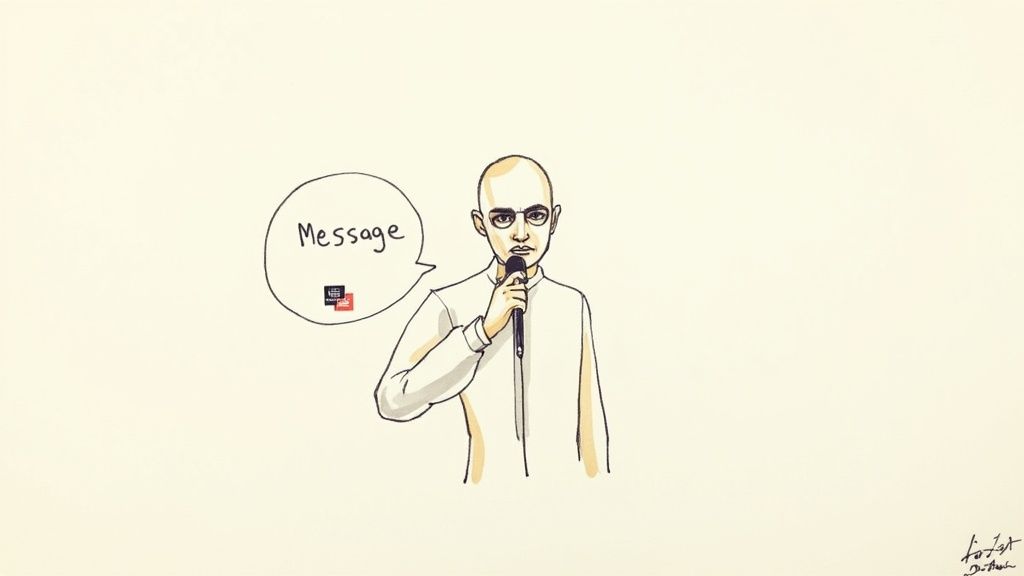
Picture a video call with a mentor who has your undivided attention. That’s the feeling a great talking head video creates. It cuts through the noise and gets right to the point, focusing on what truly matters: a clear message delivered by a credible person. Its real power is in its simplicity. With Tubentum’s workflow templates, you can organize your script and recording plan in one place, and automatically add branded intros and lower thirds before you even hit record.
This format isn’t complicated, but it has a few key ingredients that make it work so well.
Key Characteristics of a Talking Head Video
| Characteristic | Description for Business Use |
|---|---|
| Direct Address | The speaker talks directly to the camera, creating a personal, one-on-one connection with the viewer. |
| Single Subject Focus | The video centers on one person, positioning them as an expert and building their authority. |
| Clear Message | The primary goal is to deliver information clearly and concisely, without distracting cinematic elements. |
| Minimalist Setup | Often requires just a camera, microphone, and a simple background, making it accessible and cost-effective. |
These characteristics combine to create a format that is not only easy to produce but also highly effective for building an audience. Tubentum supports each step—auto-leveling audio, generating captions, and exporting to multiple aspect ratios—so your talking head videos feel consistent and on-brand every time.
The Problem of "Just Talking"
But here's a common trap: creating a video that is just a person talking. When a speaker simply delivers lines without any other visual support, the video can feel flat, monotonous, and, let's be honest, boring. Viewers will click away in a heartbeat.
The secret to a compelling talking head video is to use that simple format as a foundation. From there, you layer in dynamic editing, relevant B-roll footage, and helpful on-screen text or graphics to keep things interesting. Even the simplest talking head becomes engaging when you add branded overlays and auto-generated captions with Tubentum.
The most effective talking head videos don't just present information; they create a conversation. They combine a personal, direct speaking style with smart editing to hold attention and deliver a powerful message.
This is exactly where many creators get stuck. The editing process—manually cutting out every "um" and awkward pause, finding the right visuals, and pacing it all correctly—can be incredibly time-consuming. Thankfully, tools like Tubentum offer a massive shortcut. By automatically removing silences and filler words, the software helps you turn raw, rambling footage into a tight, professional video. It even auto-detects key moments and can insert chapter markers for you.
Why This Format Is a Business Superpower
There's a reason the talking head video is more than just a simple content format—it's a powerful engine for business growth. Its effectiveness is wired directly into human psychology. When you look at the camera, you’re simulating a face-to-face conversation. This creates a personal connection that’s incredibly difficult to replicate with other types of content.
That direct gaze builds trust and fosters what researchers call parasocial relationships, where viewers feel like they genuinely know you. For your business, this is huge. It means your audience is connecting with a real person, not just a faceless brand, which makes you far more relatable and human. And because Tubentum tracks viewer engagement and drop-off analytics automatically, you can refine your approach video by video.
Establishing Authority and Trust
Look at any industry leader—chances are they use talking head videos to cement their status as the go-to expert. By sharing your insights with clarity and conviction, you position yourself as a thought leader people want to listen to. The format is perfect for breaking down complex ideas into simple, digestible lessons. And by using Tubentum’s captioning and keyword tagging, your videos become SEO-optimized assets that attract new prospects on autopilot.
This turns your content into a high-value educational resource that can ultimately convert viewers into customers. Research shows that with tools like Tubentum, you can reduce editing time by 70%, so you publish more consistently and stay top-of-mind.
Your Shortcut to Professional Videos
The best part? This format levels the playing field. It's cost-effective and easy to produce, allowing smaller businesses and solo creators to compete with big corporations through consistent, high-impact content. But the editing process often becomes a huge bottleneck. Manually cutting out every long pause, filler word, and stumble can eat up hours, stopping you from producing content as often as you’d like.
This is where Tubentum comes in. Instead of sinking hours into tedious manual edits, our AI automatically removes silences and filler words with a single click. It takes your raw footage and turns it into a polished, professional video in minutes, freeing you up to focus on what really matters: your message and your strategy. Plus, it exports ready-to-publish versions for LinkedIn, Instagram, and YouTube in one job.
How to Film Your First Professional Video
Alright, ready to hit record? You don't need a Hollywood budget or a full film crew to create a talking head video that looks polished and professional. A few smart adjustments to your setup are all it takes to produce content that builds your authority and really connects with your audience. Once you’ve filmed, just upload directly from your phone or Zoom recording into Tubentum’s platform for instant cleanup.
For creators just dipping their toes in, learning how to record a Zoom meeting can be a surprisingly simple way to get your first videos done.
But before you even think about the camera, let's talk about your message. You need a clear outline. I'm not talking about a word-for-word script that makes you sound like a robot. Just create a bulleted list of your main talking points. This gives you a roadmap but allows you to speak conversationally, which comes across as far more authentic and engaging.
Setting the Stage for Success
Your filming environment has a huge impact on the final product. A cluttered or busy background instantly distracts viewers and can make you look unprofessional. Find a clean, simple space that reflects your brand—maybe a tidy office, a well-organized bookshelf, or even just a plain wall. The goal is to keep the focus squarely on you. After filming, use Tubentum's background blur and auto-color-correction features to refine any minor imperfections.
Once you’ve sorted out the background, it's time to tackle lighting. Bad lighting is one of the fastest ways to scream "amateur." You don't need to shell out for expensive studio gear; a basic three-point lighting setup works wonders.
- Key Light: This is your main light source. Place it slightly to one side of the camera to light up your face. It should be the brightest of the three.
- Fill Light: This is a softer, secondary light. Put it on the opposite side of the camera to fill in any harsh shadows cast by your key light.
- Backlight: This light goes behind you, often pointing at your shoulders or the back of your head. It separates you from the background and gives the shot a sense of depth.
A huge mistake people make is just relying on the overhead light in their room. This almost always creates weird, unflattering shadows under your eyes and nose. A simple ring light or a couple of small LED panels will instantly boost your video quality.
Mastering Your Camera and Audio
Your camera angle is just as important. You want to position the camera at eye level or just a fraction above. Looking down at the camera can feel condescending, while looking up at it can make you seem small or timid. An eye-level shot feels like a direct, peer-to-peer conversation, which is perfect for building trust.
For a deeper dive into framing and on-screen presence, check out our guide on how to look good on video.
Finally, we get to what is arguably the most critical piece of the puzzle: your audio. People will forgive a video that's a little grainy, but they will click away in a heartbeat if the sound is terrible. The built-in mic on your laptop or camera just won't cut it—it picks up every echo and bit of background noise. An external microphone is a non-negotiable investment. A simple USB mic or a lavalier (lapel) mic will capture crisp, clear audio, making sure your message comes through loud and clear. Once recorded, upload into Tubentum to auto-level and reduce background noise. Honestly, this one upgrade will do more to make your videos feel professional than almost anything else.
Editing Your Video for Maximum Impact
Getting your ideas on camera is only half the battle. The real work—the part that turns raw footage into a polished, professional video—happens in the editing suite. This is where you cut through the noise and craft a narrative that grabs your audience and doesn't let go. Great editing isn't just about slicing off the beginning and end. It’s about building a rhythm, a cadence that keeps people watching. For busy coaches and creators, every second has to earn its place. But let's be honest, traditional editing is a notorious time-sink, and it's often the biggest bottleneck in getting content out the door.
From Raw Footage to Polished Asset
If you've ever watched your own unedited footage, you know the feeling. It's often littered with awkward silences, filler words like "um" and "ah," and maybe a few false starts. Those little hiccups can make even the most confident expert sound hesitant, and they're a surefire way to make viewers click away. With Tubentum, you can batch-process multiple takes, automatically selecting the best clips. It also generates a transcript and suggests on-screen text overlays based on your keywords, so you never miss an SEO opportunity.
This is where a few core editing techniques come into play to tighten things up:
- Punch-Ins: By digitally zooming in slightly after a cut, you can add emphasis to a key point or simply make a jump cut feel intentional and dynamic. It keeps the visual from getting stale.
- B-roll Footage: Don't just tell—show. Layering in relevant clips, images, or screen recordings over your main shot makes your points more concrete. Talking about a workflow? Show a diagram. Mentioning a statistic? Put it on the screen.
- On-Screen Text: Adding text overlays and graphics is crucial. It highlights the most important takeaways and makes your video accessible to people watching without sound, which is more common than you'd think.
Think of the editing process as your chance to direct the viewer's attention. By cutting out the dead air and adding visual variety, you're controlling the pace and making sure your core message lands exactly how you want it to.
The Ultimate Shortcut to a Perfect Edit
For creators and coaches who don't have hours to burn, this is where smart automation completely changes the game. You can get that same professional polish without dedicating your entire day to the tedious parts of editing.
A solid video starts with a good plan, as this workflow shows, but the edit is what brings it all to life.
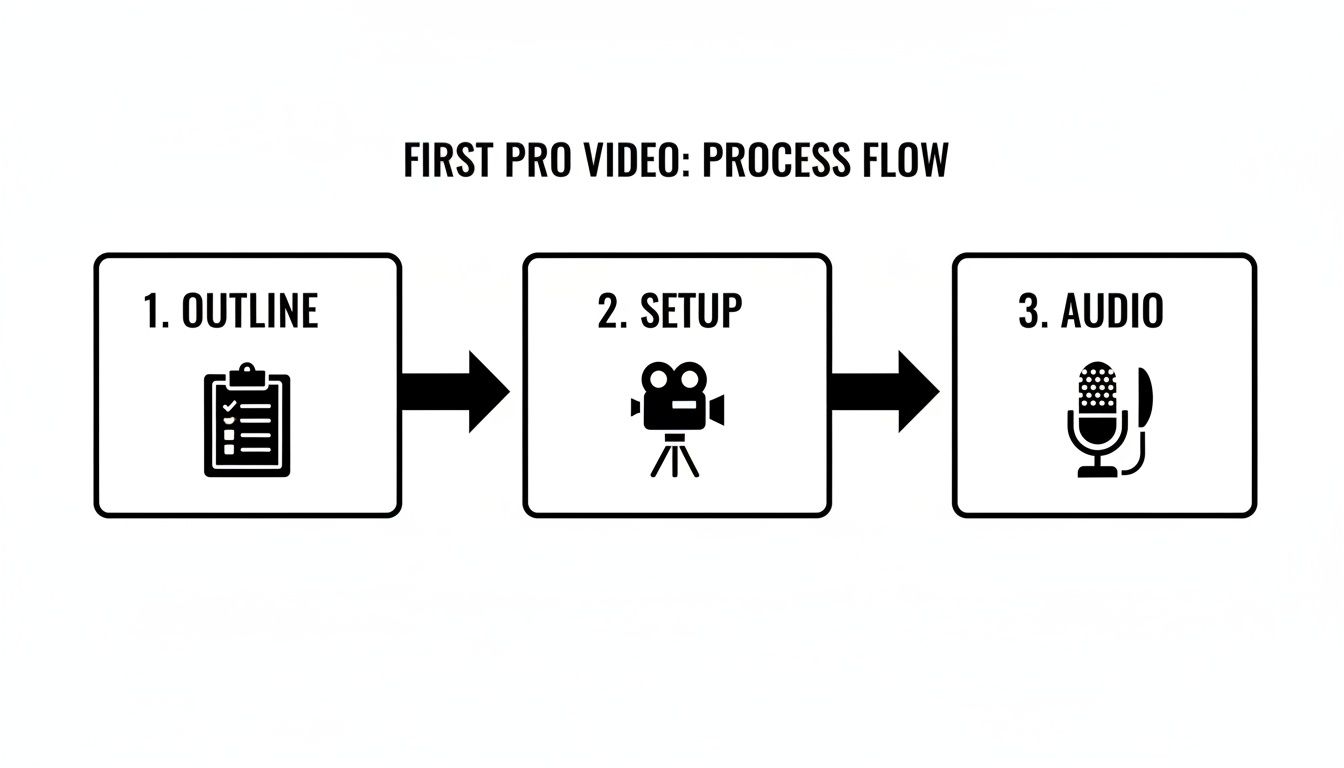
The pre-production steps are vital, but post-production is where your footage becomes a final product. And that's exactly where Tubentum offers the perfect shortcut. Our platform uses AI to automate the most frustrating and time-consuming editing tasks. With just one click, it can intelligently remove all the silences and filler words, instantly making your delivery sound crisp, confident, and clear. Plus, you can export multiple aspect ratios, add captions in over 10 languages, and publish directly to LinkedIn, YouTube, or your CMS in one go. For a full breakdown of all the steps, be sure to check out our complete video editing checklist.
With Tubentum, you don't need to be a video pro or spend weeks learning complex software. You can skip right past the steep learning curve and get straight to a perfectly paced, engaging talking head video that's ready to publish. This frees you up to focus on what you do best: creating great content and growing your business, not getting bogged down in technical details.
Real-World Examples of Talking Head Videos That Work
To really get a feel for what a talking head video can do, it helps to see how successful creators and businesses are using them. These aren't just dry, one-way monologues. The best ones are carefully crafted to connect with a specific audience and get them to take action.
When you look at great examples, you start to see the core principles of effective communication come to life.
One of the most common and powerful types you'll see is the expert explainer video. Think of a consultant breaking down a complicated subject into simple, easy-to-follow steps. They might not use a lot of flashy graphics or B-roll, but their expertise and clear way of speaking are what keep you hooked. The value is in the information itself—the speaker builds trust just by being genuinely helpful.
Another classic is the CEO or founder update. There’s something powerful about a leader speaking directly to their customers or team. It creates a sense of transparency and builds a ton of trust, whether they're sharing the company's vision, tackling tough questions, or rolling out a new product. That personal touch feels far more genuine and important than any polished press release.
Many of our Tubentum business clients report a 40% increase in viewer retention within the first month thanks to automated edits and captions that keep audiences engaged from start to finish.
What Makes Them So Effective?
So, what’s the common thread running through these videos that makes them resonate so well? It really boils down to a few key ingredients.
- Authentic Delivery: The speaker sounds natural and conversational, not like they're stiffly reading from a script. This is what builds that crucial one-to-one connection with the viewer.
- Strategic Branding: The background is never an accident. It might subtly feature a company logo, use brand colors, or simply be a setting that reflects the speaker’s professional world.
- Supportive Visuals: Even in a video that's all about one person talking, simple on-screen text can make a huge difference. Highlighting key points or data helps reinforce the message and makes the whole thing easier to digest.
The best talking head videos feel less like a broadcast and more like a direct conversation. They combine a speaker's credibility with smart, subtle production choices that keep the viewer locked in from start to finish.
This format has become a global standard for a reason—it’s incredibly scalable, especially for documentaries. Think about it: platforms like Netflix, with its 270 million subscribers, need content that works worldwide. It’s far cheaper and more effective to subtitle an expert than to rely on a presenter who might not resonate internationally.
In fact, this approach is now used in over 90% of international history programming. You can read more about how this format completely reshaped global content on Guy Walters' Substack. For any business or creator, the takeaway is simple: this format is proven to work on a massive scale. And now, getting that polished, professional look is easier than ever with tools like Tubentum. By automatically trimming out all the awkward pauses and filler words, Tubentum helps you create a seamless, authoritative video that grabs attention and makes sure your message lands with real impact.
How to Scale Your Video Production with Automation
Let's be honest. The hardest part of creating talking head videos isn't the filming itself—it's scaling the whole operation. Post-production is the silent killer of momentum for so many creators. The sheer amount of time it takes to manually edit footage can turn a weekly content schedule into an impossible dream, making video creation feel more like a chore than a growth strategy.
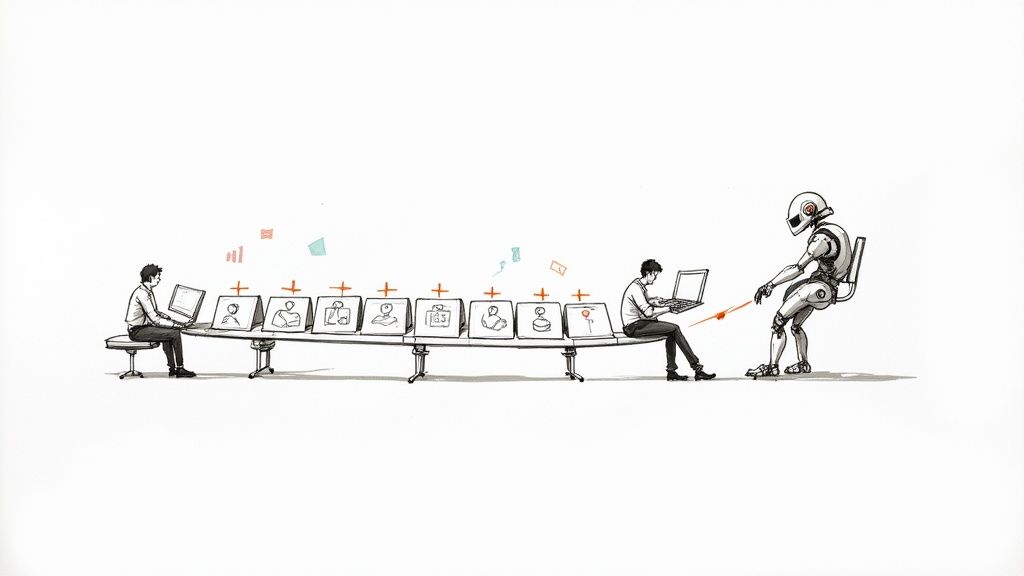
This is exactly where automation comes in and changes the game. When you let smart tools handle the most repetitive and tedious editing tasks, you get your most valuable resource back: your time. The idea is to move your energy away from the technical grunt work and back to what really matters—your content strategy and connecting with your audience.
The Power of an Automated Workflow
Think about how much you could get done by leaning into AI integration in post-production. Imagine not having to manually hunt down and slice out every single "um," awkward pause, or verbal stumble. AI-powered tools can do that heavy lifting in just a few minutes, forming the foundation of a truly efficient video workflow. Tubentum’s analytics dashboard then shows you exactly where viewers drop off and which clips perform best, so you can double down on what works.
For creators and coaches, this opens up a whole new world of possibilities. You can finally:
- Boost Your Output: Stop struggling to release one video a month and start consistently publishing fresh content every single week.
- Keep Quality High: Make sure every video is crisp, professional, and tightly edited, maintaining your brand’s standards without all the manual labor.
- Avoid Burnout: Ditch the most frustrating parts of video editing so you can stay creative and energized for what you do best.
This strategic shift has a massive impact on your content marketing ROI. After all, consistency is what builds an audience and drives real, measurable results.
Automation transforms video production from a time-consuming burden into a repeatable, scalable system for growth. It empowers you to focus on your message, not the mechanics.
Your Shortcut to Scaled Production
This is precisely the problem Tubentum was built to solve. Our platform is designed to be the ultimate shortcut for busy professionals who need to create content at scale. With just a single click, our AI-powered editing automatically cleans up your raw footage by removing silences and filler words, delivering a polished video that’s ready to go. You can collaborate with your team in real time, review edits, and even publish snippets optimized for different social channels. Our guide on how to automate content creation dives even deeper into these advantages.
By bringing automation into your process, you’re not just saving a few hours here and there. You’re building a smarter, more sustainable content engine that will power your business for the long haul.
Frequently Asked Questions
How Long Should My Talking Head Video Be?
Honestly, it all comes down to the goal. There’s no single magic number. If you're dropping a quick thought on social media, keeping it between 1-3 minutes is usually the sweet spot to grab and hold attention. But if you’re diving deep into an educational topic on YouTube, you have more room to breathe—anywhere from 5 to 15 minutes works well, as long as every minute is packed with value. And with Tubentum analytics, you can see where viewers drop off and adjust video length accordingly.
For internal company updates or training, shorter is almost always better. Aim for under 5 minutes. The golden rule is simple: say what you need to say, deliver the value, and then wrap it up. Respecting your audience's time is non-negotiable.
How Can I Avoid Sounding Like a Robot on Camera?
The biggest mistake people make is trying to memorize a script word-for-word. Ditch the script and work from a bulleted list of your main talking points instead. This gives you a roadmap so you don’t get lost, but it also gives you the freedom to be yourself and let your personality shine through. Picture yourself talking to a good friend or a trusted colleague. People connect with authenticity, not a flawless but stiff performance. Tubentum’s AI-driven prompts can even give you real-time feedback on speaking pace and filler words before you hit record.
The most compelling speakers aren't perfect; they're present. They connect with their audience by speaking conversationally, not by reciting a script. This genuine approach is what builds trust and keeps viewers watching.
Do I Really Need to Buy an Expensive Camera?
Not at all. In fact, the smartphone in your pocket is probably more than powerful enough to shoot a fantastic-looking talking head video. The real secret to a professional look isn't the camera—it's the lighting and audio. If you're going to invest anywhere, put your money there first. A simple ring light and an external lavalier mic will make a world of difference, far more than a fancy camera ever could. Clear, crisp sound and good lighting instantly make you look like you know what you're talking about, and that's what really matters. Once you've recorded, upload directly to Tubentum—no expensive hardware required.
Ready to create polished talking head videos without the editing headache? Tubentum automatically removes silences and filler words, applies branded templates and captions, and exports ready-to-publish files for every social platform—all with a single click. Get started with Tubentum today and focus on your message, not the manual labor.