Great videos don't just happen by accident. The magic starts long before you ever hit the record button. It all begins with a clear, actionable strategy—a blueprint that maps out who you're talking to, what they need to hear, and how you’ll grab their attention from the very first second. This is the pre-production work that ensures every video you create is built for impact and directly serves your business goals.
Build Your Video Strategy Before You Record
It’s tempting, I know. You have a great idea, the camera is right there, and you just want to start filming. But the creators who truly succeed on YouTube—the ones who build communities and drive real business—know that the real victory is won in the planning phase.
Think of it like building a house. You wouldn't just start laying bricks without a solid architectural plan, would you? Your video strategy is that plan. It’s what separates a random video from a powerful business asset. This is how you move from just making videos to making the best YouTube videos for your brand.
Define Your Ideal Viewer and Their Problems
The first and most important question to ask is: "Who am I really talking to?" And I don't mean vague demographics like "men aged 25-40." You need to get specific. Create a real persona for your ideal viewer. What keeps them up at night? What are their biggest professional frustrations? What solutions are they desperately typing into the YouTube search bar?
Let’s say you’re a business consultant. You're not just talking to "small business owners." You're talking to Sarah, a 32-year-old who just left her stable corporate job to launch her own thing. She’s overwhelmed by marketing and needs practical, step-by-step advice on how to land her first ten clients—not abstract theory.
When you understand someone’s pain points that deeply, your content feels like a direct answer to their prayers. That’s how you build a loyal following and establish yourself as an authority.
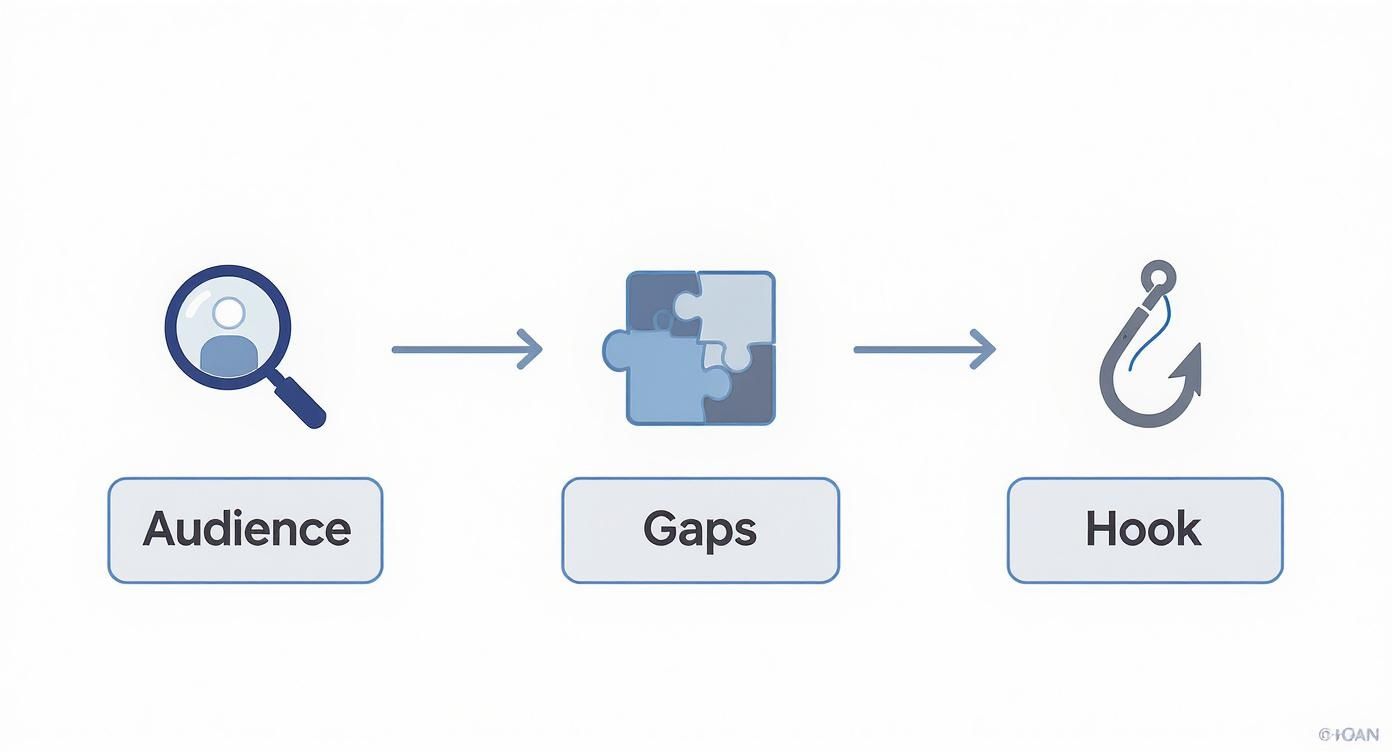
This simple flow shows it all: deep audience insight leads you straight to identifying a market gap, which is the perfect foundation for a killer hook.
Before you even think about scripting, you need a solid plan. Here's a quick blueprint I use to make sure every video has a purpose before the camera even comes out of the bag.
Your Pre-Production Blueprint
| Stage | Key Action | Why It Matters for Business |
|---|---|---|
| Audience Persona | Create a detailed profile of your ideal viewer, including their specific pain points and goals. | Ensures your content speaks directly to the people who are most likely to become customers. |
| Competitor Analysis | Watch what others in your niche are doing. Identify what they do well and where the gaps are. | Helps you find a unique angle and create content that stands out, instead of just adding to the noise. |
| Problem & Solution | Clearly define the single problem your video will solve for your ideal viewer. | Content that solves a specific problem is more valuable, shareable, and establishes your expertise. |
| Hook Crafting | Write 3-5 potential opening lines that grab attention within the first 10 seconds. | A strong hook is crucial for viewer retention and getting your message heard in a crowded space. |
Following this simple checklist transforms your video from a hopeful guess into a strategic asset designed to get results.
Find Your Unique Angle by Analyzing Competitors
Once you know exactly who you’re talking to, it’s time for a little recon. See what they're already watching. Analyzing your competitors isn't about copying them; it's about finding the gaps they've left wide open.
Your goal is not to be just another voice in the choir but to sing a note that no one else is singing. Finding this gap is how you become memorable and indispensable to your target audience.
Maybe everyone in your space creates long, complex tutorials. Could you be the one who offers quick, 5-minute actionable tips for busy professionals? Or perhaps they all focus on high-level strategy, but nobody is showing the practical, step-by-step "how-to." That's your opening. Fill that void.
This kind of strategic positioning ensures you're providing distinct value. For a more organized approach, you can explore a comprehensive content creation workflow that puts all these pieces together.
Craft an Irresistible Hook in the First 10 Seconds
The battle for attention on YouTube is won or lost in the blink of an eye. With over 720,000 hours of new video uploaded every single day, you have a razor-thin window to convince someone to stick around. As of 2025, with YouTube’s user base projected to hit 2.85 billion people, the audience is massive, but so is the competition.
Your hook, that critical opening, must immediately do one of three things:
- Pose a compelling question: "What if you could cut your editing time in half without sacrificing an ounce of quality?"
- Make a bold promise: "In the next five minutes, I'm going to show you the one thing that separates successful channels from the ones that fizzle out."
- Present a surprising fact: "Did you know that 80% of business videos fail for the exact same reason?"
A powerful hook is your secret weapon. For business creators, finding these perfect hooks can feel like guesswork, but it doesn't have to be. Tubentum offers a shortcut to this ideal state by automatically identifying your strongest hooks and placing them at the start of your video, ensuring you grab viewers from the very first frame.
Master Your Filming for Professional Results
With your strategy set, it's time for the fun part: hitting record and bringing your ideas to life. You don’t need a fancy studio or a Hollywood-sized budget to create business videos that look polished and professional. The real secret is mastering a few practical fundamentals that build instant trust and credibility with anyone who watches.
Think about it—the quality of your recording is a direct reflection of your brand. Grainy footage, dim lighting, or, worst of all, terrible audio will send viewers clicking away in seconds, no matter how valuable your message is. Let’s walk through how to create footage that not only looks fantastic but sounds incredible, establishing your authority from the very first frame.
Demystify Your Lighting Setup
Great lighting is the single fastest way to level up your videos. It instantly makes you look more alert, engaging, and trustworthy. And you don't need to spend a fortune—a simple, effective setup can often be pulled together with things you already have.
The goal is to bathe your face in soft, even light and get rid of any harsh shadows. The classic and most effective method for this is three-point lighting, which uses a key light, a fill light, and a back light.
- Key Light: This is your main and brightest light source. Place it slightly to one side of your camera to illuminate your face.
- Fill Light: A softer, less intense light goes on the opposite side to "fill in" and soften the shadows created by the key light.
- Back Light: Sometimes called a hair light, this goes behind you to separate you from the background. It adds depth and gives your shot that professional edge.
Seriously, a large window can be a fantastic key light. For your fill, try using a simple lamp with a white lampshade. Don’t overcomplicate it. Just focus on making sure your face is clearly and evenly lit.
Composition and Framing for Confidence
How you frame yourself on camera sends a powerful subconscious message. Good composition helps you project confidence and forge a genuine connection with your viewers. The easiest principle to start with is the rule of thirds.
Just imagine a 3x3 grid overlaid on your screen. Your goal is to position yourself so your eyes land on or near that top horizontal line. It creates a balanced, visually pleasing shot that just feels right to the human eye. We have a ton more tips on this, so for a deeper dive, check out our guide on how to look good on video.
Keep your head and shoulders centered in the frame. You'll want to avoid leaving too much empty space above your head—it can make you look small and diminish your on-screen presence. Most importantly, look directly into the camera lens, not at your own face on the screen. This creates the powerful illusion of direct eye contact with your audience.
That one small shift transforms your video from a passive recording into an active, engaging conversation. And that's exactly what you need to build the know, like, and trust factor that turns viewers into clients.
Crystal-Clear Audio Is Non-Negotiable
If there's one area you absolutely cannot skimp on, it's audio. Viewers are surprisingly forgiving of video that isn't perfect 4K, but they have zero patience for bad sound. Muffled, echoey, or noisy audio is an instant turn-off and the quickest way to lose someone.
I’ll be blunt: your phone or camera's built-in microphone just isn't going to cut it. Investing in a quality external microphone is the single best purchase you can make to improve your videos, period.
- Lavalier (Lapel) Mics: These are the little mics that clip onto your shirt. They're fantastic for talking-head videos because they deliver consistent sound even if you shift your position.
- USB Microphones: If you're recording at a desk, a good USB mic is your best friend. They offer incredible quality for voiceovers or any seated recordings.
And remember to record in a quiet space. Soft furnishings like rugs, curtains, or even pillows can do wonders to absorb echo. Always, always do a quick audio test before you start your main take. It can save you the massive headache of a re-shoot.
Getting clean audio at the source is what makes editing a dream. It’s the foundation that allows tools like Tubentum—which automatically snips out all your filler words and long pauses—to create a truly flawless final product.
Let AI Do the Heavy Lifting in Your Edit
The editing bay is where the real story takes shape. It's where you transform raw, sometimes rambling footage into a tight, compelling narrative. But let's be honest—for businesses and creators, it’s also a black hole for time. What if you could get those hours back and still produce a better, more professional final product?
It's time to stop thinking about editing as a manual, clip-by-clip grind. You can actually skip the soul-crushing task of hunting down every "um," every awkward pause, and every moment of dead air. This isn't some far-off dream; it's what smart businesses are doing right now to work faster and more effectively.
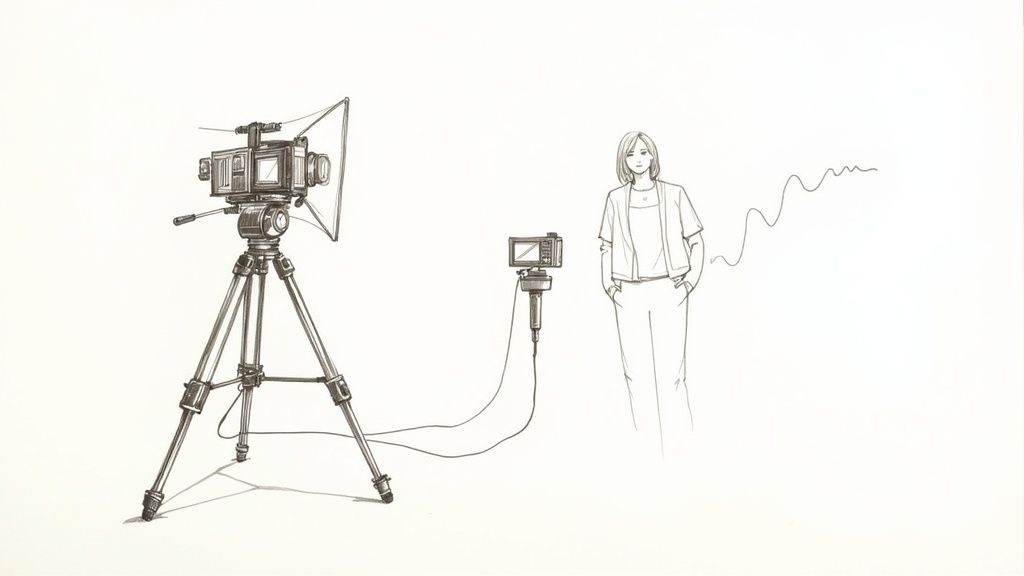
This image nails the basics of production, but in today's world, the real magic—and the biggest time savings—happens after you hit the stop-record button.
Stop Wasting Hours on Manual Clean-Up
The old-school editing timeline is a productivity killer for any business. Manually scrubbing through footage to snip out a filler word or a three-second silence isn't just tedious; it's a colossal waste of your most precious resource: time. I’ve seen business owners spend hours cleaning up just one hour of footage.
This is exactly where a tool like Tubentum becomes your secret weapon. Instead of meticulously hunting for every little mistake, Tubentum’s AI scans your video and automatically zaps the silences, filler words, and repetitive takes in a single click. It's the ultimate shortcut to a clean, professional edit.
The point isn't just to edit faster. It's to create a punchier, more professional video that holds your viewer's attention from start to finish. A video without the fluff is a video people actually watch.
Think about it. A typical 20-minute raw recording can easily have 3-5 minutes of pure dead weight. Slicing that out by hand could take you an hour. With an AI assist, it's done in seconds. That's a fundamental shift in how you should approach making great YouTube videos consistently.
Turn One Video Into an Entire Content Campaign
Once your main video is clean and crisp, the work is far from over. To get real traction for your business, you need to promote that video with short, attention-grabbing clips on social media. But who has the time to manually chop up a long video into a dozen engaging shorts?
This is another area where AI is a game-changer for businesses. Tubentum doesn’t just clean your footage. Its AI can analyze your entire video, pinpoint the most powerful and share-worthy moments, and automatically whip them into engaging short-form clips.
- It Finds Your Hooks: The AI can identify compelling statements or questions and suggest placing them right at the start of your video to grab viewers immediately.
- It Creates Clips for You: It finds the "golden nuggets" in your content and packages them into vertical videos, perfectly formatted for Shorts, Reels, or TikTok.
- It Keeps You on Brand: With features that add automatic captions, your logo, and brand colors, every single clip looks polished and professional.
Suddenly, one long-form video becomes a full-blown marketing campaign, multiplying your reach without you lifting a finger. This is how you achieve the ideal state of effortless content repurposing, and Tubentum gets you there fast.
Your New AI-Powered Editing Workflow
Ready to see what this looks like in practice? Here’s a simple, modern workflow that will save your business a ton of time.
- Upload Your Raw File: Just drop your raw video footage straight into a platform like Tubentum.
- Run the One-Click Cleanup: Let the AI do its thing, automatically cutting the silences, "ums," and "ahs." You can quickly review the changes in a text-based transcript.
- Generate Your Social Clips: Use the AI to instantly create a batch of short-form promotional clips from your core video. Add captions and your branding.
- Export Everything: Download your polished long-form video and all your short clips. You've just done hours of work in a matter of minutes.
This workflow is all about efficiency and impact. It frees you from the drudgery of editing so you can focus on what really matters: creating great content and growing your business. To get even more out of your post-production, you can explore other specialized AI video tools that complement this process.
And if you want more tips on optimizing your editing time, check out our deep-dive guide on how to speed up your video editing.
Get Your Videos Discovered with YouTube SEO
Look, you can create the most incredible, life-changing video in the world, but if no one can find it, does it even matter? That’s the hard truth. But here’s the good news: YouTube is the second-biggest search engine on the planet. Your audience is already there, actively searching for what you know.
Your job isn't to create an audience from scratch. It's to connect your work with the people who need it. This isn't about some secret "algorithm hack." It's about a smart, repeatable process to make sure your videos don't just get made—they get discovered.
Let's walk through how to make your content impossible for your ideal viewer to miss.
Find the Exact Words Your Audience is Using
Before you even think about hitting record, you need to get inside your audience's head. The entire foundation of YouTube SEO is built on understanding the precise language they use when they're looking for solutions.
The simplest way to start? Just use the YouTube search bar. Start typing a phrase related to your video idea, like "how to edit business videos," and watch the autocomplete suggestions roll in. These aren't just random guesses; they are the most popular, real-time searches people are making right now. It's like a direct line into your audience's brain.
- Drill down for specifics. Don't just aim for a broad term like "video editing." Look for longer, more descriptive phrases—what we call long-tail keywords. Something like "best video editing software for beginners on a budget" is pure gold.
- Think like a problem-solver. So many searches are questions: "How do I...?" "What is the best...?" "Why does...?" If you frame your content as the direct answer, you're already halfway there.
- See what's already winning. Check out the top-ranking videos for your topic. What words are they using in their titles and descriptions? That's the algorithm giving you a massive clue about what it wants to see.
Write a Title They Can't Help But Click
Think of your title as the headline on the front page of a newspaper. It has two jobs: signal to the YouTube algorithm what your video is about and, more importantly, grab a human's attention so they stop scrolling. A great title is the perfect blend of informative and irresistible.
For instance, "Video Editing Tips" is fine. It's descriptive. But it’s also boring.
Now, try this: "5 Pro Video Editing Tricks to Make Your Business Look Instantly More Professional." See the difference? It has the keywords ("video editing tricks," "business"), but it also makes a powerful promise. It tells the viewer exactly what they stand to gain.
The best titles promise a clear solution or spark a little curiosity. They make a viewer feel like your video is the fastest, most direct path to getting what they want.
This simple shift turns a label into a magnetic pull, which is absolutely critical for boosting your click-through rate (CTR)—a key signal YouTube uses to decide if your video is worth recommending to more people.
Craft Descriptions and Thumbnails That Seal the Deal
If the title is the hook, the thumbnail and description are what reel them in. Your thumbnail is easily the most powerful visual you have. It needs to be clean, emotionally engaging, and pop right off the screen.
What makes a great thumbnail for a business video?
- A high-quality, expressive shot of a person's face (yours, ideally!). We're wired to connect with faces.
- Big, bold text that’s easy to read even on a tiny phone screen. It should complement, not just repeat, the title.
- Vibrant color contrast that stands out against YouTube’s white, grey, and black interface.
This is where AI is becoming a creator's best friend. A recent study found that 72% of YouTube creators are now using AI to help design their thumbnails, and they're seeing an average 38% increase in their click-through rates as a result. With video poised to make up 82% of all internet traffic by 2025, you can't afford to ignore tools that give you an edge.
Your description is your prime opportunity to tell the algorithm exactly what's in your video. The first two sentences are the most critical because they often show up directly in search results, so pack your main keywords in there. After that, write a more detailed summary, drop in helpful links, and use timestamps to guide viewers to the best parts. To get a complete roadmap for making your videos rank, you should really dive into these YouTube SEO best practices.
Keep Them Watching: The Art of Viewer Retention
Getting someone to click on your video is only the first hurdle. The real magic—and what the YouTube algorithm truly rewards—is keeping them there. While big view counts feel good, audience retention is the metric that actually grows your channel.
When you hold a viewer's attention, you're sending a powerful signal to YouTube that your content is valuable. This leads to more recommendations and a steady stream of organic traffic. Your goal is to create an experience so gripping that the thought of clicking away never even crosses their mind.
Let's break down how to turn those fleeting clicks into a loyal community that eagerly awaits your next upload.
Break the Trance with Pattern Interrupts
We're all fighting against the world's shortest attention span. To win, you need to master the pattern interrupt—small, frequent changes that constantly reset your audience's focus and stop their minds from wandering. A single, static shot is an open invitation for them to leave.
Think about it this way: every 15-20 seconds, something new should happen. This doesn't require a Hollywood budget; simple changes make a massive difference.
- Vary your shot: Punch in for a close-up to drive a point home, then pull back to a wider shot.
- Show, don't just tell: If you're talking about a process, overlay a quick screen recording or B-roll footage.
- Use on-screen text: Simple text callouts can highlight key takeaways and re-engage a viewer's eyes.
- Add simple graphics: A quick chart or animated icon can break up the visual monotony and clarify a concept.
These little shifts create a dynamic rhythm that keeps viewers locked in from the first second to the last. For business videos, Tubentum's auto-zoom and B-roll features can automatically add these dynamic elements, providing a shortcut to a more engaging final cut without any extra manual work.
Tell Them What to Do Next with a Clear CTA
You've just delivered amazing value, and your viewer feels energized and inspired. Now what? Don't leave them hanging. Every great business video needs to end with a clear and compelling Call-to-Action (CTA). You have to tell them exactly what you want them to do next.
A weak sign-off like "Thanks for watching" is a wasted opportunity. You need to be direct and specific.
Your CTA isn't just an outro. It's the bridge that connects this video to the next step in their journey with you. Whether you want a subscriber, a lead, or another view, you have to ask for it with confidence.
A powerful CTA for a business channel might be: "If this video helped you, subscribe for more tips every week. Then, click here to watch my video on [Related Topic] to master the next step in this process."
Build a Binge-Worthy Viewing Loop
YouTube's primary mission is to keep people on the platform as long as possible. When your channel helps them achieve that goal, they reward you with more visibility. You can use YouTube's own tools to build a seamless viewing experience that encourages people to watch video after video.
- End Screens: Use the final 5-20 seconds to feature an end screen pointing to another relevant video or a playlist.
- Cards: Place interactive cards mid-video to link to related content or resources without being too disruptive.
- Pinned Comments: Pin a comment with a link to a valuable resource or ask a question to get the conversation started.
Below is a quick comparison of these strategies and how they can impact your channel's performance.
Key Retention Strategies Compared
| Strategy | Description | Impact on Metrics |
|---|---|---|
| End Screens | Visual elements at the end of a video promoting other content. | Increases session duration and views per viewer. |
| Cards | Interactive pop-ups that appear mid-video linking to content. | Drives traffic to specific videos or external sites. |
| Pattern Interrupts | Quick visual or auditory changes (zoom, graphics, B-roll). | Boosts average view duration by keeping viewers engaged. |
| Clear CTAs | Direct instructions telling viewers what action to take next. | Increases subscriber conversion and click-through rates. |
Using a mix of these tactics creates a powerful system for keeping viewers on your channel longer, signaling to YouTube that you're a creator worth promoting.
And don't forget the power of short-form video. YouTube Shorts are exploding, pulling in over 70 billion daily views as of 2025. For businesses, this is huge. Campaigns that integrate Shorts with product feeds have seen conversions jump by over 70%. You can find more incredible stats in this deep dive into YouTube trends and statistics.
This is where a tool like Tubentum becomes a game-changer. Its AI can analyze your long-form videos, automatically pull out the most compelling moments, and turn them into shareable Shorts. It’s the perfect shortcut to tapping into that massive audience without adding hours of extra editing to your workload.
A Few Common Questions I Hear All the Time
As you start your YouTube journey, a few practical questions always seem to pop up. Getting these sorted out early on is the secret to building momentum and creating videos that actually work for your business, without getting bogged down in the details. Let's tackle some of the most common ones I get asked.
How Long Should My Videos Actually Be?
Everyone wants a magic number, but there isn't one. The real answer? As long as it needs to be, and not a second longer.
For business content, especially deep-dive tutorials or educational videos, I've found the 8-15 minute range to be a sweet spot. It gives you enough room to teach something meaningful without your audience's attention wandering. If you're sharing a quick tip or a company update, a punchy 3-5 minute video can be perfect.
The goal isn't to hit a specific time; it's to deliver value in every single frame. Your audience's time is their most valuable asset, so respect it.
This is where a smarter workflow makes all the difference. Instead of spending hours manually trimming every "um" and awkward pause, a tool like Tubentum can automatically slice out all the dead air and filler words. This is the shortcut to an ideally paced video; it instantly tightens up your content, making it more engaging and concise, regardless of how long you initially recorded for. Your YouTube Analytics will be your ultimate guide here—pay close attention to where people drop off. That data is gold.
What’s the Most Important Number to Watch?
It’s tempting to get fixated on views and subscriber counts, but those are vanity metrics. The two numbers that really move the needle for your channel's growth are Audience Retention and Click-Through Rate (CTR).
High audience retention is you telling YouTube, "Hey, people are actually watching this and loving it!" The algorithm sees that signal and starts showing your video to more people. Simple as that.
A high CTR proves that your titles and thumbnails are doing their job—they're grabbing people's attention and convincing them to click. When you nail these two metrics, everything else—views, watch time, and subscribers—tends to follow.
How Often Should I Be Posting?
Let me be crystal clear: Consistency trumps frequency, every single time.
It's so much better to publish one fantastic, well-crafted video every single week like clockwork than to dump three rushed, mediocre videos on your channel whenever you have a spare moment. A predictable schedule builds a loyal community because your audience learns when to show up for new content.
Start with a pace you know you can stick with, whether that's weekly, bi-weekly, or even monthly. The aim is to find a sustainable rhythm that delivers consistent value without burning you out. As you get faster and your workflow gets smoother (especially when tools like Tubentum handle the editing grunt work), you can think about ramping things up. It's all about finding that perfect balance.
Ready to stop wasting hours on tedious edits and start creating polished videos in a fraction of the time? Tubentum uses AI to automatically edit your talking-head videos in a single click, cutting out silences and filler words to deliver a professional video in minutes. See how it can completely change your workflow at https://tubentum.com.