Creating truly great videos for YouTube really boils down to three core elements: smart planning, quality production, and efficient editing. It's about knowing exactly who you're talking to, crafting content that genuinely helps them, and then using the right tools to get a professional look without burning yourself out. For businesses, the goal is practical, high-value content, not cinematic art.
Build Your Foundation with a Smart YouTube Strategy
Before you even think about hitting that record button, the real work begins. I’ve seen so many creators, especially in the business world, jump right into filming. The result? Videos that fall flat and don't get the job done. A solid strategy is what separates a channel that builds real authority and generates leads from one that just adds to the noise.
This planning stage isn't just administrative fluff; it's the single most important factor in whether your video will actually succeed. It’s about being intentional.
Define Your Ideal Viewer
First things first: who are you actually making this video for? "Small business owners" is way too broad. You need to get specific. Are you talking to first-time founders who are completely lost when it comes to marketing? Or are you aiming for seasoned CEOs who need advanced productivity hacks?
You have to get inside their heads. Figure out their pain points, their goals, and the exact words they use to describe their problems.
I always recommend building a simple viewer persona. Just jot down the answers to these questions:
- What are their biggest professional challenges right now?
- What does a "win" look like for them? What are they trying to achieve?
- Are they total beginners on this topic, or do they already have some expertise?
- What phrases are they actually typing into the YouTube search bar?
When you can answer these, you can create a video that feels like it was made just for them. It becomes the exact solution they were looking for.
Set Measurable Business Goals
Your YouTube channel needs to be more than just a creative hobby; it should be a powerful tool for your business. What, specifically, do you want your videos to accomplish? Goals like "get more views" are useless because they aren't tied to a business outcome. You need to be far more specific.
A weak goal is "to grow our brand." A strong, actionable goal is "to generate 20 qualified leads every month by sending viewers from our videos to our webinar sign-up page."
See the difference? That kind of clarity guides every decision you make, from the call-to-action you put in your script to the graphics you add in the edit. A clear goal is the North Star for your entire video creation workflow.
This is the foundational process: know your viewer, define your goal, and then plan the content that connects the two.

When you follow this strategic sequence, every video you make has a clear purpose and a direct line back to your business objectives.
Plan and Validate Your Content Pillars
Okay, now that you know your audience and your goals, you can start brainstorming content that serves both. I find it’s best to think in terms of "content pillars." These are the big, core topics of your expertise that you can build a whole series of videos around.
For example, if you're a marketing consultant, your pillars might be "Lead Generation," "Content Marketing," and "Social Media Strategy."
Under each pillar, you can then list out specific video ideas that answer the questions your ideal viewer has. This is how you position yourself as the go-to authority in your niche. With over 500 hours of video being uploaded every single minute, just hitting "publish" isn't enough. You have to be strategic to get noticed.
Putting in this strategic work upfront makes everything that follows—scripting, filming, editing—so much smoother and more effective. When you know who you’re talking to, what you want to achieve, and the topic that will get you there, you’re already well on your way to creating a fantastic YouTube video.
Script Videos That Hook Viewers Instantly
Let’s be honest: a great YouTube video almost never happens by just hitting record and winging it. The best ones are built on a solid foundation—a powerful, well-structured script. Without one, it's incredibly easy to ramble, lose your train of thought, and worst of all, lose your audience. A script is your blueprint for delivering concise business value.
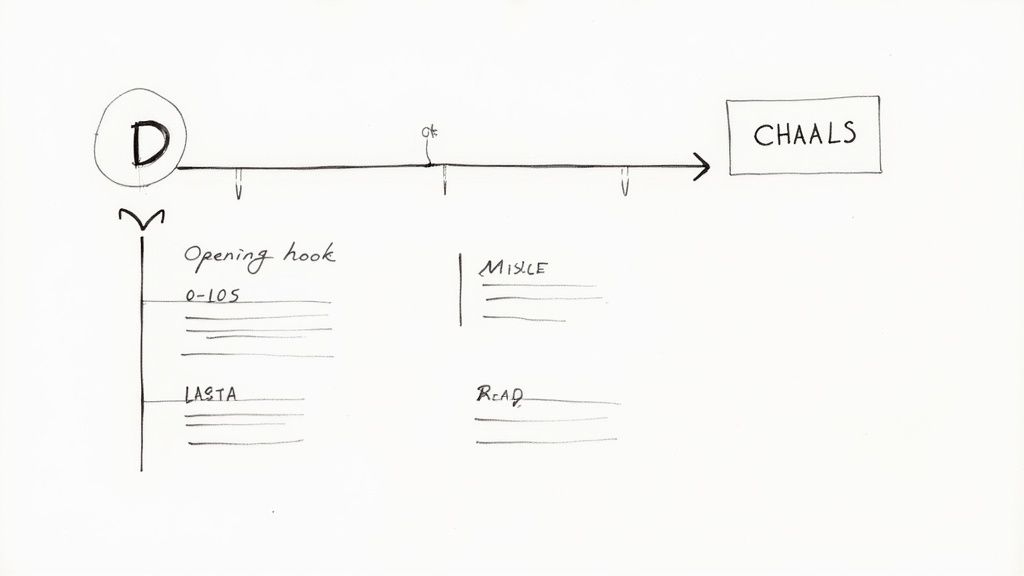
The most important piece of that blueprint? The hook. You have about 5-15 seconds to convince someone to stick around. In that tiny window, you have to answer their silent question: "What's in it for me?"
Crafting an Unskippable Hook
A truly effective hook doesn't just grab attention; it makes a promise, asks a challenging question, or hits the viewer with a startling fact. It sets the stage for everything that follows and reassures them that their time is about to be well spent.
For business videos, I've found a few formulas work exceptionally well:
- The Problem-Agitate-Solve Hook: Kick things off with a pain point your audience knows all too well. "Are you tired of spending hours editing your videos, only for them to still look amateur?"
- The Bold Promise Hook: Get right to the point and state the valuable outcome. "In the next five minutes, I'll show you the one framing technique that will make your videos look 10x more polished."
- The Curiosity Gap Hook: Say something surprising or counterintuitive that makes people need to know more. "Most businesses use the wrong call-to-action on YouTube, and it's quietly killing their leads."
A compelling script is the backbone of it all. To really sharpen your skills here, this guide on YouTube script mastery is an excellent resource for taking your writing to the next level.
Pro Tip: Ditch the long, animated intro at the beginning. It's a viewer-killer. Get straight into your hook and prove your video's worth. You can always drop in your branding a little later, once you've already earned their attention.
Structuring Your Video for Maximum Impact
Okay, you've landed the hook. Now what? The rest of your script has to deliver on that initial promise. For most business content, a simple "what, why, how" model is perfect. It’s logical, easy for viewers to follow, and makes sure you cover all your bases.
- What: Start by introducing the main topic or core idea of your video.
- Why: Immediately explain why this matters to them. What's the benefit?
- How: This is the meat of your video—the actionable steps, tips, or tutorial content that fulfills the promise you made in the hook.
This practical structure respects your viewer's time and focuses on delivering information clearly. It's far more effective for educational or B2B content than trying to be a cinematic storyteller. Keeping your script organized like this is a huge part of learning how to make great videos on YouTube without getting overwhelmed.
Writing for the Ear, Not the Eye
This is a mistake I see all the time: writing a script that reads like a formal blog post or a whitepaper. You have to remember, people will be hearing these words, not reading them.
Write like you talk. Use a natural, conversational tone that sounds genuinely like you.
Keep your sentences short and your language simple. A great way to test this is to read your script out loud while you're writing it. If a sentence feels clunky or you trip over the words, rewrite it until it flows smoothly off the tongue. If you want to dive deeper, our guide on how to start a YouTube video has more specific tactics for nailing those crucial opening lines.
This conversational style is what builds a real connection. The goal is to sound less like a corporate presentation and more like a helpful expert sharing advice. This is also where a tool like Tubentum becomes a game-changer. By automatically cutting out filler words ("um," "uh") and awkward pauses in the edit, it polishes your natural delivery. This gives you the freedom to speak more freely on camera, knowing the final cut will sound both authentic and professional.
Achieve a Professional Look with Essential Production Gear
You don't need a Hollywood budget to create polished YouTube videos. For business content, professionalism isn’t about cinematic special effects; it’s about clarity and credibility. When you nail a few key production elements, you instantly signal to viewers that your message is worth their time.
This isn’t about buying the most expensive gear on the market. It’s about being smart with the fundamentals, and we're going to start with the one thing viewers have absolutely zero patience for: bad audio.
Why Crystal-Clear Audio Is Non-Negotiable
Think about it: people will forgive a slightly soft-focus camera, but they will click away in seconds if they have to strain to hear you. Muffled, echoey, or noisy audio just screams "amateur," and it completely undermines your authority before you've even made your first point.
Your smartphone or camera’s built-in microphone is designed to capture sound from every direction. That's a huge problem for talking-head videos because it picks up the echo in your room, the hum of the HVAC system, and the dog barking two houses down.
The fix? Get an external microphone. This is the single most important piece of gear you can invest in.
- USB Microphones: If you're recording at a desk, these are fantastic. They plug right into your computer and give you broadcast-quality sound for a reasonable price.
- Lavalier (Lapel) Mics: These tiny mics clip onto your shirt, which keeps the microphone close to your mouth. They're brilliant for cutting down on room echo and keeping your volume consistent, even if you move around a bit.
Whichever you choose, always do a quick test recording. Listen back with headphones and you’ll likely hear distracting background noises you've already tuned out. Simply turning off fans, closing windows, and even throwing a rug on a hardwood floor can make a world of difference.
Master Simple and Effective Lighting
Good lighting does more than just make you visible—it shapes how your audience perceives you. Dark, shadowy footage can feel untrustworthy. A clean, well-lit shot, on the other hand, builds instant credibility.
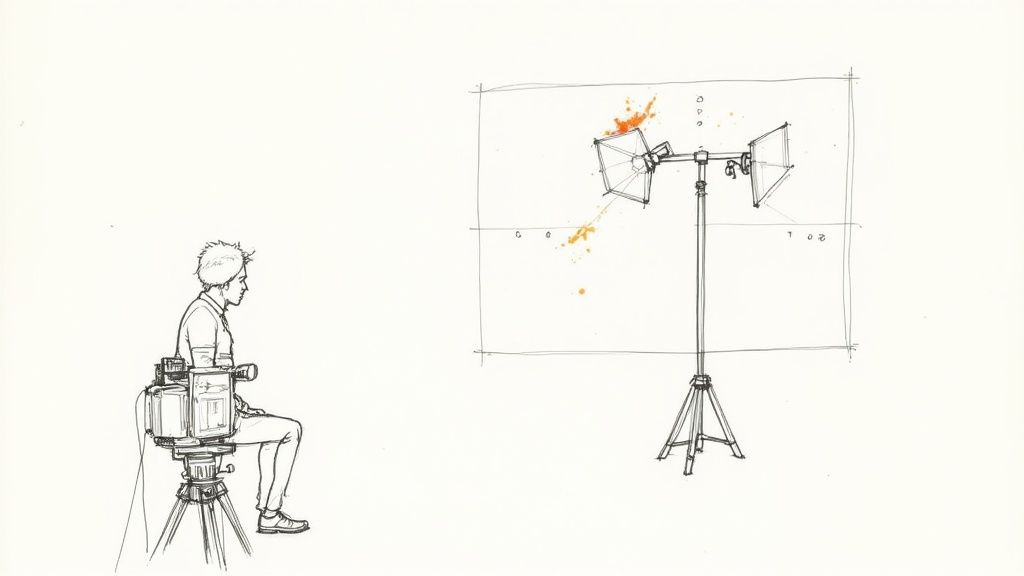
You don't need a complex three-light studio rig to look professional. The goal is just soft, even light on your face to get rid of harsh shadows. While a "three-point lighting" setup is the industry standard, you can get amazing results with a much simpler approach.
- Key Light: This is your main light. It's the brightest one, and you'll place it off to one side of the camera, angled down at your face. A ring light or a single softbox is perfect for this.
- Fill Light: This is a secondary, less intense light on the opposite side. Its only job is to "fill in" and soften the shadows created by your key light. A simple foam reflector or even a household lamp can work wonders.
- Back Light: Placed behind you, this light separates you from the background and creates a sense of depth. It's a great touch but definitely not essential when you're just starting.
The simplest setup that works wonders is a single, large light source like a ring light or softbox. Just position it slightly above your camera and right in front of you. Honestly, this one piece of gear will solve 80% of your lighting problems.
Frame Your Shot for Engagement
How you position yourself in the frame has a massive impact on viewer engagement, especially in talking-head videos where you are the main focus. Your framing guides the viewer’s eye and sets the tone.
A core concept here is the rule of thirds. Instead of planting yourself dead center, imagine your screen is a tic-tac-toe grid. The most visually pleasing shots place the subject (you) along one of the vertical lines. Try to align your eyes with the top horizontal line for a natural, connected feel.
Pay attention to what's behind you, too. Your background shouldn't be a distraction. A clean, simple setting—a bookshelf, a wall with subtle branding, or even a solid color—keeps the focus squarely on you and your message.
Finally, always think about the mobile experience. With roughly 70% of YouTube watch time coming from mobile devices, your framing has to work on a tiny screen. Make sure your face is clearly visible and avoid cluttered backgrounds with small details that will get lost. Considering up to 85% of mobile video is watched silently, clean framing becomes even more critical. You can learn more about how mobile video trends should influence your production choices.
Before you hit record, it helps to have a quick mental or physical checklist to run through.
Quick-Start YouTube Production Checklist
This simple checklist will help you avoid common mistakes and ensure every recording session starts off right. Running through these points takes less than a minute but can save you from having to reshoot an entire video.
| Category | Key Action | Pro Tip |
|---|---|---|
| Audio | External mic plugged in and selected | Wear headphones for a live audio check to hear exactly what's being recorded. |
| Lighting | Main light source is on and positioned | Check for harsh shadows on your face or distracting reflections in your glasses. |
| Camera | Framing is set (Rule of Thirds) | Ensure your eyes are on the top third line and your background is clean. |
| Settings | Correct resolution and frame rate selected | Record a 10-second test clip to confirm all settings are correct. |
| Environment | Doors/windows closed, notifications off | Put a "Do Not Disturb" sign on your door to prevent interruptions. |
Sticking to a pre-flight checklist like this builds consistency and ensures your production quality remains high from one video to the next.
Streamline Your Editing with Intelligent Tools
Editing is where the magic really happens—it’s the part of the process where your raw footage becomes a polished, professional video. But let's be honest, for busy entrepreneurs and creators, post-production can quickly turn into a massive time sink. The old-school way of editing—manually scrubbing through timelines, hunting down every mistake, and splicing together the best takes—is a huge bottleneck that can bring your whole content strategy to a screeching halt.
The secret to consistently putting out great YouTube videos isn't about logging more hours in the editing chair; it's about editing smarter. That means building an efficient workflow that slashes the manual labor, freeing you up to focus on the creative touches that actually make a difference. Tubentum provides the shortcut to that ideal, efficient state.
Ditch the Manual Drudgery with AI
Traditional video editing often feels like a tedious hunt for every tiny imperfection. All those "ums," "ahs," and long pauses that sneak into natural speech can take hours to manually snip out one by one. This is exactly where AI-powered tools come in, offering a massive shortcut to a better, faster result.
Instead of burning your valuable time on repetitive cuts, an intelligent tool can handle the grunt work for you. This is the core idea behind a platform like Tubentum, which was specifically built to automate the most time-consuming parts of editing talking-head videos. It analyzes your entire recording and automatically removes filler words and silences with just a few clicks.
For business creators, the goal of editing is clarity and professionalism, not cinematic perfection. Using a tool that automates the cleanup is the most direct path to a polished video without a steep learning curve or hours of manual work.
This automated cleanup instantly makes your delivery sound tighter and more confident, getting your message across more concisely. It's one of the quickest ways to elevate the perceived quality of your content and build authority with your viewers.
The Art of the Strategic Cut
Once the basic cleanup is out of the way, it's time to make your video more dynamic. Let’s face it, long, unbroken shots of someone talking can make viewers tune out. The key is to strategically add visual elements that support your message and keep people’s attention locked in.
- Add Relevant B-Roll: B-roll is simply any supplemental footage you cut away to. If you’re discussing a specific software feature, show a screen recording of it in action. Mentioning a customer success story? Show a photo of their business. B-roll makes your video far more visually interesting and helps illustrate your points.
- Use Text Overlays: Reinforce your key takeaways, statistics, or important terms with simple text on screen. This is a game-changer for the huge percentage of people who watch videos with the sound off.
- Incorporate Simple Graphics: You don't need complex animations. Simple branded graphics, logos, or even bulleted lists can break up the monotony of a talking-head shot and help structure your information.
These additions don't have to be fancy. Their real job is to add a bit of visual punctuation that keeps your audience engaged and focused on what you're saying.
Repurpose Content with Intelligent Hook Detection
One of the biggest struggles for creators is producing enough content to stay active across multiple platforms. Your long-form YouTube video is an absolute goldmine of potential short-form content for places like YouTube Shorts, TikTok, and Instagram Reels. The problem? Finding those golden nuggets.
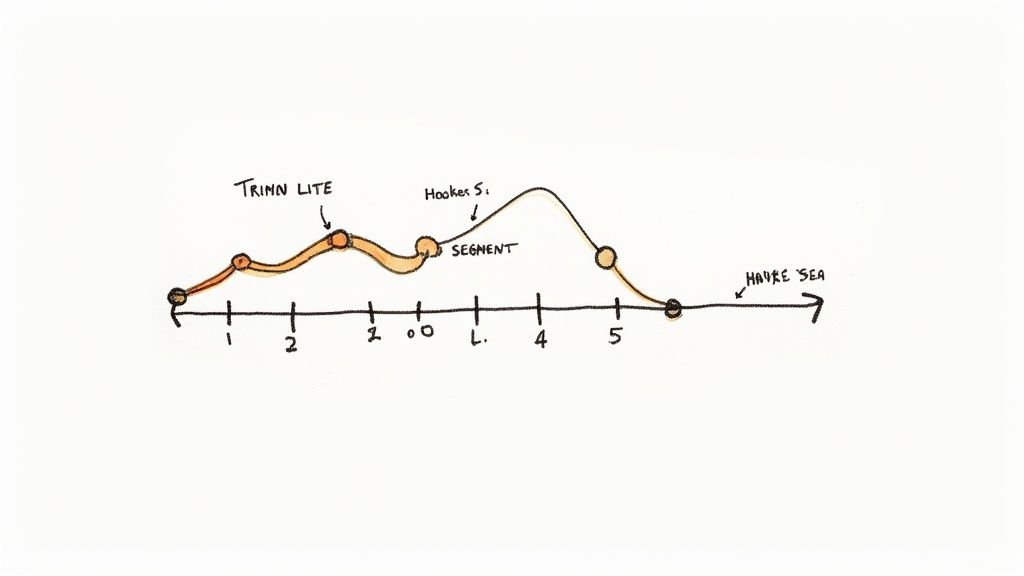
Manually re-watching a 20-minute video just to find the most compelling 30-second clips is another massive time drain. This is where a tool like Tubentum provides an incredible shortcut. It doesn't just clean up your audio; it can automatically identify the most powerful and engaging hooks from right inside your long-form video.
It analyzes your delivery and content to pinpoint the moments most likely to stop a scroller in their tracks. This makes it ridiculously easy to extract these clips, add captions, and repurpose them for short-form platforms. You can turn one long video into five or more high-impact social clips with minimal effort, multiplying the reach of your original work. If you're looking at different options, our guide to the best video editing software for YouTube can give you more perspective.
By building your workflow around intelligent tools, you shift from being a manual editor to a content strategist. You spend less time on tedious tasks and more time refining your message, creating engaging visuals, and amplifying your reach—all of which are essential for learning how to make great videos on YouTube for your business.
Optimize and Publish Your Video for Maximum Reach
You've poured your energy into planning, filming, and editing. The video is brilliant. But all that hard work means nothing if the right people never see it. This final stretch is where the magic really happens—it’s how you get your masterpiece in front of an audience that's hungry for it.
Mastering a few key principles here can be the difference between a video that fizzles out with a few dozen views and one that the YouTube algorithm picks up and actively promotes. This isn't just about checking boxes; it's about giving YouTube a crystal-clear roadmap to who your video is for.
Craft Your Title and Thumbnail for Clicks
Think of your title and thumbnail as a one-two punch. They're the first thing anyone sees, and they have a single, critical job: get the click. The thumbnail grabs attention, and the title seals the deal by sparking curiosity and making a clear promise. Together, they are the biggest levers you can pull to influence your click-through rate (CTR), a metric YouTube cares about immensely.
For your thumbnail, zero in on what works:
- Pop with Color: Use high-contrast, bold colors that don't get lost on a cluttered homepage.
- Show Some Emotion: If you're in the shot, a clear, expressive face—surprise, excitement, intrigue—is a magnet for the human eye.
- Keep Text Punchy: A few powerful words that are big enough to read on a phone screen are all you need. The text should complement the title, not repeat it.
Your title needs to walk a fine line between keyword optimization and pure intrigue. A great formula is to lead with the search term someone would actually type, then add a compelling benefit. So, instead of a flat "Editing Tips," you'd go for something like, "5 Editing Tips That Will 10x Your Watch Time." See the difference?
Write a Description That Feeds the Algorithm
Your video description is prime real estate for SEO, and the YouTube algorithm reads every word. While most viewers might just skim it, the algorithm devours it to understand your video's context.
Start your description with a powerful summary of the video's value, making sure to weave your main keywords in naturally. The first couple of lines are the most critical, as they're what shows up in search results.
From there, you can flesh it out.
- Add Video Chapters: Use timestamps (e.g., 00:00 Intro, 01:15 Tip 1) to carve your video into sections. This is a huge win for user experience and can earn you enhanced visibility in search.
- Include Relevant Links: Point viewers to your website, social channels, or other resources you mentioned.
- Go into Detail: Write a few more paragraphs expanding on the video's topics. Sprinkle in related phrases and secondary keywords to give the algorithm even more context.
A well-written description does double duty. It provides immediate value to engaged viewers who want more information and gives the YouTube algorithm the rich data it needs to rank your video accurately.
The Power of Repurposing with Shorts
One of the smartest ways to amplify your reach is by slicing up your long-form video into YouTube Shorts. Your main video is a goldmine of short, punchy clips that are perfect for grabbing the attention of a new audience.
This is where a tool like Tubentum becomes a massive time-saver. Instead of manually scrubbing through your timeline to find the best bits, Tubentum’s hook detection can automatically pinpoint the most engaging moments. This lets you quickly export those clips, add captions, and get them out as Shorts to drive new traffic back to your main video. To make the most of this strategy, you'll want to understand the current YouTube Shorts monetization requirements.
This approach is especially critical if you're focused on business growth. On YouTube, revenue is a numbers game tied to views and geography. Creators can earn anywhere from $1.61 to over $29 per 1,000 views. Hitting a goal of $1,000 a month in ad revenue could mean you need anywhere from 34,000 to 620,000 monetized views. Targeting high-value audiences in places like the U.S. can make a huge difference in your earnings.
By putting these optimization steps into practice, you give your content its best shot at being discovered, watched, and shared—turning all your hard work into real results.
Your Top YouTube Questions, Answered
Starting a YouTube channel for your business can feel like navigating a maze. You've got the vision, but the practical questions keep popping up. Let's clear up some of the most common hurdles so you can skip the guesswork and get straight to creating content that works.
How Long Should My Business Videos Be?
Forget about a "perfect" video length. The only number that truly matters is audience retention. Seriously. A 15-minute deep-dive that keeps people hooked is a thousand times better for your channel than a 5-minute video that viewers bail on after 30 seconds.
The content itself should dictate the runtime.
- If you're breaking down a complex process or strategy, 10-20 minutes feels about right.
- For a quick company update or a focused look at a single product feature, 3-7 minutes is a great target.
The golden rule is simple: deliver a complete, valuable idea without padding it with fluff. Don't stretch a short idea to hit a certain time, and don't cram a big idea into a tiny box just because you think shorter is always better.
What's the First Piece of Equipment I Should Buy?
Your microphone. Hands down, no contest. People will forgive a slightly grainy camera or less-than-perfect lighting, but they will not tolerate bad audio. If your viewers can't understand what you're saying, they're gone in an instant.
A good external microphone is the single biggest upgrade you can make to the perceived quality of your videos. It doesn't have to be complicated—a solid USB mic for your desk or a simple lavalier that clips onto your shirt will make a world of difference. When planning your budget, think of it this way: good sound first, then good lighting, and finally, a better camera.
How Often Should My Business Post Videos?
Consistency beats frequency every single time. Posting one genuinely helpful, well-produced video every Tuesday is far more powerful than dropping three so-so videos at random times throughout the month.
A predictable schedule is a win-win. It signals to the YouTube algorithm that your channel is active and reliable, which helps with visibility. More importantly, it gives your audience a reason to subscribe and keep coming back. They know when to expect new content from you. Pick a schedule you can actually stick with without burning out. For most businesses, once a week is the sweet spot.
The best posting schedule is the one you can sustain. A daily schedule is pointless if it means the quality tanks. One great video is always better than five mediocre ones.
Can AI Editing Tools Actually Make My Videos Look Professional?
Absolutely. For business content, the goal isn't to win an Oscar; it's to deliver a clear, polished, and professional message. That's precisely what AI editing tools are built for.
Tools like Tubentum are designed to crush the most tedious parts of video editing. Think about all the time you'd normally spend hunting down and deleting every "um," "ah," awkward silence, and repeated take. An AI editor handles all of that automatically in minutes. The final cut is tighter, sounds more confident, and keeps your audience engaged. It frees you from the technical grind so you can focus on what really matters—your message, story, and visuals.
Ready to stop wasting hours on tedious edits and start publishing polished videos faster? Tubentum automates the most frustrating parts of post-production, from zapping filler words to finding your best hooks. See how it can transform your workflow.