When it comes to the best video editing software for YouTube, it’s not about finding the tool with the most bells and whistles. It’s about finding the tool with the right features—the ones that get you from raw footage to a polished, business-ready video as fast as possible.
What Do You Really Need in a YouTube Editor?
For any creator running a channel like a business, choosing your video editor is probably the most critical decision you'll make. The mission is simple: cut down your editing time while keeping your audience hooked. This means you need more than just a timeline and a blade tool; you need a system that actively crushes your biggest workflow bottlenecks.
If you’re creating talking-head videos or other business-focused content, speed is everything. Every minute you spend manually slicing out "ums," "ahs," and long pauses is a minute you could have spent scripting your next video or engaging with your community. This is exactly where modern, specialized tools have a massive edge. Tubentum, for example, is designed specifically for this practical business use case, offering a shortcut to a professional result.
This flowchart maps out the fundamental choice every business creator faces: do you prioritize raw speed or total creative control?
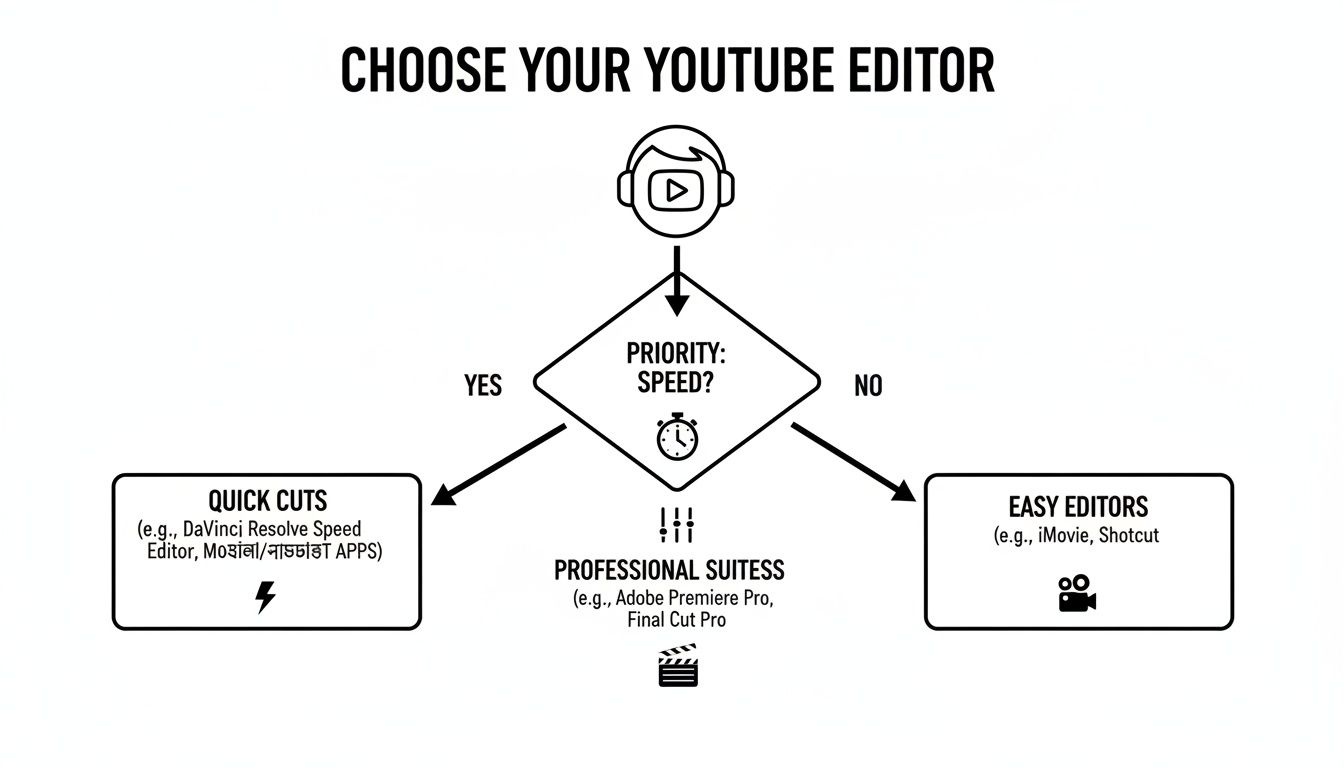
As you can see, if your goal is to publish high-quality content quickly and consistently, a specialized editor is often the smarter path. For those chasing a cinematic look with complex effects, traditional software might still be the go-to.
Quick Comparison of YouTube Editor Types
To put it in perspective, here's a high-level look at the main software categories and how they stack up for business-focused YouTube creators.
| Editor Type | Best For | Key Limitation for Business Creators |
|---|---|---|
| Traditional NLEs | Cinematic editing, complex visual effects, total creative control. | Extremely time-consuming for repetitive tasks like silence removal. |
| Simple/Mobile Editors | Quick, on-the-go edits for social media clips or basic vlogs. | Lacks the power and branding features needed for professional content. |
| Workflow-Specific Tools | Business creators focused on speed, efficiency, and consistent output. | Not designed for Hollywood-level special effects or complex animations. |
Ultimately, the best choice depends on your specific goals. But for most business creators, a workflow-specific tool delivers the highest return on time invested.
Why Your Software Choice Is a Business Decision
The right software doesn't just help you trim clips; it automates the most soul-crushing parts of the editing process. Just think about the usual time sinks:
- Removing Dead Air: Manually hunting down every awkward pause and filler word is mind-numbingly tedious, but it's crucial for keeping your video’s energy up.
- Creating Engaging Hooks: The first 3-5 seconds of your video are everything. Crafting a compelling intro from scratch every single time is a huge creative hurdle.
- Maintaining Brand Consistency: Applying your logo, lower thirds, and specific color grading to every video is a repetitive, manual chore.
This is where a platform like Tubentum changes the game. It’s not trying to be a one-size-fits-all editor. Instead, it’s built from the ground up to solve these exact problems, turning hours of manual work into a few simple clicks. For a business creator, this is the dream: producing more high-quality content in a fraction of the time.
The opportunity cost of slow editing is massive. YouTube had around 2.85 billion monthly active users in the early 2020s, with over a billion people tuning in daily. This audience size presents a huge monetization potential, which absolutely justifies investing in tools that help you create better content, faster.
Exploring Modern, Purpose-Built Solutions
As creator workflows have matured, so have the tools. You're no longer stuck choosing between a clunky free program and a hyper-complex professional suite. The market is now full of specialized options designed to deliver specific results. If you're looking to automate even more of your process, checking out the best AI video generators for YouTube can give you a good sense of what's possible.
By being honest about your primary goal—whether that's cinematic perfection or rapid, practical video production—you can pick a tool that truly works for you, not against you.
Understanding the Three Tiers of Video Editors
The world of video editing software for YouTube isn't one big, confusing mess. It’s much easier to think of it in three distinct tiers, with each one built for a different kind of creator and a totally different workflow. Figuring out which tier you belong in is the first real step toward building a production system that actually works for you.
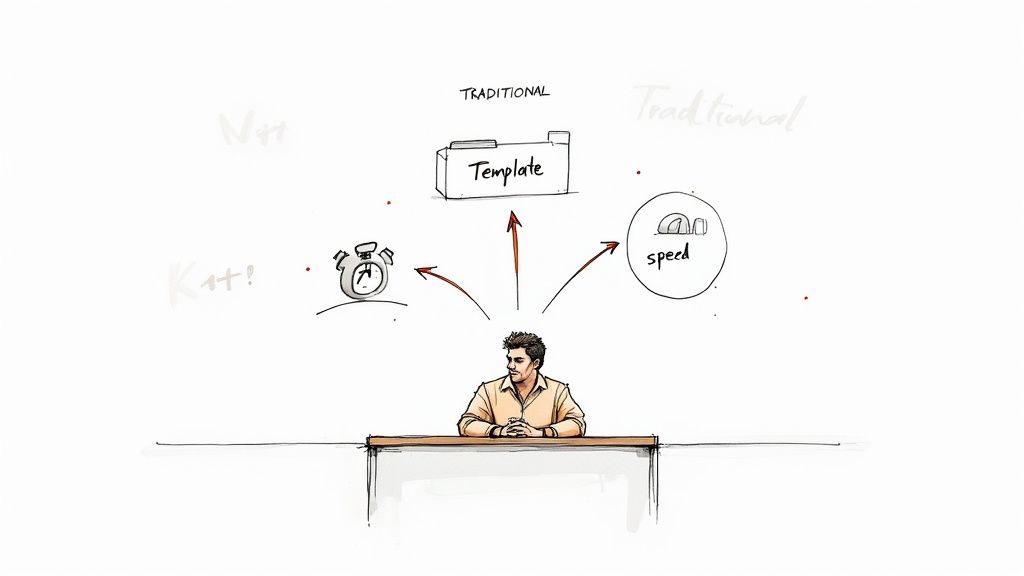
This isn’t just an academic exercise; it’s a critical business decision. The global video editing software market was recently valued at around USD 2.29 billion and is expected to hit USD 3.73 billion by 2033. That explosion shows a real hunger for better, faster tools, and you need to be on the right side of that trend.
Tier 1: The Traditional Powerhouses
This first tier is home to the big guns—the traditional, timeline-based editors like Adobe Premiere Pro and DaVinci Resolve. They’re the industry standard for a reason. If you want to create a cinematic masterpiece with complex visual effects and professional-grade color, these are your tools. Think of them as a fully-equipped professional film studio, right on your desktop.
But for a business creator who just needs to get a solid talking-head video out every week, all that power comes with a hefty price. The learning curve is a mountain, and the workflow is completely manual. You have to hunt down every single pause, "um," and "ah" and slice it out by hand. That’s a tedious process that can easily swallow hours for just one video.
For any business, time is the ultimate currency. A tool that demands hours of your day for basic edits becomes a massive bottleneck, throttling how much content you can create and how fast your channel can grow.
Tier 2: The Simplified Template Tools
Next up is the second tier, which is full of simplified, often browser-based editors that lean heavily on templates. These tools are a breeze to learn and use, which makes them super approachable for absolute beginners. They're perfect for knocking out quick social media clips or simple announcements where just getting something done is more important than getting it perfect.
The glaring downside here is the lack of real customization. When you're trying to build a brand on YouTube, you need a distinct look and feel. Relying too much on generic templates makes your content look like a thousand other videos out there, completely washing out your unique business identity. You get speed, but you sacrifice personality.
Tier 3: The Modern AI-Powered Accelerators
The third and most interesting tier is the new wave of AI-powered platforms designed for specific workflows. This is exactly where a tool like Tubentum fits in. These platforms aren't trying to replace the big-league editors for artistic film projects. Instead, they offer a massive shortcut for the most repetitive and time-draining tasks that business creators face every single day. For a closer look at how these modern tools stack up against each other, our guide on Descript vs Tubentum breaks down the differences.
Here's how to think about it in practical terms:
- Silence & Filler Word Removal: Instead of you hunting them down, Tubentum automatically finds and removes all the dead air and filler words, instantly giving your video a tight, professional pace.
- Automated Hook Generation: Struggling to come up with a great intro? Tubentum can pull multiple engaging hooks directly from your footage, giving you options to test.
- One-Click Production: The whole editing process gets compressed, taking you from raw footage to a finished, publish-ready video with very little manual work.
This tier is purpose-built to solve the real-world problems of content production. By automating the first 80% of the editing grind, these tools hand you back hours of your week. That's time you can put back into strategy and creating more content, not getting bogged down in tedious, manual work.
The Features That Actually Matter for Talking-Head Videos
If you're creating videos for business or education, forget about Hollywood-style visual effects and fancy color grading. The features that will truly move the needle for you are the ones that save time and make your message clearer. The best video editing software for YouTube isn’t the one with the most bells and whistles; it’s the one that eliminates your biggest headaches.
For anyone who creates dialogue-driven content, a few specific features are non-negotiable. They're what separate a clunky, time-sucking workflow from an efficient one, turning hours of tedious work into a few minutes of polish.
Automated Silence and Filler Word Removal
Let's be honest: the number one enemy of viewer engagement is dead air. Awkward pauses, long silences, and a constant stream of "ums," "ahs," and "you knows" can make even the most brilliant content feel sluggish and amateurish. In a traditional video editor, cleaning this up is a soul-crushing task of finding and slicing out every single tiny mistake by hand.
This is exactly where a modern, AI-driven approach completely changes the game.
Imagine uploading your raw footage and, in minutes, having every single dead-air moment and filler word automatically found and zapped. This one feature alone can easily cut your editing time by 50% or more, leaving you with a tight, energetic video that keeps people watching.
Tools like Tubentum are built with this function at their core—it's not just an add-on, it’s the entire foundation. This automation is a massive shortcut to the fast-paced, high-value delivery that top YouTubers use to hook their audience from the very beginning. For a closer look at this popular format, our guide on what is a talking head video is a great resource.
Dynamic Captions and Hook Generation
With so many people watching videos with the sound off, captions are no longer a "nice-to-have." But plain, static subtitles aren't going to cut it. You need software that can generate dynamic, animated captions that emphasize key words, adding a layer of visual interest that makes your content more engaging and accessible.
Just as critical is the opening of your video. Those first few seconds are everything; they decide whether someone sticks around or scrolls away. One of the biggest bottlenecks for creators is just figuring out how to start.
Modern tools like Tubentum solve this by automatically pulling multiple hook variations directly from your footage. This is a huge advantage, allowing you to:
- Test Different Openings: See which hook resonates most with your audience.
- Repurpose Content Easily: Use different hooks for various platforms like Shorts, Reels, or TikTok.
- Smash Through Creative Blocks: Instantly get several strong starting points without the guesswork.
This automated one-two punch of dynamic captions and generated hooks is incredibly powerful for grabbing attention and keeping it.
One-Click Branding and Production
Maintaining a consistent brand look across dozens, or even hundreds, of videos is absolutely essential for building a professional channel. But manually adding your logo, lower thirds, brand fonts, and specific colors to every single project is another tedious task that’s just begging for mistakes.
The right software for a business creator makes this effortless with one-click branding. Tubentum allows you to set up your brand kit once—logo, colors, fonts—and the platform applies it perfectly and consistently to every video you create. This guarantees that every piece of content you publish is instantly recognizable as yours, with zero extra effort.
When you put all these features together, they create a workflow that’s not just faster, but smarter. The table below really highlights the difference between the old way and the new way.
Essential Feature Checklist for Business Creators
| Feature | Traditional Workflow Bottleneck | The Automated Shortcut (e.g., Tubentum) |
|---|---|---|
| Silence Removal | Manually finding and cutting every pause and filler word—a slow, tedious process. | AI automatically detects and removes all dead air and filler words in seconds. |
| Hook Generation | Manually scrubbing through footage to find a compelling opening for each video. | Automatically generates multiple engaging hook options for testing and repurposing. |
| Dynamic Captions | Typing or syncing captions manually, then painstakingly animating keywords. | Auto-generates accurate, visually appealing captions that can be styled with one click. |
| Brand Application | Dragging and dropping logos, lower thirds, and brand elements onto the timeline for every project. | Applies all brand assets—logo, colors, and fonts—to the entire video automatically. |
By focusing on these practical, time-saving features, you can stop being a manual video editor and start being an efficient content creator. This is the shortcut that tools like Tubentum provide, letting you hand off the repetitive work so you can get back to what you do best: creating great content.
The Hidden Costs of Traditional Editing Workflows
That monthly subscription for your video editing software? It’s just the cover charge. The real cost—the one that quietly drains your resources—is your time. For creators running a business, time isn't just another resource; it's the only inventory you have. Every hour you spend on tedious, repetitive editing is an hour you don't spend on strategy, marketing, or creating your next great video.

When you’re stuck in a fully manual workflow, these "hidden costs" add up faster than you can imagine. We’re not talking about just topping and tailing a clip. The real time-sinks are the hundreds of tiny, painstaking tasks that feel productive but deliver a terrible return on your effort.
These are the moments your creative momentum grinds to a halt. You might burn an hour just hunting down and chopping out every "um," "ah," and awkward pause from a 20-minute recording. Another hour can easily vanish while you meticulously create and sync captions. And then there’s the creative drain of rewatching your own footage on a loop, just trying to find that perfect 5-second hook to grab a viewer’s attention.
Quantifying the Time Drain
Let's walk through a real-world scenario. Say you’re a consultant who records one 30-minute educational video each week. With a traditional, hands-on editing process, your time commitment probably looks a lot like this:
- Initial Cleanup (Silence & Fillers): 1.5 - 2 hours
- Structuring & Pacing: 1 - 1.5 hours
- Creating & Syncing Captions: 1 hour
- Finding & Editing a Hook: 30 minutes
- Adding Brand Elements & Exporting: 30 minutes
That’s a grand total of 4 to 5.5 hours to edit a single 30-minute video. Do that every week, and you’re sinking 16 to 22 hours per month into post-production for just four videos. That's more than two full workdays spent on tasks that are necessary but completely automatable.
For a creator-led business, spending 20+ hours a month on manual editing is the equivalent of setting money on fire. It's a massive opportunity cost that directly limits your channel's growth and your business's potential.
The True ROI of an Automated Workflow
This is where the lightbulb goes on. The value of a purpose-built tool becomes crystal clear. An automated platform isn’t just about making your life easier; it's about fundamentally changing the economics of your content production. It goes straight for the jugular of the most time-consuming parts of the process.
Let’s rewind and run that same 30-minute recording through an automated workflow. A platform like Tubentum is engineered to do the repetitive heavy lifting in minutes, not hours.
- Silence & Filler Removal: The AI scans your audio and instantly snips out every awkward pause and filler word. No more manual scrubbing.
- Hook Generation: Instead of you searching for gold, the system finds the most compelling moments and serves up several hook options for you.
- Captions & Branding: Dynamic, engaging captions are generated automatically, and your brand kit is applied with a single click.
By automating these steps, what was once a 4-6 hour editing marathon gets compressed into a quick review-and-approve process that can take less than an hour. The platform produces a solid first draft, freeing you up to focus on the final creative polish.
This kind of workflow doesn't just save you a few hours here and there; it hands you back nearly 20 hours every single month. That's time you can now reinvest in high-impact activities like scripting better content, collaborating with other creators, or actually analyzing your channel's performance. For a business-focused creator, the ideal video editing software for YouTube isn't just a tool—it's a system that returns your most valuable asset: your time.
Building a Modern Editing Stack for Maximum Efficiency
The most productive YouTube creators I know aren't married to a single piece of software. They don't try to force one tool to do everything. Instead, they build a smart "editing stack"—a collection of specialized tools that work together to create a seamless production system.
The whole idea is to use the right tool for the right job. It's about getting the best possible result with the least amount of friction.
Think of it like a chef's kitchen. A great chef doesn't just use one knife for everything. They've got a heavy cleaver for butchering, a tiny paring knife for delicate work, and a go-to chef's knife for general prep. Your video editing workflow can, and should, be just as specialized.
A traditional video editor like Adobe Premiere Pro is your heavy cleaver. It’s an absolute beast for complex, highly creative projects where you need total control over every single pixel. But for the day-to-day grind of a talking-head video? Using it is like trying to peel a grape with that cleaver. It's slow, clumsy, and honestly, just overkill.
Placing AI at the Start of Your Workflow
For business-focused creators, AI-powered platforms are where you find your biggest efficiency gains. The secret is to put these tools right at the very beginning of your process. Let the AI handle the most tedious, repetitive parts before you even think about making a manual cut.
This is exactly where a tool like Tubentum fits in. Your workflow suddenly becomes incredibly simple and direct:
- Upload Raw Footage: Just take the raw video file straight off your camera and drop it into Tubentum.
- Automated First Pass: The AI immediately gets to work, tackling the first 80% of the edit on its own. It rips out all the dead air, cuts your "ums" and "ahs," and even pulls out multiple hook options from your most compelling moments.
- One-Click Production: From there, the system slaps on your branding, adds dynamic captions, and generates a perfectly paced rough cut.
In just a few minutes, you have a polished video that's either ready to publish as-is or prepped for a few final, creative touches. This is the modern creator's shortcut to consistent, high-quality videos. Our detailed guide on video editing for YouTube dives deeper into how this completely changes your production schedule.
The Hybrid Approach for Ultimate Flexibility
Adopting an "editing stack" doesn't mean you have to ditch your traditional editor completely. It’s about creating a hybrid system that gives you the best of both worlds: AI-driven speed for all the grunt work and deep creative control for the final polish.
For 90% of your talking-head videos, the AI-generated edit from a platform like Tubentum is going to be all you need. It's clean, tight, engaging, and ready for your audience. But for that other 10%—the projects that need complex B-roll sequences or advanced color grading—you still have an easy path forward.
The modern creator's advantage lies not in mastering one complex tool, but in building a system where each component excels at a specific task. This stack-based approach is the key to producing more content, at a higher quality, without burning out.
You just export the perfectly paced, cleaned-up video from your AI tool and drop it into your traditional editor for those final artistic flourishes. All the boring, time-sucking cleanup is already done. You get to jump straight to the fun, creative stuff. To really multiply your output, you can use your stack to adopt strategies for repurposing long-form content, which becomes incredibly fast with this workflow.
This hybrid model gives you a massive advantage. You get back dozens of hours every month by letting a machine handle the repetition, but you never give up the ability to take full creative control when a project really needs it. This is how top creators are scaling their channels without scaling their workload.
Your Shortcut to Professional YouTube Videos
The best video editing software for your YouTube channel isn't the one with the most bells and whistles. It's the one that helps you create great content, week after week, without burning out. For creators running a business, the smartest play is to stop thinking about complex, all-in-one programs and start looking for intelligent solutions that solve the real problems you face every day. That mental shift is everything.
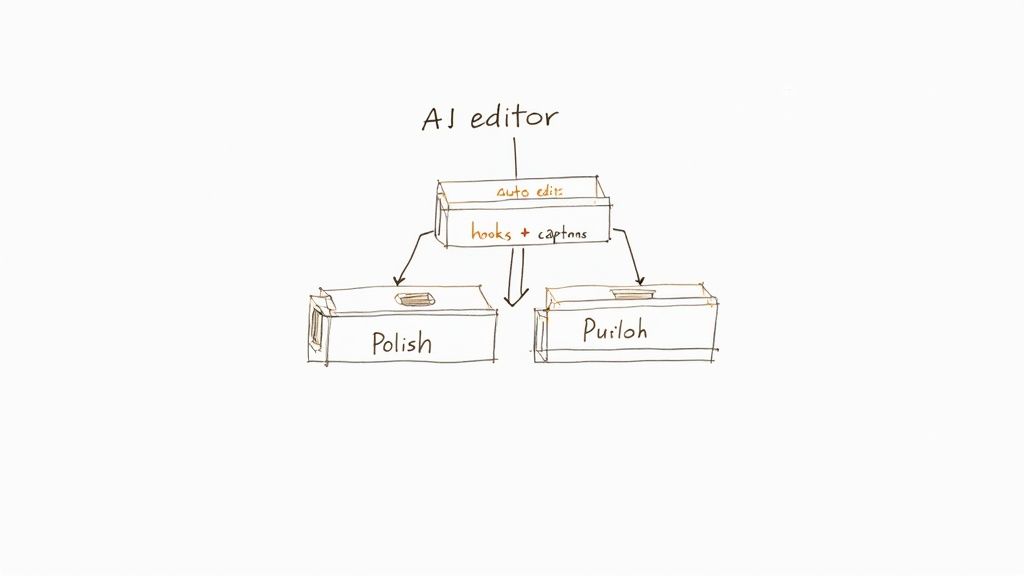
Sure, traditional editors have their place. But when it comes to the core task of turning raw footage into a clean, watchable video, modern AI tools have a massive advantage. Adopting a tool like Tubentum isn't just about buying software; it’s about implementing a system.
A System for Consistent Output
This kind of system is built to take on the grunt work—the stuff that eats up most of your editing time. By automating tasks like cutting out silences, removing filler words, and finding great hooks, you get back dozens of hours every single month. That's time you can put back into what actually grows your channel: creating more valuable content and engaging with your audience.
The editing software market is definitely crowded. Market share estimates put tools like Adobe Premiere Pro at around 35%, with Final Cut Pro and DaVinci Resolve also holding big chunks. These are incredible programs for cinematic projects, but for a business creator, they often mean a workflow bogged down by repetitive manual labor.
For business-focused creators, the goal is not to become a master editor. The goal is to become a prolific creator of high-quality content. An automated system is the most direct path to that ideal state.
The Shortcut to the Ideal State
Think of it like having a production assistant who handles the tedious first draft for you. Instead of spending hours meticulously cleaning up your timeline, you upload your raw file and get back a tight, well-paced video in minutes. Tubentum is designed to be that shortcut.
It automatically finds and snips out all the dead air, keeping your video's pace energetic and professional. It also pulls multiple engaging hooks from your best soundbites, instantly solving that "how do I start this video?" dilemma.
With one-click production, your video is 90% of the way there before you even look at a timeline. This is the practical edge that lets you move faster than competitors still stuck doing everything by hand. By choosing an intelligent tool, you're choosing to invest in consistency, speed, and ultimately, your channel's growth.
Frequently Asked Questions
Picking the right video editing software for YouTube can feel like a huge decision, but it doesn't have to be. Let's tackle some of the most common questions I hear from business creators trying to figure this out.
What’s the Single Most Important Feature for Editing Talking-Head Videos?
Hands down, the most crucial feature is automated silence and filler word removal. Nothing kills viewer engagement faster than awkward pauses, "ums," and "ahs." Manually chopping these out is the kind of mind-numbing work that makes creators quit.
A tool built to do this automatically, like Tubentum, can take a rough, rambling recording and instantly make it feel tight and professional. This one feature alone can literally save you hours on every single video, making it the biggest time-saver you can find.
Do I Really Need to Learn Premiere Pro to Be a YouTuber?
Absolutely not. It's a common misconception. While powerful NLEs like Adobe Premiere Pro are incredible tools, they're often total overkill for what most business creators on YouTube actually need. The learning curve is steep, and the workflow for simple edits can feel like using a sledgehammer to crack a nut.
It's almost always smarter to use a tool designed for your specific job. Something like Tubentum is built to solve the exact problems that talking-head creators face every day. You get a polished, professional video without getting lost in a maze of features you'll never use.
Remember, the goal is to be a successful YouTube creator, not a professional video editor. The right tool is the one that gets you from recorded to published as fast as possible.
How Do AI Editing Tools Actually Help a Channel Grow Faster?
They help you grow by giving you back your time. By automating the most tedious parts of editing, you can get more high-quality content out the door, faster. Consistency is one of the biggest signals you can send to the YouTube algorithm, and these tools make it so much easier to stay consistent.
Here’s how they do it:
- Cutting the Dead Air: They instantly tighten the pace of your video so it’s more engaging from start to finish.
- Creating Hooks: They can generate multiple opening clips for you to test, so you can see what actually grabs—and holds—viewer attention.
- Adding Captions: They handle the captioning process for you, making your videos more accessible and keeping people watching, even with the sound off.
This frees you up to focus on the things that really grow your channel and business: strategy, connecting with your audience, and promotion.
Can I Use Tubentum with Other Video Editors?
Yes, and that’s a big part of its design. You can think of it in two ways.
For most of your talking-head videos, you can use Tubentum as a complete, all-in-one solution. You upload your raw footage and get a finished, ready-to-publish video with a single click. It’s perfect for streamlining your core content.
But sometimes, you might need a little more creative firepower. In that case, you can use Tubentum as the first step in your "editing stack." Let it do the heavy lifting by creating a clean, tight rough cut. Then, you can export that file and bring it into an editor like Premiere Pro or Final Cut Pro for advanced color grading or special effects. It gives you the best of both worlds: maximum speed upfront and full creative control when you need it.
Ready to stop wrestling with tedious edits and start publishing content faster? Tubentum auto-edits your talking-head videos in one click, removing silences and creating engaging hooks so you can focus on what matters. Try Tubentum today and reclaim your time.