A video podcast is what happens when the intimacy of an audio podcast meets the visual punch of video. Think of it less as just pointing a camera at someone talking and more as creating a richer, multi-sensory experience for your audience.
When you add video, you're giving your listeners a chance to see the emotion, body language, and personality behind the voice. That visual connection builds a much deeper sense of trust and community, which is a major advantage for creators and businesses alike.
What is Video Podcasting, Really?
At its heart, video podcasting is a direct answer to how we all consume content now. We don't just listen on our commute anymore; we watch, share, and engage on highly visual platforms like YouTube and Spotify. This format turns a traditionally passive listening activity into an active viewing session.
This shift didn't happen overnight. It started as a niche experiment and has exploded into a mainstream strategy, largely because the big platforms threw their weight behind it and audiences followed. The numbers back this up: by 2025, an estimated 42% of U.S. weekly podcast listeners will actually prefer to watch their podcasts. That's a huge jump, signaling that there's a massive, built-in audience actively looking for this kind of content.
Defining Your Visual Approach
The "video" part of a video podcast can mean anything from a simple static image with your audio playing over it to a full-blown, multi-camera studio production.
For most creators and businesses, though, the sweet spot is the talking-head video format. It's practical, keeps the focus squarely on the speaker, and is incredibly effective for building authority and a personal connection. We have a complete guide that breaks down what is a talking head video and why it's such a powerful tool for your content.
This is also where modern editing tools can make a massive difference. Imagine a business records a great interview, but it’s full of "ums," "ahs," and long pauses. Instead of a human editor spending hours manually slicing those out, a tool like Tubentum offers a shortcut by automatically cleaning them up in minutes. This is a game-changer, making professional-quality video podcasting accessible without needing a huge budget or a dedicated editing team.
A video podcast isn’t just an audio file with a picture. For businesses, it’s a strategic asset that adds a human face to your brand, making your message more memorable, shareable, and impactful in a crowded digital space.
To get a clearer picture of where video podcasts fit in, let's compare them to other popular content formats. Each has its own strengths and is suited for different business goals and resources.
Comparing Content Formats for Creators
| Attribute | Audio Podcast | Video Podcast | Standard Video (Vlog/Tutorial) |
|---|---|---|---|
| Primary Medium | Audio only | Audio and Video | Video first, audio is supportive |
| Audience Focus | Passive listening, multitasking | Active viewing and listening | Primarily active viewing |
| Production Effort | Lower (mic, audio editor) | Moderate (camera, lights, mic) | Varies (can be high with B-roll) |
| Platform Reach | Audio platforms (Spotify, Apple) | Visual platforms (YouTube, Spotify) | Primarily visual (YouTube, TikTok) |
| Best For | Deep-dive conversations, interviews | Building brand personality, interviews | Demonstrations, tutorials, storytelling |
As you can see, a video podcast strikes a unique balance. It combines the in-depth, personality-driven nature of an audio podcast with the high engagement and discoverability of a standard YouTube video, giving businesses a powerful tool to connect with their audience on multiple levels.
The Real Business Case for Video Podcasting
Making the jump from an audio-only podcast to a video format isn't just a creative whim—it's a smart business move. At its core, video helps you build a much deeper level of trust and authority with your audience. Think about it: when people can see your facial expressions and body language, it forges a human connection that audio alone just can't replicate.
This simple act of showing your face transforms passive listeners into a genuine community, people who feel like they actually know you.
That visual connection is especially powerful on a platform like YouTube, which just so happens to be the world's second-largest search engine. By putting your podcast there, you're tapping into a massive, built-in audience that is actively looking for content just like yours. A well-optimized video podcast can start ranking for key search terms, bringing in steady organic traffic and new fans long after an episode goes live. This gives your content a much longer shelf life and a bigger SEO footprint than an audio file ever could.
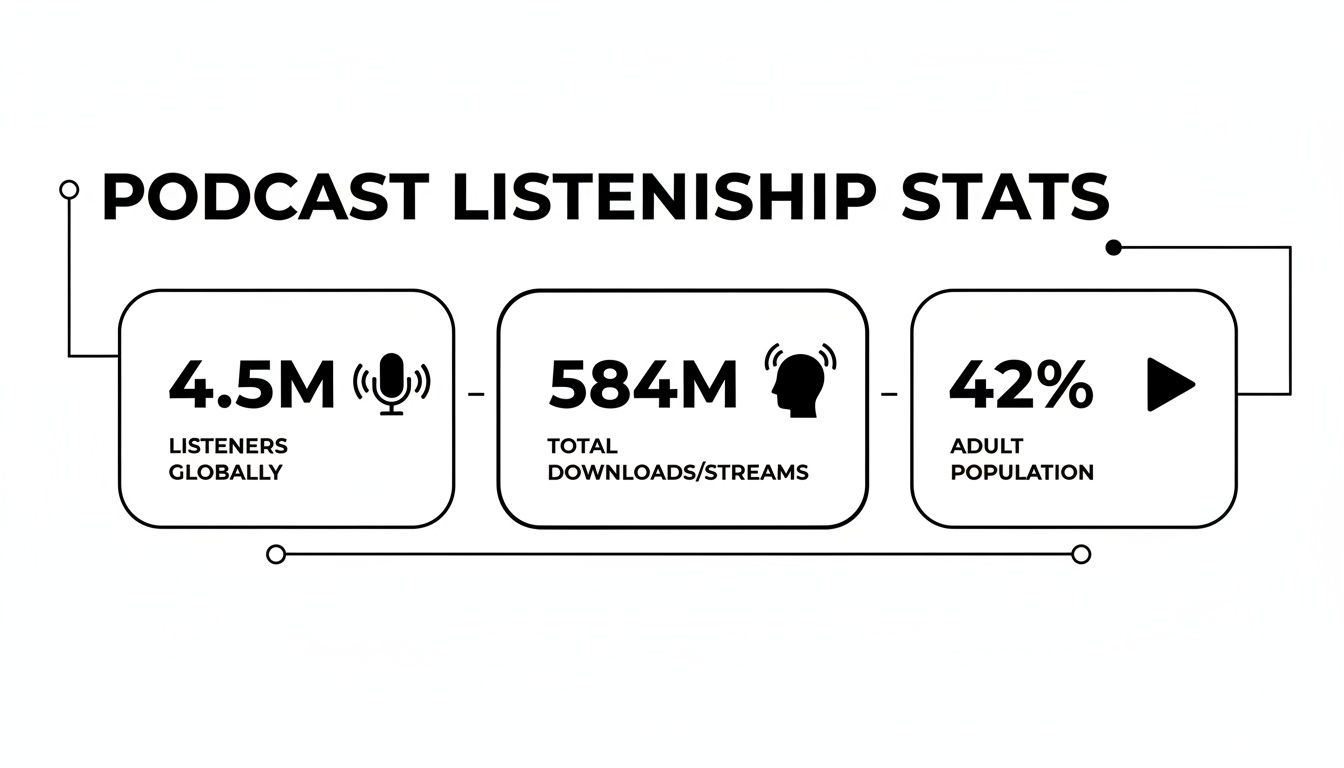
The numbers don't lie. A huge chunk of the global audience is already comfortable with—and actively looking for—video podcast content.
Multiply Your Content with Repurposing
Maybe the most practical reason for a business to embrace video podcasting is how brilliantly it fuels your entire content machine. A single long-form video episode is a goldmine. You can slice it and dice it into dozens of smaller pieces for all your other marketing channels.
From just one 30-minute interview, you could easily create:
- 10-15 short-form clips perfect for TikTok, Instagram Reels, and YouTube Shorts.
- 5-7 eye-catching quote graphics to share on LinkedIn and X (formerly Twitter).
- An audiogram to promote the audio version on social media.
- A full-length blog post built from the episode's transcript.
This strategy maximizes the return on your recording time, turning one session into an entire week's worth of valuable content. You stop the endless brainstorming grind and instead focus on creating one cornerstone piece that you can strategically sprinkle across every platform.
Unlocking New Revenue Streams
The financial side of video podcasting is just as compelling. With the global podcast advertising market projected to be worth nearly $4.46 billion in 2025, it's clear there's money to be made. Video formats naturally command higher ad rates because they drive more engagement.
By understanding how much YouTube pays creators, you can start to see the direct revenue potential. For businesses, this opens up lucrative opportunities for sponsorships, branded content, and other income streams that simply aren't as accessible with audio alone.
Of course, managing this content creation powerhouse can be a huge time suck, especially when it comes to editing. This is where a tool like Tubentum becomes a game-changer. Instead of painstakingly editing out awkward pauses or hunting for the best moments to turn into clips, Tubentum automates much of that work. It helps you turn a raw recording into a polished final video—and a whole collection of social media clips—in a fraction of the time, making this powerful content strategy truly accessible for any business.
How to Produce Your First Video Podcast
Diving into video podcasting might feel like a huge leap, but breaking it down reveals a process that's much more manageable than it looks. The secret to a great show isn't fancy cinematic gear; it's a solid plan that starts with a simple question: who are you making this for? Figure out your audience, what they care about, and how you can deliver something that genuinely helps or entertains them.
Once you know your audience, choosing the right format becomes much easier. Are you a solo expert breaking down complex topics? Do you shine when you're interviewing fascinating guests? Or maybe you're a natural at guiding a lively panel discussion? Each format brings a different vibe and has its own production needs, so play to your strengths and what your listeners will enjoy most. With that decided, you can map out your core content pillars—the main themes you'll return to again and again.
Setting Up for Success
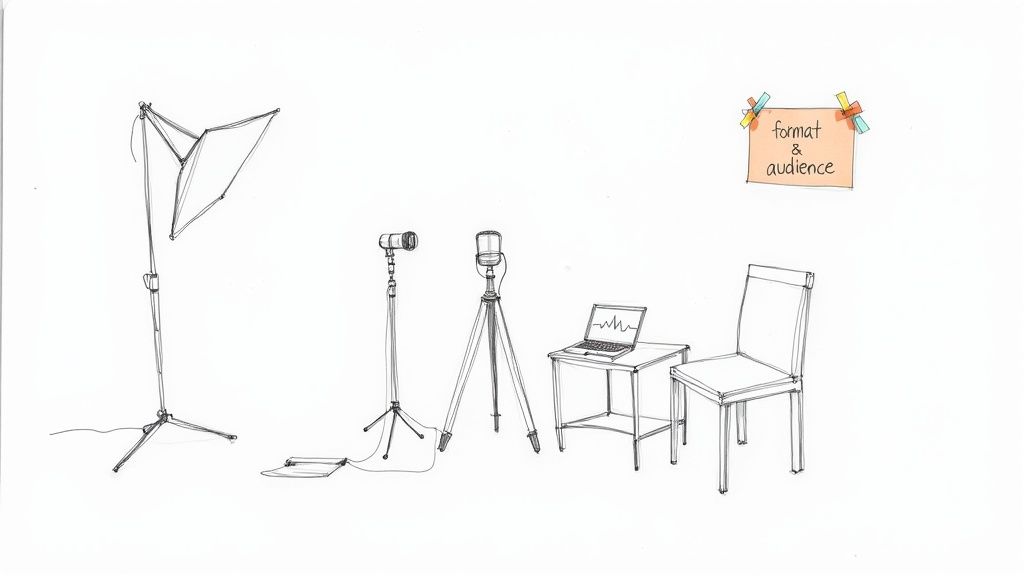
With a clear strategy in hand, it's time to think about recording. This is where a lot of would-be podcasters get bogged down, imagining they need a high-end studio. But honestly, you can get a polished, professional look with a surprisingly simple setup. Think reliability and simplicity, not expensive equipment.
The most critical part of your setup isn't your gear—it's your room. A quiet space without a lot of echo will make a bigger difference to your audio quality than a $1,000 microphone ever could. You can easily dampen sound by adding soft surfaces like rugs, curtains, or even a few blankets to absorb reverb and keep your audio sounding clean.
When it comes to equipment, just start with the basics:
- A Solid Microphone: A great entry point is a USB mic like the Samson Q2U. It's affordable, plugs right into your computer, and delivers fantastic sound without any fuss.
- A Good Camera: You don't need a Hollywood-grade camera. The one on your smartphone or a quality webcam is more than enough to capture crisp, professional video.
- Simple Lighting: This one is a game-changer. You absolutely need good lighting. A basic three-point setup with affordable LED lights, or even just a ring light, will elevate your video quality instantly and make you look like a pro.
The aim here isn't a blockbuster movie production. It's about creating a clean, professional, and distraction-free experience for your audience. A consistent setup is what helps build a recognizable and trusted brand.
Streamlining Post-Production
Once you’ve wrapped up recording, you’re on to editing. For many creators, especially those juggling a podcast with a business, this is where momentum grinds to a halt. Traditional video editing involves painstakingly scrubbing through timelines, slicing out mistakes, and hunting for the best clips. It’s tedious work that takes away from core business activities.
This is exactly why modern editing tools are so powerful—they offer a smarter path to a finished episode. Instead of getting lost in the weeds of manual edits, you can keep your focus on the actual content. A platform like Tubentum, for example, completely changes the game for business content creators. It transcribes your video automatically, so you can edit your recording just by deleting words from the text. No more timeline gymnastics.
Think about it: you just finished a fantastic interview, but it's sprinkled with filler words like "um" and "ah." A tool like Tubentum can zap them all in a single click. It also automatically snips out those long, awkward pauses, instantly making your conversation feel tighter and more engaging. This approach is the ideal shortcut for businesses, turning what used to be a multi-hour editing slog into a quick and easy review.
Streamline Your Editing Workflow with Modern Tools
Once you hit "stop record," the real work begins. For many video podcasters, post-production is the most dreaded part of the whole process. It's a technical, time-sucking monster that can quickly turn a passion project into a grind. For businesses and creators who just want to share valuable content, the goal isn't cinematic perfection; it's getting a clean, professional episode out the door without losing an entire day.
The old-school way meant wrestling with complex timeline editors—you know the ones, with all their confusing tracks, cryptic tools, and a learning curve a mile high. You’d spend hours painstakingly hunting for every single "um," "ah," and awkward pause. This tedious work is a huge reason so many business podcasts fizzle out. It’s just not a sustainable model for busy people.

A Smarter Way to Edit
Thankfully, video podcast editing has evolved. Modern tools have thrown out the clunky timeline in favor of something far more intuitive: text-based editing. This is where a platform like Tubentum completely changes the game by providing the ideal shortcut to a polished final product.
Imagine this: moments after you finish recording, you get a full transcript. Instead of scrubbing through video waveforms, you just read the conversation.
Editing your video podcast should feel as simple as editing a Word document. If you can highlight and delete a sentence, you can edit your video. This simple shift in perspective can easily cut your post-production time in half.
This isn’t just a nice idea; it's a reality. Tubentum is built from the ground up to solve the real-world problems that business-focused podcasters face.
- Automatic Filler Word Removal: Get rid of all those "ums" and "ahs" with a single click. It instantly makes you sound more polished and authoritative.
- One-Click Silence Removal: Those long, awkward gaps where someone is gathering their thoughts? Tubentum finds and zaps them automatically, keeping the energy high and the conversation flowing.
- Instant Social Media Clips: The platform intelligently identifies the most shareable moments from your episode and turns them into dozens of vertical clips, complete with captions, ready for TikTok, Reels, and Shorts.
From Hours to Minutes
This text-based, AI-assisted approach fundamentally alters the economics of content creation. An editing job that used to block out four to eight hours on your calendar can now be done in less than one. To really get your post-production dialed in, it's worth adopting a modern video editing workflow that prioritizes this kind of efficiency.
For creators and businesses, this is about more than just saving a few hours. It’s about building momentum. By eliminating the single biggest bottleneck in the production process, you can finally focus on what you're actually good at: creating fantastic content and building a real connection with your audience. You can learn more about this approach in our guide to video editing for content creators.
Get Your Podcast Heard: A Guide to Distribution and Promotion
You’ve planned, recorded, and edited a fantastic video podcast. That’s a huge win, but the work isn't over yet. In fact, the next step is just as critical: getting your show in front of the right people. Without a solid plan for distribution and promotion, even the most brilliant content can fail to find an audience.
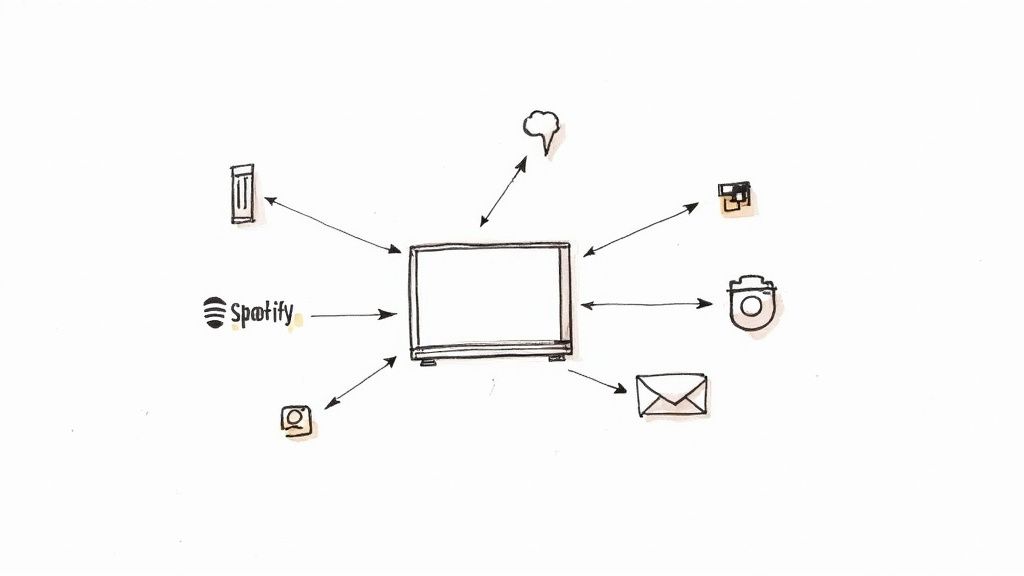
The key is to think bigger than just one platform. Your distribution strategy should be a multi-channel effort, placing your podcast on all the key platforms where your ideal listeners hang out. Treat services like YouTube, Spotify, and Apple Podcasts as different storefronts for your brand, not competing channels. Each requires its own touch—from SEO-rich titles on YouTube to eye-catching cover art for the audio-only directories.
Squeeze Every Drop of Value from a Single Episode
Once your episode is live, it’s time to build buzz. This is where having video gives you a massive advantage. A single episode is a goldmine of promotional assets, and the smartest businesses learn how to turn one long-form recording into an entire marketing campaign. The secret is content repurposing.
Think about it: a 30-minute episode is packed with shareable moments. Instead of just posting the full video and hoping for the best, your job is to pull out the highlights and atomize them into smaller, digestible pieces designed for social media.
This is where a tool like Tubentum can be a game-changer. Rather than spending hours manually hunting for the best clips, its AI can instantly pinpoint the most engaging segments and generate dozens of short, vertical videos for you. Suddenly, you have a wealth of content ready to go, the ideal shortcut for a busy marketing team.
- TikTok & Instagram Reels: Grab attention with short, snappy clips featuring bold, on-screen text. These are perfect for hooking viewers and pointing them to the full episode.
- LinkedIn & X (formerly Twitter): Share thought-provoking quote cards or brief video highlights from your guests. It’s a great way to spark discussion and position yourself as an expert.
- Email Newsletters: Give your subscribers an exclusive sneak peek by embedding a key moment directly into your newsletter. It’s a powerful incentive to get them to click and watch.
By repurposing your content, you're not just promoting an episode; you're creating a web of entry points for new viewers to discover your brand. Every clip, quote, and audiogram is another chance to capture someone's interest.
This approach lets you get the maximum ROI from every recording session. You stop feeling like you're on a content treadmill and start creating a sustainable system for growth. To dive deeper into this workflow, check out our guide on how to repurpose video content. It transforms promotion from a draining task into an efficient engine for building your audience.
Common Questions About Video Podcasting
Jumping into video podcasting can feel like a big leap, and it's totally normal to have a few questions before you dive in. To help you get a clearer picture, we’ve put together some straightforward answers to the questions we hear most often from creators and businesses.
How Much Does It Cost to Start a Video Podcast?
Honestly, the cost can be whatever you want it to be. You can get a surprisingly solid setup off the ground for under $200. All you really need is a good smartphone, a dependable USB mic like the Samson Q2U, and a window for some nice, natural light. That's it. You’re in the game.
Now, if you're aiming for that slick, polished look right from the start, you'll be looking at a bigger investment. A dedicated DSLR or mirrorless camera, a couple of quality microphones, and a simple lighting kit will likely set you back anywhere from $1,000 to $5,000. My advice? Start with what you've got and upgrade as you grow. Don't forget to account for editing software, too. An affordable subscription to a tool like Tubentum can actually save you money by cutting down your post-production hours.
Do I Need a Professional Studio?
Absolutely not. A dedicated studio is a nice-to-have, not a need-to-have, especially when you're just starting. You can get a perfectly professional result from a quiet corner of your home or office.
Instead of worrying about a studio, just focus on these three things:
- Clear Audio: Find a quiet space. Rooms with soft surfaces like carpets, curtains, or even a few pillows strategically placed can work wonders to kill echo.
- Good Lighting: A simple ring light is a game-changer. If you don't have one, just face a window for soft, natural light that looks great on camera.
- A Clean Background: Keep it simple. A tidy bookshelf, a plain wall, or a pop-up banner with your logo all work perfectly.
Consistency is far more important than a high-end studio. A familiar and clean recording environment builds brand recognition and shows your audience that you are professional, regardless of your budget.
How Long Does It Take to Produce One Episode?
This really depends on the length and complexity of your show. Let's say you're recording a standard 30-minute interview. You might spend an hour or two on planning and another hour on the recording itself. The real time-sink has always been the editing. A professional editor could easily spend four to eight hours chopping up that 30-minute recording.
This is where the right tools completely change the equation. An AI-powered platform like Tubentum can slash that editing time by over 50%. Think about it: all the tedious stuff, like cutting out "ums," "ahs," and long, awkward pauses, is done with a single click. Suddenly, that four-to-eight-hour editing job shrinks down to just one or two hours, making it so much easier to stay consistent.
Is It Better to Pre-Record or Live Stream?
This one comes down to your personality and your goals. There’s no right or wrong answer, as each format has its own strengths.
- Pre-Recording: This gives you maximum control. You can do multiple takes, edit out any mistakes, and add in slick graphics to make sure the final product is perfect. For most businesses creating evergreen content, this is the way to go.
- Live Streaming: This is all about energy and community. It creates a sense of immediacy and lets you interact with your audience in real-time through comments and Q&A. It's fantastic for building a loyal following, but it’s also unforgiving—there's no "undo" button when you're live.
A lot of savvy creators do both. They'll live stream the initial recording to get that raw engagement, then take that recording, polish it up, and release it as a perfectly edited on-demand episode. It's the best of both worlds.
Ready to skip the tedious editing and produce professional video podcasts in a fraction of the time? Tubentum auto-edits your talking head videos into ready-to-publish content with a single click. It automatically removes silences, filler words, and repeated speech, so you can focus on creating great content, not wrestling with timelines. Start streamlining your workflow with Tubentum today!